Where to Buy SEO Software: Top Picks for 2026

Looking to buy SEO software in 2026? It can feel like a lot to sort through, with so many options out there. We've all been there, staring at a screen full of tools, wondering which one actually does what you need without costing a fortune. This guide breaks down some of the top contenders, focusing on what they do best and who they're good for, so you can make a smart choice for your website.
Key Takeaways
- Semrush and Ahrefs are powerful all-in-one platforms, great for agencies and larger teams needing a lot of data.
- Surfer SEO and Clearscope are top choices for teams focused on content optimization and creation.
- Google Search Console and Google Keyword Planner are free, solid starting points for understanding site performance and finding keywords.
- SE Ranking offers good value for rank tracking and site audits at a lower price point.
- Keysearch is a budget-friendly option that still provides strong keyword research and competitor analysis features.
1. Semrush
Semrush is a big player in the SEO software world, and for good reason. It's like the Swiss Army knife of SEO tools – it can do a whole lot of different things. If you're running an agency or a larger business, this is probably a tool you've heard of, or maybe even use already. It covers a wide range of tasks, from digging into keywords with its Keyword Magic Tool (which has a massive database, by the way) to tracking where your site ranks, checking for technical issues, and seeing what your competitors are up to. Plus, it's got features for paid ads and content analysis, all in one place. This makes it a really convenient option if you need to manage multiple marketing channels from a single dashboard.
However, all that power can be a bit much when you're just starting out. The interface can feel a little overwhelming at first, and there's definitely a learning curve involved. It's also on the pricier side, especially if you're on a tight budget. But if you need a tool that can handle pretty much any SEO task you throw at it, Semrush is a solid choice.
Here's a look at their pricing plans:
- Pro: Starts around $139.95 per month. Good for getting started with up to 5 projects.
- Guru: Around $249.95 per month. Includes more projects, ChatGPT search tracking, and multi-location data.
- Business: Costs about $499.95 per month. Offers even more projects, a share of voice tracker, and API access.
Semrush gets pretty good reviews from users:
- G2: 4.5 out of 5 stars
- Capterra: 4.6 out of 5 stars
While Semrush offers a lot, its extensive features mean it can take some time to get comfortable with everything it can do. It's a powerful platform, but be prepared to invest some time in learning its ins and outs.
2. Ahrefs
Ahrefs is a powerhouse in the SEO world, especially if you're looking to really dig into what your competitors are doing. Its Site Explorer feature is fantastic for analyzing backlinks and understanding how other sites are building their authority. While it's a solid tool for keyword research too, some might find other options on this list a bit more user-friendly for that specific task.
This platform is pretty much for everyone involved in SEO or content marketing, whether you're just starting out, have been doing this for a while, or run your own business. It's designed to handle a lot of different needs.
Here’s a look at what Ahrefs offers:
- Backlink Analysis: Get a deep dive into who links to your site and your competitors'.
- Keyword Research: Discover new keyword ideas and analyze their potential.
- Rank Tracking: Monitor your website's performance for target keywords.
- Site Auditing: Check your website for technical SEO issues.
- Content Explorer: Find popular content and identify content gaps.
Ahrefs is particularly strong for agencies needing detailed competitor and backlink intelligence. It's built to manage multiple client projects, which is a big plus if you're juggling several accounts. The data it provides is generally considered very accurate, and the team behind it is always adding new features, even looking into how AI search engines might change things.
However, it's not the cheapest tool on the market. The pricing can add up, though many feel the depth of data justifies the cost. Some users have noted that rank tracking accuracy can sometimes be a bit off compared to other tools, and the traffic estimates might not always perfectly match what you see in your own analytics.
While Ahrefs is a top-tier tool for research and competitor analysis, its cost can be a barrier for some. If you're focused purely on content optimization or need a more budget-friendly option, you might want to explore other tools first. But for understanding the competitive landscape and building a strong backlink profile, Ahrefs is hard to beat.
Here's a general idea of their pricing, though it's always best to check their site for the most current details:
| Plan | Starting Price (Monthly) | Key Features |
|---|---|---|
| Lite | $108 | Up to 5 projects, 750 tracked keywords |
| Standard | $208 | Up to 20 projects, 2,000 tracked keywords |
| Advanced | $374 | Up to 50 projects, 10,000 tracked keywords |
They also have a more basic, less advertised Starter plan for around $29 a month if you just need to do a few things.
3. Surfer SEO
Surfer SEO is a tool that really helps you fine-tune your content so it has a better shot at ranking well. It looks at what's already doing well on Google for your target keywords and gives you a kind of recipe to follow. Think of it like this: you tell Surfer what you want to write about, and it analyzes the top-ranking pages. Then, it tells you what words and phrases are common in those articles, how long they are, and even how many headings they use. This way, you're not just guessing what Google wants; you're getting data-backed suggestions. It's particularly good at helping you optimize existing content to give it a fresh boost.
Surfer has a few different plans, starting with the Essential plan at $99 per month. This gives you access to most of its core features, like creating content optimization reports and using built-in templates to keep your writing consistent with your brand voice. If you need more, the Scale plan ($219/month) offers higher limits for reports and includes advanced topical maps to help you figure out what other content you should be creating. For really big companies, there's an Enterprise option with custom pricing, white labeling, and API access.
Here’s a quick look at what Surfer offers:
- Content Editor: Provides real-time feedback as you write, showing you how well your content covers a topic and suggesting improvements.
- Content Planner: Helps you discover related topics and keywords to build out your content strategy.
- Surfer AI: An option to generate articles using AI, which can be useful for quickly creating drafts or expanding on ideas.
- Audit Tool: Analyzes your existing pages and suggests changes to improve their SEO score.
One thing to keep in mind is that while Surfer is powerful, it works best when you already have a basic grasp of SEO. It's not really designed to teach you SEO from scratch. It's more about taking good content and making it great, helping you go from a solid draft to a top-tier piece. It integrates nicely with tools like Google Docs and WordPress, which is a big plus for many writers. If you're serious about getting your content to rank, Surfer SEO is a strong contender.
While Surfer focuses heavily on content optimization, it doesn't include tools for technical SEO audits or in-depth backlink analysis. You'll likely need other tools to cover those areas of your SEO strategy.
4. SE Ranking
SE Ranking is a pretty solid all-around SEO tool that covers a lot of ground. You can use it for keyword research, keeping an eye on your search engine rankings, checking out what your competitors are up to, and even digging into backlink profiles. It’s got a lot of features packed in, which is great if you're managing multiple websites or working with a bunch of clients.
This tool really shines when you're handling several projects at once. If you're an agency or a freelancer juggling many clients, SE Ranking's setup and pricing make a lot of sense. It’s designed to keep all your client data in one place, which simplifies things a ton. For folks just starting out or only working on their own single website, it might be a bit much, and tools like Ahrefs or Semrush might fit better.
Here’s a quick look at their pricing tiers:
- Essential: Starts at $65/month for up to 5 projects and 500 tracked keywords daily.
- Pro: Costs $119/month, offering 30 projects, 2,000 daily tracked keywords, and an LLM tracker.
- Business: Begins at $259/month, providing unlimited projects, starting at 5,000 daily tracked keywords, plus dedicated support and API access.
One of the cool things SE Ranking offers is built-in automation for workflows and monitoring. Plus, they've got AI insights that can help you create reports and show clients how they're appearing in AI search results, which is becoming more important these days.
While SE Ranking is generally well-regarded, some users have noted that the rank tracking data isn't always perfectly accurate. It's something to keep in mind, especially if pinpoint precision is your absolute top priority.
Overall, if you're in the agency world or manage a portfolio of websites, SE Ranking is definitely worth a look. It’s built for that kind of workload and can make managing multiple SEO efforts much smoother.
5. Clearscope
Clearscope is a content optimization tool that really focuses on making your articles as good as they can be. When you plug in a keyword, it spits out a report suggesting other keywords and topics you should cover. It also shows you what your competitors are doing, which is pretty handy.
This tool is best for teams that care more about the quality of their content than just churning out a lot of it. It’s got a clean interface, so writers can focus on the topic without getting bogged down in technical stuff. Big companies in the tech world use it, so it's definitely got some street cred.
Clearscope has added more features over time, like basic keyword research and a way to see if your content is starting to lose steam. It’s a solid choice if you’re managing editor, a content marketer, or an SEO person who wants to create in-depth, high-quality blog posts.
Here's a look at their pricing:
| Plan | Price (Monthly) | Content Reports | Keyword Discoveries |
|---|---|---|---|
| Essentials | $189 | 20 | 500 |
| Business | $399 | 20 | Custom |
| Enterprise | Custom | Custom | Custom |
It's on the pricier side, which makes sense because it's a premium tool. Some folks find the pricing a bit confusing, though, especially since the Essentials and Business plans offer the same number of content reports but have a big price difference. It would be nice if the number of reports went up with the price, but that's just me.
Clearscope is great at spotting gaps in what you're covering that other tools might miss. It helps you really nail the search intent for your articles.
Overall, Clearscope gets high marks from users, with ratings around 4.9 out of 5 on sites like G2 and Capterra. It’s a strong contender if you’re looking for precision in your content optimization.
6. KeySearch
If you're looking for a powerful SEO tool that won't break the bank, Keysearch is definitely worth a look. It's been around since 2015 and has become a go-to for many bloggers and content creators because it just gets the job done.
Its biggest strength really lies in keyword research. The keyword difficulty score feels pretty accurate, especially for a tool at this price point, and the competitor analysis features are surprisingly good. You can pop in a competitor's website and see what keywords they're ranking for, which is super helpful for figuring out their strategy. They also have this feature called Foresight, which uses AI to look at your site's authority and suggest content ideas and keywords that you actually have a shot at ranking for. It's a neat way to get some personalized guidance.
Keysearch offers a couple of paid plans:
- Starter Plan: Costs $24 per month. You get up to 200 keyword searches daily, can track 80 keywords, and get 5,000 AI credits. This is a solid starting point for most beginners.
- Pro Plan: Priced at $69 per month. This bumps you up to 500 searches per day, lets you track 200 keywords, gives you 15,000 AI credits, and includes that Foresight feature we talked about.
While it might not have the slickest interface or the fastest loading times for every single feature, the value you get for the price is hard to beat. It's a great way to start learning the ropes of premium keyword research and competitor analysis without a huge financial commitment.
For anyone just starting out in SEO or content creation, Keysearch is a fantastic entry point. It provides many of the core functionalities found in more expensive tools, making it accessible for those on a tighter budget. It's a tool that genuinely helps you get started with data-driven SEO practices.
7. Google Search Console
Okay, so let's talk about Google Search Console, or GSC as most people call it. If you're doing anything with SEO, you absolutely need to be using this. It's a free tool from Google itself, which is a big deal because it gives you direct information about how your site is performing on Google Search. Think of it as your direct line to Google's perspective on your website.
What can you actually do with it? Well, for starters, it shows you which search terms people are using to find your site, and how many times your pages are showing up (impressions) and getting clicked. This is super helpful for figuring out what's working and what's not. You can also see if Google is having trouble finding or indexing your pages, which is pretty important. Plus, you can submit your sitemap here and ask Google to index new content or updated pages.
Here are some of the main things GSC helps you with:
- See which search queries bring people to your site.
- Identify pages that are indexed and those that aren't.
- Monitor your site's performance for mobile devices.
- Get alerts for any security issues or manual actions Google might have taken.
- Check your site's Core Web Vitals, which are important for user experience.
It's not the fanciest tool out there, and sometimes the data takes a day or two to show up, but honestly, for getting real, first-party data straight from Google, there's nothing better. It's a must-have for anyone serious about their website's visibility. You can get started with Google Search Console without any cost.
While GSC is fantastic for understanding how Google sees your site, it doesn't give you a full picture of your overall website analytics. You'll want to pair it with other tools for that.
8. Google Keyword Planner
Google Keyword Planner is a free tool that lives inside your Google Ads account. While it's built for people running paid ad campaigns, it's also a really solid option for SEO folks looking for keyword ideas and data. Think of it as a way to peek into what people are actually searching for on Google.
It's pretty straightforward to use, especially if you're already familiar with Google's ecosystem. You can get search volume estimates for keywords, which tells you how popular a term is. It also shows you the cost-per-click (CPC) data. Now, CPC is for ads, but it can give you a hint about how valuable a keyword might be for your business. If advertisers are willing to pay a lot for a keyword, it often means there's commercial intent behind it.
Here’s what you can generally do with it:
- Discover new keywords related to your business or website.
- Get search volume data for those keywords.
- See competition levels for those keywords (though this is more ad-focused).
- Find out the average cost-per-click (CPC) for ads targeting those keywords.
This tool is a fantastic starting point for anyone on a tight budget, offering direct insights from Google itself. It's especially useful for understanding search trends and finding terms that have a good balance of search interest and potential value.
While you need a Google Ads account to access it, you don't have to run any ads. Just setting up an account is enough. Sometimes the interface can feel a bit much if you're brand new to digital marketing, but the core features for keyword research are pretty easy to find once you're in.
It's a bit of a hidden gem for organic search, and many people overlook it because it's tied to the advertising platform. But for free, accurate data straight from the source, it's hard to beat.
9. Screaming Frog
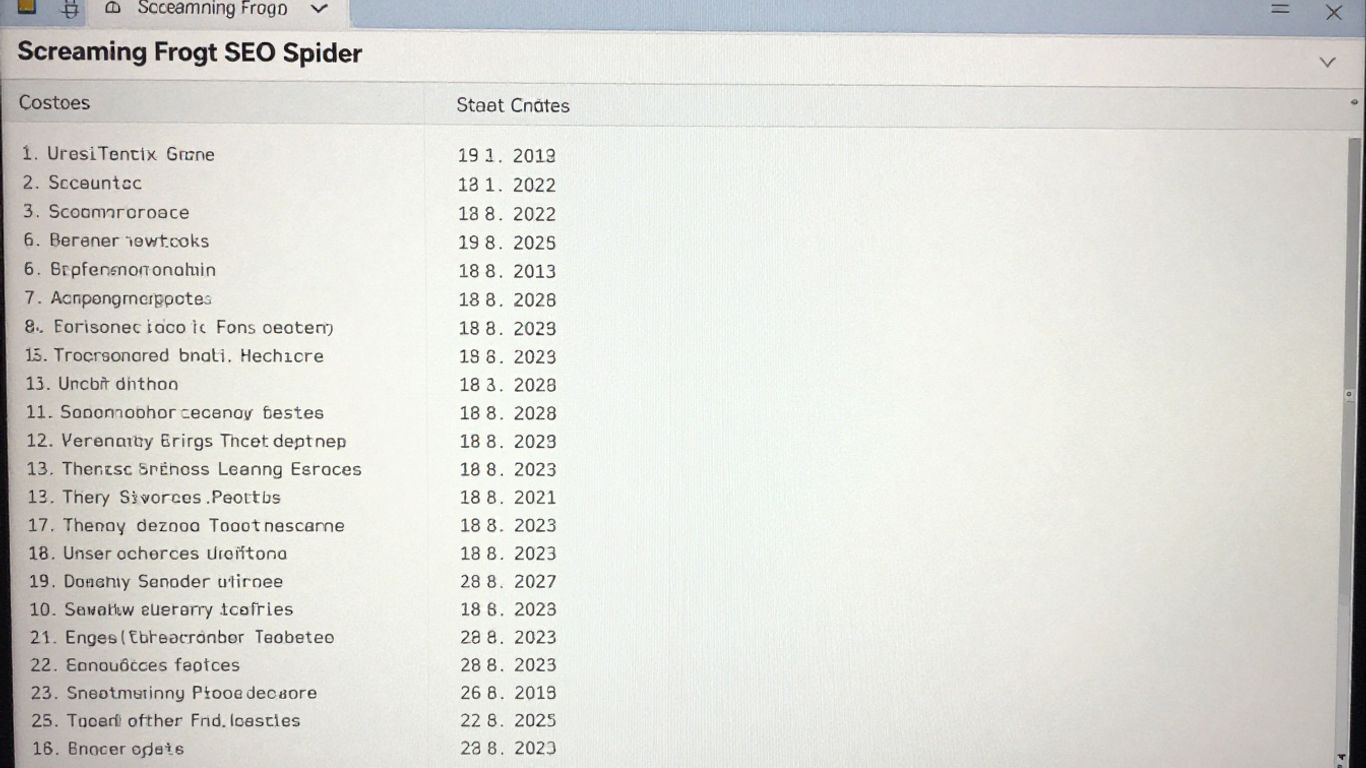
Screaming Frog SEO Spider is a tool that many SEO pros have used at some point. It’s a desktop application that crawls websites and gives you a detailed look at all the technical stuff going on. Think of it like a mechanic for your website, but instead of checking the engine, it’s checking for broken links, redirect issues, duplicate content, and problems with your meta tags. It’s really good at finding those little technical glitches that can trip up your site’s performance in search results.
This tool is a lifesaver for uncovering hidden technical SEO problems. It’s not the prettiest tool out there, and the interface can feel a bit old-school, but it gets the job done. It’s especially useful when you’re onboarding a new client or doing regular check-ups to make sure everything is running smoothly.
Here’s a quick look at what it can do:
- Find broken links (404s).
- Analyze redirect chains and loops.
- Check for missing or duplicate page titles and meta descriptions.
- Identify canonicalization issues.
- Flag thin or duplicate content.
- Extract data using custom rules.
Screaming Frog offers a free version that lets you crawl up to 500 URLs. This is great for smaller sites or just to get a feel for the tool. If you need to crawl more than that, or want access to all the features, the paid version costs $279 per year. It’s a license per user, so keep that in mind if you have a team.
While it might seem a bit technical at first, especially if you’re new to SEO, Screaming Frog is a powerful asset. It’s designed for people who need to dig deep into the technical health of a website, and for that purpose, it’s hard to beat. It’s not really for creating content, but for finding out why your content might not be showing up correctly, it’s fantastic.
It also plays nicely with other tools like Google Search Console and Google Analytics, letting you pull in data from those sources to get a more complete picture without a lot of manual work. It’s a solid choice for agencies and experienced marketers who need to perform thorough technical audits.
10. MarketMuse

MarketMuse is less about writing a single blog post and more about building a whole content strategy for your website. Think of it as the architect for your site's authority. It looks at what you've already published, compares it to what your competitors are doing, and then maps out what topics you're missing. It’s a tool for planning long-term content, not for churning out daily articles.
This platform is especially useful if you manage a large website or work for a publishing company. It helps you figure out what your site should be covering to become a go-to resource in your niche. It analyzes your existing content and gives it a score, showing you where you can improve.
Here’s a quick look at what MarketMuse helps you do:
- Analyze your entire content library to see what's working and what's not.
- Identify topic gaps that competitors are covering but you aren't.
- Get personalized scores and suggestions for optimizing your content.
- Map out content clusters to build topical authority over time.
It’s a strategic tool designed for building long-term content success.
MarketMuse focuses on the bigger picture of content strategy. It helps you understand your site's overall health and identify areas for growth, rather than just focusing on individual pieces of content. This approach is key for establishing lasting authority in your field.
If you're serious about building a strong content foundation and want to see how your site stacks up against others, MarketMuse is definitely worth checking out. They offer a free tier to get started, which is a nice way to test the waters before committing to a paid plan. You can explore their content brief generation feature to see how detailed their recommendations can get.
Wrapping It Up: Finding Your SEO Software Fit
So, we've looked at a bunch of different SEO tools, from the big all-in-one suites to more specialized options. It can feel like a lot, but remember, the best tool isn't always the most expensive or the one with the most features. It's the one that actually helps you get things done. Think about what you need most right now – is it finding new keywords, making your content better, or understanding your competitors? Start there. Many of these tools offer free trials, so don't be afraid to test them out. You might find that a combination of a few tools works best for your specific goals and budget. The main thing is to pick something you'll actually use consistently to improve your site's visibility.
Frequently Asked Questions
What exactly is an SEO tool?
Think of an SEO tool as a helpful assistant for making your website show up more often on search engines like Google. These tools help you figure out what words people are searching for, see what your competitors are doing, and make sure your website is set up correctly so search engines can find it easily.
Do I really need to pay for SEO software?
Not always! Google offers some great free tools like Google Search Console and Google Keyword Planner that are fantastic for beginners. As you get more serious or need more advanced features, paid tools can offer more power and insights, but you can definitely start with free options.
Which SEO tool is best for beginners?
For folks just starting out, tools like Google Search Console and Google Keyword Planner are excellent because they're free and directly from Google. If you want something a bit more user-friendly with a simple layout, Keysearch or SE Ranking are often recommended for their ease of use.
What's the difference between tools like Semrush and Ahrefs?
Semrush and Ahrefs are like the big players in the SEO world. They both do a lot of things, like checking out your competition, finding keywords, and seeing who links to your site. Semrush is often seen as a great all-around tool, while Ahrefs is especially strong when it comes to looking at website links.
Are AI SEO tools worth the hype?
AI tools are changing the game! They can help you create content faster, predict what topics will be popular, and even suggest how to fix your website. While they're powerful, it's important to remember they work best when you guide them and use your own judgment. Not all AI tools are created equal, so pick wisely!
How do I choose the right SEO tool for my needs?
First, think about what you need most. Are you trying to find keywords, write better content, or check your website's health? Also, consider your budget and how easy the tool is to learn. Many tools offer free trials, so you can test them out before committing to a purchase.