Unlock Your Creative Potential with Dupdub AI: Voice Cloning, Avatars, and Content Creation

Ever feel like you've got a million ideas but not enough time or resources to make them happen? That's where DupDub AI comes in. It's like having a whole creative team in your computer, ready to help you write, speak, and even look like a pro. We're going to check out what this DupDub AI tool can actually do and if it's worth giving a shot for your next project.
Key Takeaways
- DupDub AI offers tools to turn your written ideas into spoken words and even animated characters, making content creation faster.
- You can clone your own voice with DupDub AI, allowing you to create audio in different languages while sounding like yourself.
- The platform helps with video creation by automating subtitles, translating content, and offering editing features.
- DupDub AI can be used for various projects, from marketing videos and e-learning to podcasts and customer service.
- It provides an all-in-one solution for many content needs, aiming to simplify workflows for creators.
Unleash Creativity with DupDub AI's Core Features
Getting your ideas out there can feel like a lot sometimes, right? You've got the spark, but turning it into something people can see or hear takes a bunch of steps. DupDub AI aims to smooth out that process with a few key tools that work together. It’s like having a whole creative team in one place.
Transforming Ideas into Text with AI Writing
Ever stare at a blank page, waiting for inspiration to strike? DupDub's AI writing tool is designed to help kickstart your content. You can feed it a basic idea, a few keywords, or even a rough outline, and it will generate written content. Think marketing copy, script outlines, or even blog post drafts. It's not always going to be perfect, and you'll likely want to tweak it, but it can definitely get you past that initial hurdle. It's useful for generating a lot of text quickly, which can be a big help for things like social media posts or initial drafts.
The AI writing assistant can be used for both creating new text from scratch and refining existing content. It's flexible enough to write full sections or just help polish up what you already have.
Bringing Scripts to Life with Text-to-Speech
Once you have your script, the next step is often giving it a voice. DupDub's text-to-speech feature lets you convert your written words into audio. They have a pretty big library of voices, over 400, in fact, covering more than 70 languages and accents. This means you can find a voice that fits your project without needing to hire voice actors or spend hours recording yourself. It's a practical way to get voiceovers for videos, presentations, or even audiobooks. You can find out more about how DupDub helps with social media content creation.
Capturing Your Unique Voice with AI Cloning
This is where things get really interesting. DupDub's AI voice cloning lets you record your own voice and create a digital replica. Once you have your cloned voice, you can use it to generate new audio content without actually having to record it yourself. Imagine being able to create new podcast episodes or video narration in your own voice, even if you're short on time. It’s a powerful way to maintain consistency in your audio branding across different projects.
Elevate Visual Content with DupDub AI Avatars and Video Tools
Making videos can feel like a lot, right? You need to film, edit, maybe add graphics, and then get the audio just right. DupDub AI steps in to make a big chunk of that easier, especially the visual side of things. It’s like having a small production team built right into your computer.
Animating Still Images with AI Avatar Creation
Ever wanted to have a character or even yourself speak without actually filming? That’s where AI Avatar Creation comes in. You can take a regular photo – maybe a picture of yourself, a colleague, or even a drawing – and turn it into a talking avatar. The AI figures out how to make the mouth move when it speaks and can even add some basic head movements. It’s pretty neat for things like explainer videos, personalized greetings, or even just making your social media posts stand out.
- Turn photos into animated presenters.
- Add voiceovers to static images.
- Create engaging characters for stories or ads.
This feature is a game-changer for anyone who needs to present information visually but isn't comfortable on camera or wants a more polished look. The quality really depends on the photo you start with, but it’s surprisingly effective for getting your message across.
The process usually involves uploading your image, providing the script you want the avatar to say, and then letting the AI do its magic. You can often pick different voices and languages too, which is a nice bonus.
Streamlining Production with AI-Powered Video Editing
Video editing used to mean hours spent cutting clips, adding text, and syncing audio. DupDub AI’s editing tools aim to cut down that time significantly. Think about automatically generating subtitles for your videos – no more typing them out word by word! It can also help with basic trimming and putting clips together. It’s not going to replace professional editing software for complex projects, but for quick social media clips, marketing videos, or simple explainers, it’s a real time-saver.
- Auto-generate subtitles quickly.
- Trim and merge video clips with ease.
- Add simple effects and transitions.
Expanding Reach Through Video Translation
Getting your videos seen by more people often means making them available in different languages. DupDub AI can help here too. It offers tools to translate your video content, which can be a huge help if you’re trying to reach an international audience. While automatic translations aren't always perfect and might miss some cultural nuances, they provide a solid starting point for making your content accessible globally. It’s a big step up from having to re-record everything from scratch in a new language.
Mastering Audio with DupDub AI's Sound Capabilities
When you're putting together any kind of project, audio is a big part of it. DupDub AI has a few tools that can really help make your sound work better, whether you're making a video, a podcast, or something else entirely.
Enhancing Projects with AI Sound Effects
Sound effects can make a huge difference in how engaging your content is. DupDub offers a library of AI-generated sound effects. Think about adding a subtle background hum to a scene, a distinct 'ding' for an alert, or even a crowd murmur for a busy environment. These aren't just random noises; they're designed to fit into your project and add a layer of realism or emphasis. It's like having a sound designer on call, ready to add that extra bit of polish.
- Adding atmosphere: Use ambient sounds to set the mood for a scene.
- Highlighting actions: Employ specific sound effects to draw attention to key moments.
- Creating immersion: Layer sounds to make your audio experience richer and more believable.
Converting Speech to Text with AI Transcription
Getting your spoken words into text is a common need, and DupDub's AI transcription service aims to make it simple. This is super handy if you've recorded a podcast episode or a video and need a written version for captions, show notes, or just for editing purposes. The system listens to your audio and turns it into written text. While it's pretty good, especially with clear audio, you might still need to give it a quick look-over to catch any small mistakes, particularly with fast speech or background noise.
The accuracy of AI transcription can depend a lot on how clear the original audio is. Things like background chatter or a muffled voice can sometimes throw it off. It's a great starting point, though.
Adding Depth with Realistic Text-to-Speech Voices
DupDub's text-to-speech (TTS) feature is where you can really bring your written content to life. Instead of just reading text, you can have it spoken by a wide variety of AI voices. These voices are designed to sound natural, not like a robot reading a script. You can pick from different tones, accents, and styles to match the feel of your project. This is useful for everything from creating voiceovers for explainer videos to generating audio versions of articles for people who prefer listening.
| Voice Type | Example Use Cases |
|---|---|
| Professional Male | Corporate training, news reports |
| Friendly Female | E-learning modules, children's stories |
| Neutral Announcer | Commercials, public service announcements |
| Conversational | Podcasts, audiobooks, virtual assistants |
Real-World Applications of DupDub AI
So, where does all this cool AI tech actually come in handy? Turns out, DupDub AI isn't just for playing around; it's got some serious practical uses that can make a big difference for businesses and creators.
Boosting Marketing and Advertising Efforts
Think about creating ads. Instead of hiring actors and renting studio space, you can use DupDub to generate voiceovers in tons of different languages. This means your marketing message can reach people all over the world without breaking the bank. You can even create animated avatars to present your products or services, making your ads more engaging. It's a faster, cheaper way to get your message out there.
- Create multi-lingual video and audio ads: Reach a wider audience by translating your ad copy and voiceovers easily.
- Develop unique brand voices: Use voice cloning to maintain a consistent, recognizable voice across all your marketing materials.
- Produce explainer videos: Quickly generate animated videos that explain complex products or services in a clear, engaging way.
Using AI for marketing means you can test out different ad concepts and messages much faster. You're not tied down by long production times, so you can adapt to market changes on the fly.
Enhancing E-Learning and Training Materials
Educators and trainers can really benefit from DupDub. Imagine creating online courses where the narration sounds natural and professional, no matter the language. DupDub's text-to-speech can read out lessons, and its avatar feature can present information visually. This makes learning more accessible and interesting for students everywhere.
- Develop interactive training modules: Use AI voices and avatars to guide learners through complex topics.
- Translate educational content: Make your courses available to a global student base by translating scripts and voiceovers.
- Create accessible learning materials: Generate audio versions of written content for students with different learning needs.
Transforming Podcasts and Audiobooks
For anyone in the podcasting or audiobook world, DupDub offers a way to speed up production. You can use AI voices for narration, especially for longer projects where a human narrator might be too costly or time-consuming. Voice cloning can even let you create a consistent narrator voice for a whole series. Plus, you can quickly generate transcripts for show notes or repurpose audio content into blog posts.
Improving Customer Service Interactions
Customer service can be tough, but AI can help. DupDub can be used to create automated responses for chatbots or IVR systems that sound more human and less robotic. This can lead to a better customer experience. You could also use it to generate training materials for customer service agents, ensuring they have consistent guidance.
Leveraging DupDub AI for Global Content Reach
Reaching a worldwide audience used to be a huge hurdle for creators. Think about it: you'd need to hire voice actors for every language, get subtitles done, and basically remake your video multiple times. It was expensive and took forever. But with DupDub AI, that whole process is way simpler now.
Seamless Voice Cloning Across Languages
One of the coolest things DupDub offers is its ability to clone your voice. Once you've got your voice profile, you can use it to narrate content in different languages. This means your message stays consistent, and it sounds like you are speaking, no matter the language. It's a big step up from generic AI voices. This feature really helps maintain brand identity across different markets. You can explore different voice options on the voice library.
Automated Subtitle Generation and Alignment
Getting subtitles right can be a pain. DupDub automates this by generating subtitles from your audio and then aligning them with the speech. This saves a ton of time, especially if you're dealing with long videos or multiple languages. It’s not always perfect, and sometimes you might need to tweak it a bit, but it’s a massive time-saver compared to doing it all manually.
- Automatic transcription of spoken words.
- Synchronization of text with the audio track.
- Support for over 40 languages.
Creating Multilingual Video Content
Combining voice cloning and automated subtitles makes creating multilingual videos much easier. You can take a single piece of content and adapt it for various regions without starting from scratch. This is great for marketing campaigns, educational videos, or even just sharing your passion project with more people. It opens up your content to a much wider audience than you might have thought possible.
The ability to translate and dub content quickly means creators can respond to global trends and audience demands much faster, staying relevant in a crowded digital space.
Exploring the DupDub AI Ecosystem and Integrations
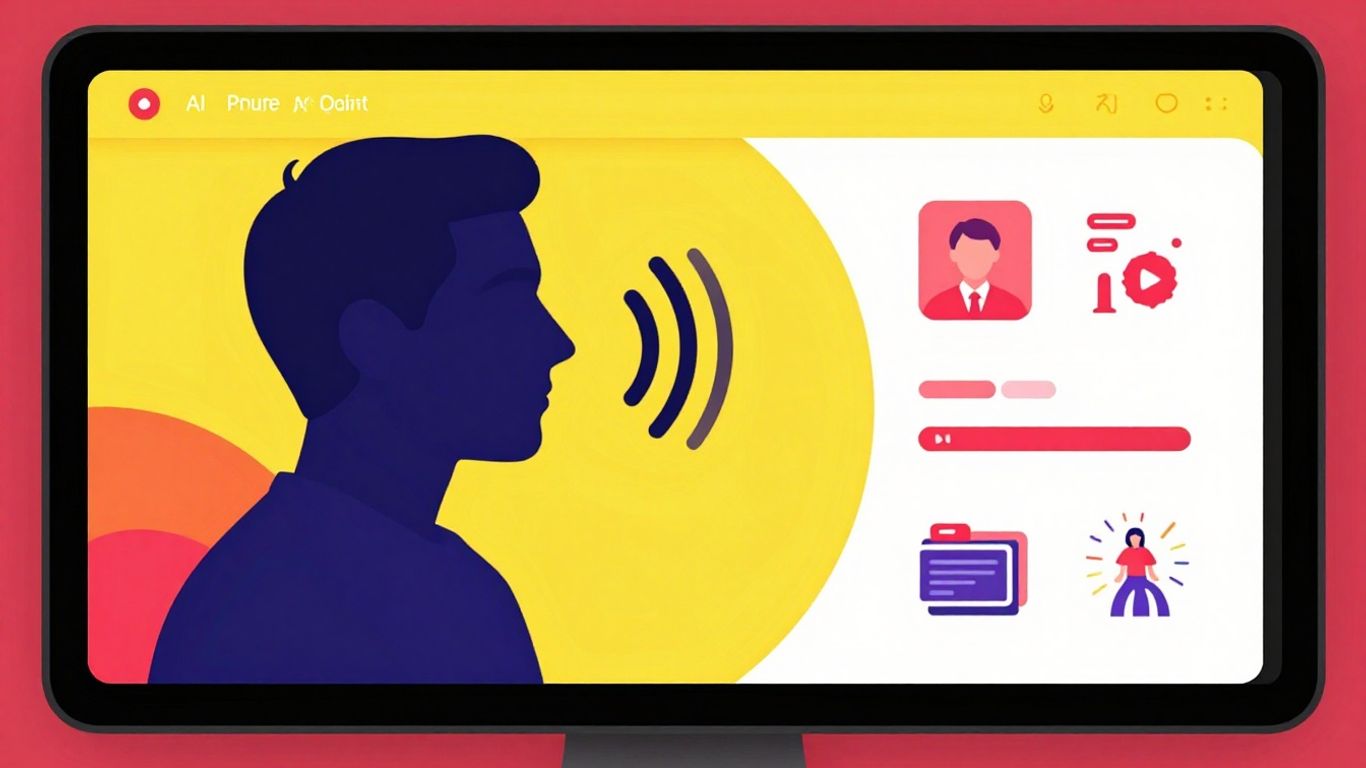
DupDub AI isn't just a collection of tools; it's a growing system designed to work together and connect with other popular platforms. This means you can do more with your content and make your workflow smoother. Think of it as building blocks for your creative projects.
Storing and Accessing Cloned Voices with Voice Store
Once you've put in the effort to clone your voice, you'll want to keep it handy. DupDub's Voice Store acts like a personal library for all your custom AI voices. This makes it super easy to grab the right voice for your next project without having to re-clone it every time. It's a real time-saver, especially if you're working on multiple audio pieces or different types of content.
Expanding Capabilities with Add-Ons
Beyond the main features, DupDub offers add-ons. These are like little extras you can tack on to get more specific functions. Maybe you need a special kind of audio effect or a particular text manipulation tool that isn't part of the standard package. These add-ons let you tailor the platform to your exact needs, so you're not paying for features you'll never use, but you can get them if you do.
Synergizing with Canva and GPTs Integrations
DupDub plays well with others. The integration with Canva is pretty neat; you can combine your AI-generated voices and avatars with designs you create in Canva. This makes putting together visual content, like social media posts or presentations, much faster. Then there's the GPTs integration. This connection can help generate more complex or creative text prompts for DupDub's AI, potentially leading to more interesting scripts or ideas. It's about making the whole content creation process more connected and less fragmented.
Working with integrated tools means less switching between different apps. You can often do more in one place, which cuts down on wasted time and potential errors when moving files or information around. It's about making the whole system work for you, not against you.
Here's a quick look at how these integrations can help:
- Canva Integration: Combine AI voices and avatars with graphic designs for social media, marketing materials, or presentations.
- GPTs Integration: Generate more advanced text prompts and creative ideas to feed into DupDub's AI writing and voice tools.
- Voice Store: Keep your cloned voices organized and accessible for quick use across various projects.
- Add-ons: Get specialized features to fine-tune your content creation process without overhauling the entire platform.
Wrapping It Up
So, there you have it. DupDub AI really does seem to pack a lot into one place, trying to make content creation less of a headache. From making your voice sound like it's coming out of a different person, to turning a photo into a talking character, and even helping with the writing and editing side of things, it's a pretty interesting toolkit. It might not be perfect for everyone, especially if you're already a pro editor, but for getting ideas out there quickly or just trying something new, it looks like a solid option. Definitely worth checking out the free trial to see if it fits into your own creative flow.
Frequently Asked Questions
What exactly is DupDub AI?
DupDub AI is like a super-smart toolbox for making cool stuff online. It uses artificial intelligence, or AI, to help you write, create voices, make videos, and even bring pictures to life. Think of it as having a whole team of creative helpers all in one place.
How does the voice cloning feature work?
Voice cloning is pretty amazing! You give DupDub a short recording of your voice, and its AI learns how you sound – your tone, your rhythm, everything. Then, it can make new recordings that sound just like you, saying anything you want, in lots of different languages too!
Can I make videos with DupDub AI?
Yes, you absolutely can! DupDub AI lets you turn normal photos into talking characters called avatars. It also helps you edit videos, add automatic captions, and even translate them into other languages, making your videos reach more people.
Is DupDub AI easy to use for beginners?
DupDub AI is designed to be user-friendly. While it has many powerful tools, it tries to make things simple. You can start with basic features and learn more advanced ones as you get comfortable. It's great for people who are just starting out with content creation.
What kind of content can I create with DupDub AI?
You can create all sorts of content! This includes things like scripts for podcasts or videos, marketing materials, social media posts, educational videos, and even audiobooks. If you have an idea, DupDub AI can help you turn it into reality.
Is my cloned voice safe and private?
DupDub AI takes privacy seriously. They have strict rules that say you can only clone your own voice or voices you have permission to use. Your voice data is kept safe and private, so you don't have to worry about it being misused.