Unlock the Best SaaS Offers: A Curated Guide for 2026

Software as a Service, or SaaS, has totally changed how businesses operate. Instead of installing clunky software, you just pay a subscription and use it online. It's way easier and scales with you. This guide looks at some top SaaS offers for 2026, covering everything from big names you already know to some really smart niche tools. We'll also touch on some AI-powered options that are making waves. Finding the right saas offers can really make a difference for your company.
Key Takeaways
- SaaS is a business model that provides software over the internet on a subscription basis, creating steady income.
- Focusing on niche markets (Vertical SaaS) or using AI are big opportunities for 2026.
- Micro-SaaS, which solves one or two specific problems for a small group, is a great way to start without a huge team.
- The WordPress-SaaS (WaaS) model lets you build subscription services for specific industries using WordPress.
- Your website is super important for selling your SaaS; it needs to look good and be easy to understand.
1. Salesforce
Salesforce is a big name in the software-as-a-service (SaaS) world, and for good reason. They offer a whole suite of tools designed to help businesses manage customer relationships, analyze data, and handle marketing efforts. Think of it as a central hub for all your customer interactions. It’s not just for huge corporations either; companies of all sizes use Salesforce to keep their sales, service, and marketing teams on the same page.
One of the main draws is its flexibility. You can connect it with other tools you already use, like Slack, to make communication smoother. This integration means less jumping between different apps and more focus on getting work done. It’s pretty impressive how they’ve managed to build such a wide range of features into one platform. The company has even seen significant success with AI agents, with their Agentforce reaching substantial revenue by fiscal 2026, showing how AI is becoming a core part of their SaaS offerings.
Salesforce’s platform helps businesses keep track of customer details, sales progress, and marketing campaigns. This kind of organized approach can really make a difference in how efficiently a company operates. It’s about having the right information at your fingertips when you need it.
- Customer Relationship Management (CRM): Track leads, manage contacts, and monitor sales pipelines.
- Sales Automation: Streamline sales processes and improve productivity.
- Marketing Cloud: Run targeted marketing campaigns and analyze their effectiveness.
- Service Cloud: Manage customer support and enhance customer satisfaction.
The subscription model means you pay as you go, which can be more manageable than buying expensive software outright. Plus, Salesforce is constantly updating its features, so you usually get the latest improvements automatically.
Sales data shows that sellers are always looking for ways to work smarter, and tools like Salesforce aim to provide that edge. It’s a system that grows with your business, adapting to new challenges and opportunities. It’s a solid choice if you’re looking to get serious about managing your customer interactions and sales processes.
2. Slack
Slack is pretty much the go-to for team communication these days, right? It’s this digital hub where conversations, files, and tools all come together. Instead of drowning in emails, teams can chat in channels dedicated to specific projects or topics. This makes finding information way easier and keeps everyone on the same page. It’s like having a virtual office where you can always find what you need.
Slack offers different plans, and figuring out which one fits your team can be a bit of a puzzle. They have a free version, which is great for small teams just starting out, but it has some limits on message history and integrations. Then there are paid plans like Pro and Business+, which give you more features and better support. It’s worth looking at Slack's pricing plans to see what makes sense for your budget and how many people you have.
Here’s a quick look at what you generally get:
- Channels: Organize conversations by team, project, or topic.
- Direct Messages: For one-on-one or small group chats.
- Integrations: Connect with other apps you use, like Google Drive or Trello.
- Search: Find past messages and files quickly.
- Huddles: Quick, informal audio chats.
For organizations like schools and charities, Slack can be surprisingly affordable. They often get big discounts, sometimes up to 85% off. This means what might cost thousands of dollars annually could drop to just a fraction of that, making it much more accessible for groups that need to communicate effectively but have tighter budgets. Check out their educational and nonprofit discounts.
Beyond just chatting, Slack has features that help manage workflows and keep things moving. You can set up automations for repetitive tasks or use integrations to pull data from other software directly into your Slack workspace. It really helps cut down on context switching, so you’re not jumping between a dozen different apps all day. It’s designed to make teamwork smoother, which is something everyone can get behind.
3. HubSpot
HubSpot is a big name in the CRM world, and for good reason. They've built a whole suite of tools designed to help businesses grow, from marketing and sales to customer service and operations. It's not just about tracking contacts; it's about managing the entire customer journey.
What's cool is that they offer different 'Hubs' – like Sales Hub, Marketing Hub, Service Hub, and CMS Hub. You can start with one that fits your immediate needs and then add more as your business expands. This modular approach means you're not paying for a bunch of features you'll never use.
For startups, there's a pretty sweet deal going on. If you've raised less than $2 million and aren't already a customer, you can snag a 90% discount on HubSpot in 2026. That's a massive help when you're just getting off the ground and need powerful tools without breaking the bank. This offer aims to support early-stage companies with their CRM and marketing efforts.
Here's a quick look at what you can expect:
- Sales Hub: Helps manage your sales pipeline, track deals, and automate follow-ups.
- Marketing Hub: For creating marketing campaigns, managing social media, and email marketing.
- Service Hub: Focuses on customer support, ticketing, and building a knowledge base.
- CMS Hub: For building and managing your website.
They also have starter plans that are quite affordable. For instance, the Sales Hub and Service Hub Starter plans can begin at around $9-$15 per seat per month. These are great for smaller teams or businesses that just need the basics to get organized. These plans are suitable for businesses needing basic CRM functionalities.
The real strength of HubSpot lies in how all these tools work together. It's like having a central nervous system for your business, connecting different departments and making sure everyone is on the same page. This integration makes it easier to see the full picture of your customer relationships and make smarter decisions.
4. Adobe Creative Cloud

Adobe Creative Cloud is a collection of apps for graphic design, video editing, web development, and photography. Think Photoshop for image manipulation, Illustrator for vector graphics, Premiere Pro for video production, and Acrobat for PDF management. It's pretty much the industry standard for creative professionals, and for good reason. The software is powerful, constantly updated, and integrates well with other Adobe products.
If you're a student or educator, you might be able to snag a pretty sweet deal. There's a 50% discount available for students and teachers in the US on Creative Cloud Pro for the first six months. It's a nice way to make these tools more accessible for learning.
Here's a quick look at what you get with different plans:
- All Apps Plan: Access to over 20 creative desktop and mobile apps, plus services like Adobe Fonts and Adobe Portfolio. This is the most complete package.
- Single App Plan: If you only need one specific tool, like just Photoshop or just Premiere Pro, this plan is more budget-friendly.
- Business Plans: Tailored for teams, offering centralized management, collaboration features, and dedicated support.
Finding a good deal on Creative Cloud can make a big difference, especially for individuals or small teams. Keep an eye out, as special promotions do pop up. For instance, a Pro deal was available until May 10, 2026, showing that discounts can happen.
Adobe's ecosystem is vast, and while the subscription model means ongoing costs, the continuous updates and new features mean you're always working with current technology. It's an investment, but for many, the return in terms of creative output and professional quality is well worth it.
5. Dropbox
Dropbox is one of those tools that just makes life easier, especially when you're dealing with a lot of files. It's basically a cloud storage service that lets you keep your documents, photos, and videos online and then access them from pretty much any device. The real magic happens when you need to share something with someone else. Instead of emailing huge attachments that clog up inboxes, you can just send a link. It's super handy for team projects or just sending a big presentation to a client.
They offer different plans, and while the free version, Dropbox Basic, gives you a decent amount of space to start, most people end up needing more as their files grow. The paid plans add more storage and features like advanced sharing controls and better security. It's a pretty straightforward system: upload your files, organize them into folders, and then decide who you want to share them with. You can even set passwords or expiration dates on shared links, which is a nice touch for sensitive information.
Here's a quick look at what makes it useful:
- File Syncing: Changes you make on one device automatically show up on all your other connected devices. No more wondering which version of a document is the latest.
- Collaboration: Multiple people can work on the same files, and you can see who's made what changes. This is a lifesaver for group projects.
- Backup: It acts as a safety net for your important files. If your computer crashes, your data is still safe in the cloud.
- Integration: Dropbox plays nice with a lot of other apps, so you can often save files directly from other programs or open Dropbox files within them.
For businesses, especially those with remote teams, Dropbox is almost a no-brainer. It simplifies how people access and share work, cutting down on a lot of the usual IT headaches associated with file management. Plus, keeping an eye on your cloud storage costs is important, and they do have deals and discounts available if you look around.
Honestly, it's one of those services you don't think about much until you can't live without it. Whether you're a student, a freelancer, or part of a big company, having a reliable way to store and share files is pretty important these days.
6. monday.com
monday.com is a pretty flexible platform that a lot of businesses use to keep their projects and workflows organized. Think of it as a central hub where your team can see what needs to be done, who's doing it, and when it's due. It's not just for project management, though; it can also be used for customer relationship management (CRM) and other operational tasks. The real strength of monday.com lies in its visual interface and customization options.
One of the cool things about monday.com is how adaptable it is. You can set it up to track almost anything, from sales pipelines to marketing campaigns to bug tracking. It uses a board system, which is basically a digital whiteboard where you can arrange tasks or items in columns. You can add different types of information to each item, like due dates, status updates, or even files.
Here’s a quick look at some of its common uses:
- Project Management: Track tasks, deadlines, and team progress.
- Sales CRM: Manage leads, deals, and customer interactions visually.
- Marketing Campaigns: Plan and execute marketing initiatives.
- HR Management: Onboard new employees, track time off, and manage performance.
- Bug Tracking: Log and resolve software issues efficiently.
It also plays nicely with other tools you might already be using, which is a big plus. This means you can connect it to your email, calendar, or other business software to keep everything in one place. For managing your deals, their monday CRM is built to be easy to use without needing a tech expert.
monday.com is designed to be a Work OS, meaning it's meant to be a system that helps manage all sorts of work. It's not just about tasks; it's about how work gets done across different teams and departments. The ability to automate repetitive tasks is a big time-saver for many users.
When it comes to pricing, like many SaaS tools, it can vary based on the features you need and the number of users. They often have different tiers, so it's worth checking out their site to see what fits your budget. You can sometimes find deals, like saving up to 60% with specific offers.
7. AI Content Repurposing Tool
Content creation is a grind, right? You spend hours crafting a killer blog post or a detailed video, only to realize you need to chop it up for social media, a newsletter, and maybe even a quick TikTok. That's where AI content repurposing tools come in. These tools are designed to take one piece of your long-form content and automatically spin it into multiple smaller pieces for different platforms. Think of it as getting ten pieces of content for the price of one. It's a huge time-saver for anyone trying to keep up with a consistent online presence.
Why is this such a big deal? Well, most teams are small, and the demand for fresh content across various channels is relentless. A tool like this can seriously multiply your output without needing to hire more people. It's about working smarter, not harder.
Here's a quick look at what these tools typically do:
- Input: You feed it a blog post, a podcast episode, or a video.
- Processing: The AI analyzes the content, identifies key points, and understands the context.
- Output: It generates social media posts (tailored for platforms like Twitter, LinkedIn, Instagram), email newsletter snippets, short video scripts, and sometimes even audiograms.
When you're looking for the right tool, you might find options that focus on different aspects. Some are great at turning audio into text and then snippets, while others excel at video editing for short clips. It's worth checking out comparisons of AI content repurposing tools to see which features best match your workflow.
The real magic happens when the AI can adapt the tone and format for each specific platform. It's not just about cutting and pasting; it's about intelligent transformation that makes your content feel native to wherever it's posted.
Pricing usually varies based on how much content you need to repurpose. You'll often see monthly subscription tiers that give you a certain number of "repurposing credits" or processing minutes. For example, some services might offer plans starting around $30-$50 per month for solo creators, with higher tiers for teams needing more advanced features or higher volumes. You can find a good overview of AI-powered tools for content repurposing that often include pricing details.
8. AI-Powered Niche Content Generator
Forget trying to make a general AI writer do everything. The real magic happens when you focus. An AI-powered niche content generator is built for a specific industry, like real estate or law. These tools understand the jargon and context that generic AI misses.
Think about it: a tool that can whip up property descriptions for realtors or draft initial legal summaries for lawyers is way more useful than one that just writes generic blog posts. It saves professionals time and produces output that actually fits their field.
Here’s why they’re a big deal:
- Industry-Specific Language: Uses terms and phrases common in that particular field.
- Contextual Relevance: Understands the nuances of the niche, leading to more accurate content.
- Time Savings: Automates the creation of specialized content, freeing up experts.
- Improved Output Quality: Generates content that sounds like it was written by a human expert in that niche.
These generators are typically monetized through monthly subscriptions, often priced per user. Building one involves fine-tuning AI models for specific data sets, which is more complex than using off-the-shelf AI writing tools like these. The marketing site, however, needs to be top-notch to build trust and show off examples.
The key is to solve a very specific problem for a very specific group of people. Don't try to be everything to everyone; be the absolute best at one thing for one audience.
This approach cuts through the noise of the crowded AI content market. Instead of competing with giants, you carve out a valuable space by being indispensable to a particular profession. It's a smart way to build a sustainable SaaS business in 2026.
9. Niche Job Board
Forget those massive job sites where your resume gets lost in the shuffle. Niche job boards are all about connecting specific industries with the right talent, cutting through the noise. They offer a more focused approach for both employers and job seekers.
Think about it: a general job platform might show you hundreds of unrelated listings. A niche board, however, presents opportunities directly in your field, whether that's renewable energy, specialized healthcare roles, or advanced manufacturing. This means employers get more qualified applicants, and you spend less time sifting through irrelevant postings. It’s a win-win.
Here’s why they’re gaining traction:
- For Employers: Reduced time-to-hire and lower costs per applicant compared to broad platforms. They can target exactly the kind of professional they need.
- For Job Seekers: Easier to find relevant roles and stand out to companies actively hiring in their specific sector. You're not just a keyword match; you're a specialist.
- Market Efficiency: They address the shortcomings of general boards, where many qualified candidates go unseen due to basic filtering. This leads to better matches and happier teams.
Building one of these yourself can be a smart move. You can start by creating a job board from scratch focusing on an industry you know well. The key is to validate the need with a small group of employers first, then build out from there. Pricing models can include employer posting fees or even a pay-per-application system for highly qualified candidates.
10. WordPress Site Maintenance Dashboard
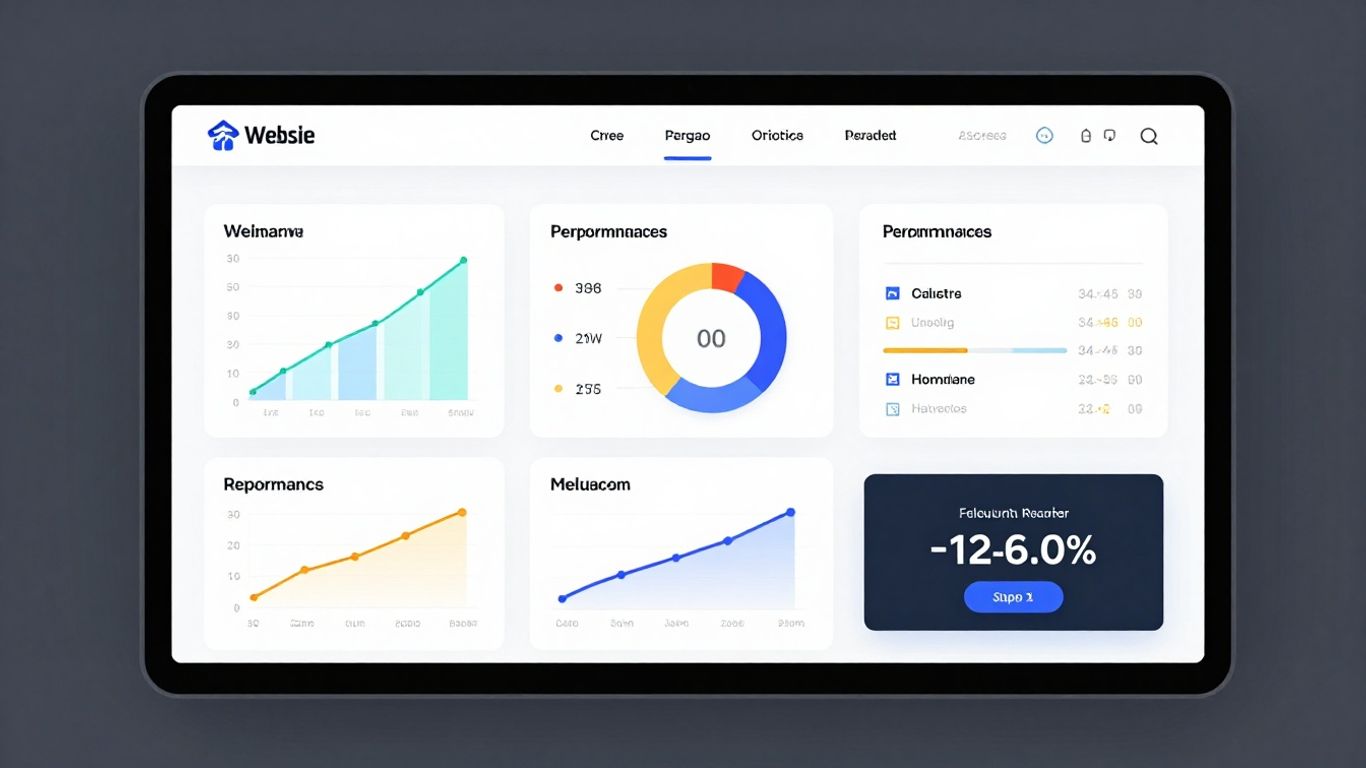
Managing multiple client websites can quickly become a juggling act, right? Logging into each one just to check for updates or backup status eats up so much time. That's where a WordPress Site Maintenance Dashboard comes in. It's a central hub designed specifically for freelancers and agencies handling numerous WordPress sites.
Think of it as your command center. This kind of tool connects to all your client sites, usually through a simple plugin. From one dashboard, you can see which sites need plugin updates, which ones have had backup failures, or if any are showing performance dips. It’s about getting a clear picture without the hassle of individual logins.
Here’s what you can typically expect:
- Update Management: See at a glance which plugins, themes, and core WordPress versions need updating across all connected sites.
- Backup Monitoring: Get alerts for failed backups or confirm that scheduled backups are running smoothly.
- Performance Tracking: Basic checks for site speed and uptime issues that might be affecting user experience.
- Security Alerts: Notifications for potential security vulnerabilities or malware scans.
This kind of setup is a real time-saver. Instead of spending hours clicking around, you can identify issues quickly and address them efficiently. It helps keep your clients' sites running smoothly and reduces the risk of problems escalating.
For freelancers managing a significant number of client sites, this type of dashboard isn't just a convenience; it's practically a necessity. It streamlines workflows, reduces the chance of overlooking critical maintenance tasks, and ultimately allows you to serve more clients effectively.
There are various options available, from custom-built solutions to more off-the-shelf services. When looking for one, consider how many sites you manage and what specific features are most important to you. Some services offer tiered plans based on the number of sites, like WP Tech Support's plans, which start at a reasonable monthly rate.
Ultimately, a good WordPress maintenance dashboard helps you stay on top of your game, ensuring your clients' websites are secure, up-to-date, and performing well. It's a smart way to manage your workload and provide better service. You can explore various WordPress maintenance services to find the best fit for your business needs.
Wrapping It Up
So, that's the lowdown on SaaS for 2026. It’s pretty clear that software as a service isn't going anywhere, but the real action is in those smaller, super-focused tools. Whether you're thinking about building your own Micro-SaaS or just looking for the best software to help your business, remember that solving a specific problem for a specific group of people is where the magic happens. Don't get bogged down trying to build the next giant platform; sometimes, the most profitable ideas are the ones that fix just one annoying thing really, really well. The tools are out there, and the market is ready. Now it's just about taking that first step.
Frequently Asked Questions
What exactly is SaaS?
SaaS, or Software as a Service, is like renting software instead of buying it. You access powerful tools over the internet, usually by paying a monthly fee. Think of it like streaming movies instead of buying DVDs – no need to install anything, and you can use it on different devices.
Are there really good SaaS tools for smaller businesses or individuals?
Absolutely! Beyond the big names like Salesforce, there are tons of 'Micro-SaaS' tools. These are smaller, super-focused programs that solve one specific problem really well for a particular group of people. They're often more affordable and easier to use.
What's the difference between regular SaaS and 'Vertical SaaS'?
Regular SaaS, like Slack, is for everyone. 'Vertical SaaS' is specialized for just one type of business or industry. Imagine a tool made only for dentists or only for plumbers – that's Vertical SaaS. It's designed to fit their exact needs, making it super useful for them.
How can I find the best SaaS deal for my needs?
First, figure out exactly what problem you need to solve. Then, look for tools that specialize in that. Reading reviews from real users and comparing features and prices side-by-side on sites that list SaaS options can help you make a smart choice.
Is it hard to start my own SaaS business?
It used to be, but not anymore! The tools available now make it much easier to build and launch a focused SaaS product, especially if you target a specific niche. You don't always need a huge team or tons of money to get started.
Why is AI becoming so important for new SaaS tools?
AI is like a superpower for software. It can automate tricky tasks that used to take a lot of time and effort. This means even small SaaS tools can offer huge value by saving users time and making their jobs easier, which makes them a great buy.