Unlock Meeting Productivity with Otter.ai: Your AI Notetaker and Summarizer

Meetings can sometimes feel like a drain on your day, right? You're trying to get stuff done, and suddenly you're pulled into another discussion. It's easy for important details to get lost, and keeping track of who needs to do what can be a headache. But what if there was a way to make meetings more useful without adding to your workload? That's where otter ai comes in. It's like having a helpful assistant who listens to everything and gives you the important bits afterward, so you can actually focus on the conversation.
Key Takeaways
- Otter.ai automatically records and transcribes your meetings, so you don't have to worry about taking notes. This lets everyone pay more attention to the discussion.
- The tool can tell who is speaking, making the transcripts easier to follow and understand.
- You can add pictures or other visuals right into the transcript as the meeting happens.
- Otter.ai can help find action items and tasks discussed during the meeting, making it simpler to manage follow-ups.
- It's useful for many different jobs, from sales calls to classes, helping teams stay organized and informed.
Transform Your Meetings With Otter.ai
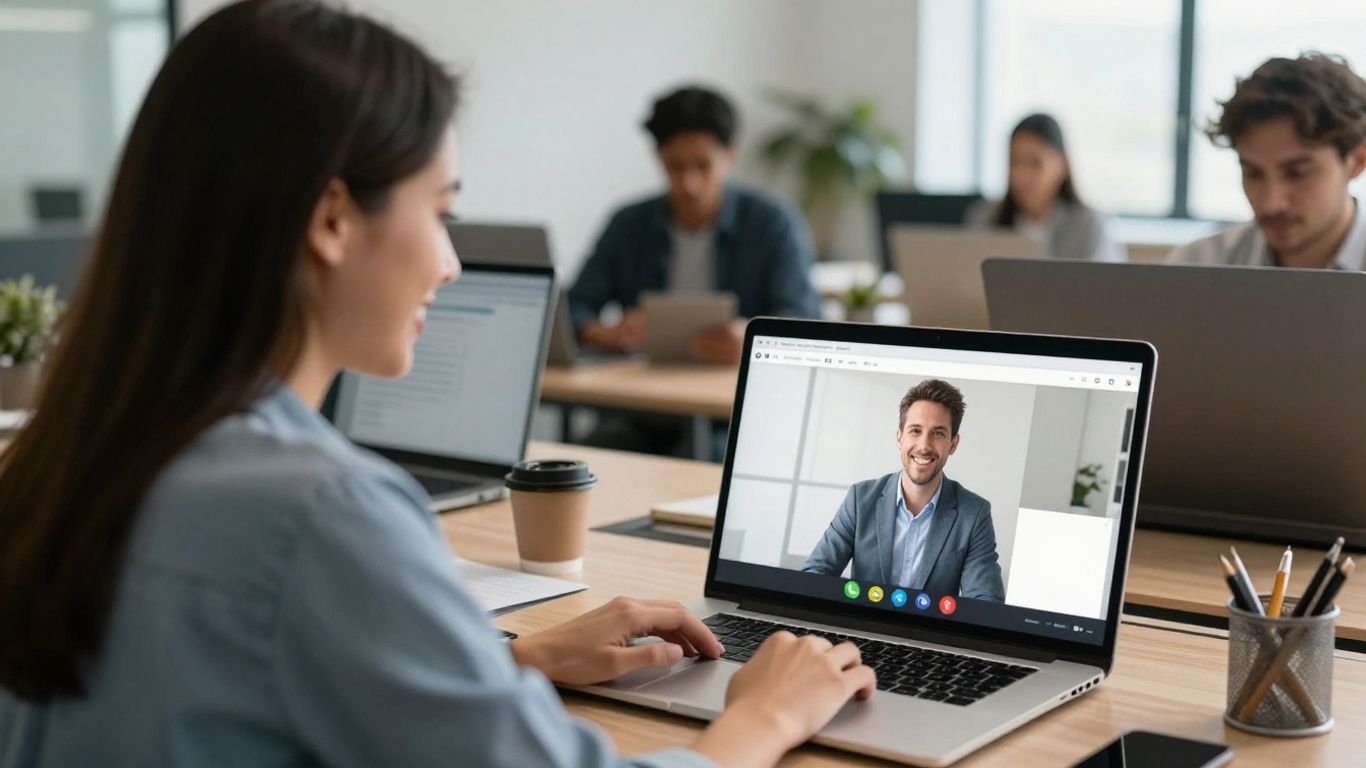
Automate Meeting Minutes and Boost Innovation
Let's be honest, meetings can sometimes feel like a necessary evil. You're in the middle of a project, finally hitting your stride, and then BAM – a meeting notification pops up, completely breaking your flow. It's a common frustration, but meetings are still important for keeping everyone on the same page and making sure work doesn't slip through the cracks. The trick is making them actually productive. Otter.ai steps in here, automating the tedious task of minute-taking. By capturing and transcribing discussions automatically, your team can shift their focus from scribbling notes to actively participating and generating new ideas. This frees up mental energy that would otherwise be spent on remembering who said what, allowing for more creative problem-solving and innovation.
Capture Notes Automatically to Increase Focus
Think about your typical meeting. Are people hunched over laptops, furiously typing? While getting a summary is important, this constant note-taking can really kill the vibe, reducing eye contact and genuine connection. It often leads to scattered focus and less engagement. Otter changes this dynamic. With its real-time transcription, everyone can look up, engage with the speaker, and truly collaborate. You get a complete record and transcript of the meeting without anyone needing to be the designated note-taker. This means more present participants and a richer discussion.
Save Time by Reducing Meeting Attendance
One of the biggest complaints about meetings is how much time they consume, often without much to show for it. Otter's ability to provide accurate recordings and transcripts means that not everyone needs to be physically present. Consider these scenarios:
- Team members in different time zones: Trying to find a meeting time that works for Los Angeles, London, and Tokyo is a headache. With Otter, folks in other zones can catch up on their own schedule by listening to the recording.
- Busy executives or overloaded team members: When calendars are packed, Otter allows individuals to prioritize critical meetings and review recordings of others later.
- Specialists needing specific info: Often, experts only need a small chunk of information from a longer meeting. Instead of sitting through an hour-long session, they can review just the relevant parts of the transcript afterward.
This means people can stay productive on their core tasks and catch up on meeting details efficiently, perhaps even during their commute or a workout. It's about getting the information you need without the unnecessary time commitment. Otter can help you build a searchable knowledge base from all your discussions.
Leveraging Otter.ai For Enhanced Productivity
Meetings can sometimes feel like a drain on your day, pulling you away from important tasks. But what if you could get the benefits of a meeting without the constant pressure of taking notes? Otter.ai makes this possible.
Real-Time Transcription for Seamless Note-Taking
Imagine a meeting where everyone is actually looking at each other, engaged in the conversation, instead of heads down typing. Otter.ai makes this a reality by recording and transcribing your discussions as they happen. This means you don't need a dedicated note-taker, freeing up everyone to participate fully. The AI automatically separates speakers and adds timestamps, so you can easily follow along and find specific parts later. This real-time transcription is a game-changer for keeping everyone focused and connected during the meeting.
Speaker Recognition for Clearer Insights
Ever been in a meeting where you can't quite remember who said what? Otter.ai tackles this by identifying and labeling different speakers in the transcript. This feature is incredibly helpful for understanding the flow of conversation and pinpointing specific contributions. It makes reviewing notes much simpler and helps you track who is responsible for what.
- Improved clarity: Easily see who said what, reducing confusion.
- Accountability: Track action items and decisions by speaker.
- Better recall: Remember specific points made by individuals.
Having a clear record of who said what can significantly improve follow-up and accountability after a meeting concludes.
Adding Visual Aids to Meeting Transcripts
Sometimes, words alone don't tell the whole story. Otter.ai allows you to enrich your meeting transcripts by adding visual aids. You can insert photos, slides, or even links directly into the transcript. This is particularly useful for technical discussions, design reviews, or any situation where visual context is important. It turns a simple text document into a more dynamic and informative record of your meeting, making it easier for attendees and absentees alike to grasp the full picture. This ability to add context makes Otter a powerful tool for knowledge sharing.
Key Features of Otter.ai
Otter.ai packs a punch with features designed to make your meetings more productive and your notes more useful. It's not just about recording; it's about making that recording work for you.
Instant Transcription and Editing Capabilities
Right off the bat, Otter gives you a transcript of your meeting almost as it happens. This means you don't have to scramble to take notes yourself. The accuracy is pretty good, especially for clear speakers. If there are a few hiccups, don't worry. Otter lets you easily edit the text. You can fix names, correct words, or adjust punctuation. This makes sure your final notes are exactly what you need them to be. It's like having a super-fast typist who's also a decent editor.
Otter.ai Chat for Interactive Meeting Analysis
This is where things get really interesting. Otter.ai Chat acts like a smart assistant for your meetings. You can ask it questions about what was discussed. For example, "What action items were assigned to me?" or "What was the main decision about the marketing budget?" The AI can sift through the transcript and give you direct answers. It's pretty neat for catching up if you missed part of a meeting or just need a quick reminder. It can even offer ideas on topics, similar to what you might get from other AI tools.
Workspace Features for Team Collaboration
Otter isn't just for individuals. The Workspace features are built for teams. You can organize your meeting notes into different folders, making it easy to find what you need later. Plus, you can share notes and collaborate with teammates directly within Otter. This helps keep everyone on the same page. You can even integrate Otter with tools like Slack to send meeting snippets or action items to your team channels. It helps keep communication flowing smoothly, even when people aren't in the same room.
Having a central place for all your meeting records and discussions can really cut down on confusion. It means fewer emails asking "What did we decide?" and more time spent actually doing the work.
Here's a quick look at what you get:
- Real-time transcription: Get text as the meeting happens.
- Editable transcripts: Fix any errors easily.
- AI Chat: Ask questions about your meetings.
- Team workspaces: Organize and share notes with your colleagues.
- Integrations: Connect with tools like Slack for better team communication.
These features work together to turn raw meeting audio into actionable information. You can find more details about the different plans and what they include on the Otter pricing page.
Otter.ai Use Cases Across Industries
Otter.ai isn't just for general office meetings; it's a flexible tool that can really help out in a bunch of different fields. Think about it – accurate notes and summaries are useful everywhere, right?
Sales and Customer Engagement
In sales, keeping track of conversations is super important. Otter can record and transcribe sales calls, so you don't miss any details. This means you can go back and review what a potential client said, what their needs are, and any objections they raised. This helps sales teams personalize their approach and follow up more effectively. It also makes it easier to share key takeaways with your team or manager without having to rehash the entire call. Plus, it can help with training new sales reps by giving them real examples to study.
Education and Knowledge Sharing
For educators and students, Otter can be a game-changer. Imagine recording lectures and then having a searchable transcript. No more frantic note-taking, trying to catch every word. Students can focus on understanding the material, and later, they can easily find specific points in the lecture by searching the transcript. This is also great for sharing knowledge within an organization or for creating study guides. It makes information much more accessible, especially for those who might have trouble keeping up with fast-paced lectures.
Media and Content Creation
If you're in media, you probably do a lot of interviews. Otter can transcribe these interviews quickly, saving you hours of manual typing. This means you can spend more time crafting your story or content. It's also useful for brainstorming sessions; Otter can capture all the ideas, and then you can easily review and organize them later. For podcasters or video creators, having accurate transcripts makes it simpler to create show notes, social media clips, or even written versions of your content.
Recruiting and Candidate Evaluation
Recruiting involves many conversations, from initial screening calls to final interviews. Otter can help by transcribing these discussions. This provides a clear record of what candidates said, their qualifications, and their responses to questions. It helps hiring managers and recruiters stay objective and consistent when evaluating candidates. You can easily compare notes from different interviews and share feedback with your team. It also helps ensure that the hiring process is fair and well-documented, which can be important for compliance and reducing bias.
Maximizing Meeting Outcomes With Otter.ai
Meetings are a fact of life in most jobs, but they don't always feel productive. Otter.ai can help turn those time sinks into real opportunities for progress. It's not just about getting a transcript; it's about making sure the important stuff doesn't get lost and that everyone knows what to do next.
Action Item Identification and Task Management
Ever leave a meeting feeling like you accomplished something, only to realize later that no one is actually clear on who's doing what? Otter.ai tackles this head-on. The AI can scan through your meeting transcripts and pinpoint specific action items that were discussed. It can even identify who was assigned to each task. This means fewer things falling through the cracks and a clearer path forward for your projects. You can then easily export these action items to your favorite task management tools, keeping everything in one place.
- Identify who is responsible for each task.
- Track deadlines and progress.
- Reduce confusion about next steps.
Otter.ai helps make sure that good ideas discussed in meetings actually turn into completed tasks. It bridges the gap between talking about work and actually doing it.
Gaining Insights From Customer Interviews
Customer interviews are goldmines of information, but sifting through hours of recordings can be a huge drain. Otter.ai transcribes these interviews, making them searchable. You can quickly find specific feedback, recurring themes, or pain points mentioned by your customers. This allows your product, marketing, or sales teams to react faster and build better solutions. Imagine being able to pull up every instance a customer mentioned a specific feature request – that's powerful stuff for product development.
Analyzing Sales Calls and Performance
For sales teams, every call is a chance to learn and improve. Otter.ai provides detailed transcripts of sales conversations. Sales managers can review these transcripts to coach their team, identify what's working, and pinpoint areas for improvement. You can track how your team handles objections, how they present your product, and what language resonates most with potential clients. This kind of detailed analysis is invaluable for refining your sales strategy and boosting performance. It also helps in creating better performance reviews by providing concrete examples of successes and areas needing development.
Accessibility and Collaboration With Otter.ai
Making Workplaces More Accessible
Otter.ai really steps up when it comes to making meetings more accessible for everyone. Think about folks who have hearing impairments or even just struggle to keep up with fast-paced conversations. Otter's real-time transcription means they can read along as the meeting happens. It's not just about hearing; it's about understanding. Plus, the ability to get a full transcript afterward means no one misses out on important details, no matter their situation. This tool helps level the playing field, making sure information flows freely to all team members. It's a big step towards a more inclusive work environment.
Improving Transparency and Collaboration
When everyone has access to the same information, collaboration just gets easier. Otter creates a shared record of what was discussed, who said what, and what decisions were made. This transparency cuts down on misunderstandings and makes it simpler to follow up on tasks. You can easily share meeting notes with team members who couldn't attend, or even just for reference later. This shared understanding helps keep projects on track and everyone aligned. It's like having a central, searchable knowledge base for all your team's conversations. Otter helps you create and collaborate on transcriptions, which really speeds things up.
Recording Meetings With Sensitive Information
Sometimes, meetings involve information that needs to be handled with care. Otter provides a secure way to record and transcribe these discussions. The AI tools can help you identify key points and action items without needing someone to manually take notes, which can sometimes lead to errors or omissions. You can then review the transcript to ensure accuracy and control who has access to the information. This is particularly useful for legal, HR, or strategic planning sessions where precise record-keeping is a must. It offers peace of mind knowing that important conversations are captured accurately and can be accessed securely when needed.
Having a reliable record of discussions can prevent a lot of headaches down the line. It means fewer
Wrapping Up Your Meeting Productivity
So, there you have it. Meetings don't have to be a drain on your time or a source of missed information. Otter.ai really does make a difference, turning those often chaotic discussions into clear, usable notes and summaries. It’s not just about recording; it’s about actually getting more done because you can focus on what’s being said, not just scribbling it down. Plus, having a searchable transcript means you can always go back and find that one detail you need. Give it a try, and see how much smoother your team's communication can become.
Frequently Asked Questions
What exactly is Otter.ai and how does it help with meetings?
Otter.ai is like a smart helper for your meetings. It listens to what everyone says and writes it down for you automatically. It can even make a short summary afterwards. This means you can focus on talking and ideas instead of scribbling notes.
How does Otter.ai save time during and after meetings?
Otter.ai saves time because you don't have to take notes yourself. It also means fewer people might need to attend every single meeting. If someone misses out, they can just read the notes or listen to the recording later, saving everyone time.
Can Otter.ai tell who is speaking?
Yes, Otter.ai is pretty clever! It can figure out who is talking and label their words in the notes. This makes it much easier to understand who said what, especially if you have multiple people in the meeting.
What if I need to add something visual, like a slide, to the notes?
You can totally do that! While Otter.ai is recording, you can add pictures or even short videos to the notes. This is great for showing slides or things written on a whiteboard so they're right there with the conversation.
Is Otter.ai free to use?
Otter.ai has a free plan that lets you record and transcribe a good amount of meeting time each month. If you need more, there are paid plans with extra features for individuals or teams.
Can Otter.ai help find what needs to be done after a meeting?
Absolutely! Otter.ai can help spot action items – those tasks that need doing. It can highlight who is supposed to do what and by when, making it simpler to manage tasks and make sure things get finished.