Unlock Deeper Insights with VideoAsk: The Interactive Video Platform

So, I've been looking into this thing called VideoAsk, and honestly, it's pretty neat. It’s basically a way to talk to people using video, but not like a live call where you have to be there at the same time. You record a question, send it out, and people send back their answers on video. It sounds a bit different, but it seems like it could make things a lot more interesting than just filling out a form. I'm trying to figure out how it all works and what it's good for.
Key Takeaways
- VideoAsk lets you have video chats with people without needing to be online at the same time.
- You can use it to ask questions and get video answers, which feels more personal than text.
- It's good for getting feedback, testimonials, or just understanding what people think.
- The system helps organize all the video replies you get, making it easier to manage.
- It’s designed to be simple, so you don't need to be a tech wizard to use it.
Understanding VideoAsk: Interactive Video Conversations
What is VideoAsk?
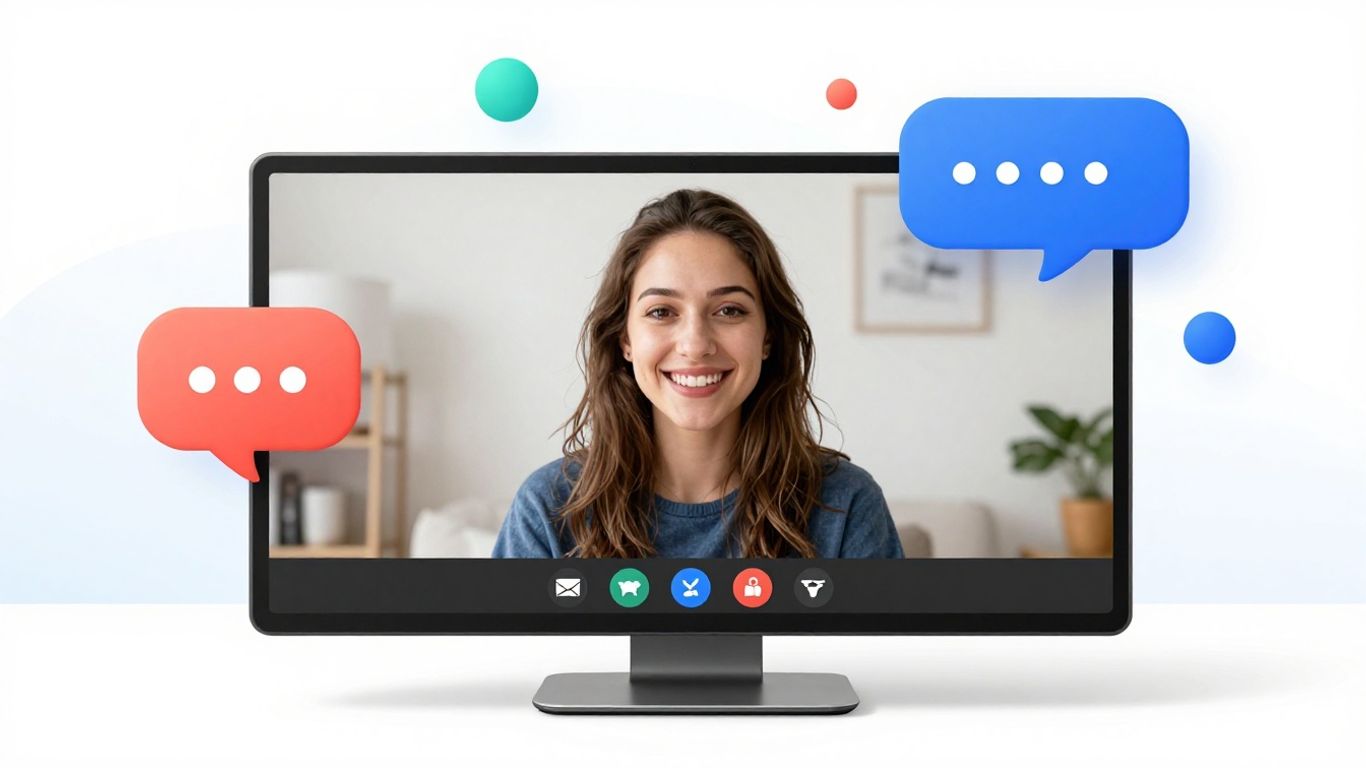
So, what exactly is VideoAsk? Think of it as a way to have conversations with people, but instead of just typing back and forth, you use video. It’s a platform that lets you send out video questions and get video answers back. No coding needed, which is a big plus for most of us. It’s designed to feel like a real chat, even though it’s happening asynchronously – meaning you don't have to be online at the same time as the person you're talking to. This makes it super handy for businesses that want to connect with their customers or clients in a more personal way without the hassle of scheduling live calls for everyone. It's a pretty neat way to gather information and build connections.
Core Functions for Audience Engagement
VideoAsk really shines when it comes to getting people to actually interact with your business. Instead of just sending out a boring text survey, you can present pre-recorded videos that change based on how someone answers. It’s like a choose-your-own-adventure, but for getting feedback. This makes the whole experience way more interesting for the viewer. You can ask questions and then show a different video clip depending on their response, guiding them through a personalized journey. This direct approach helps you understand what your audience is thinking and feeling, giving you insights you might miss with traditional methods. It’s all about making the interaction feel more like a real conversation and less like a chore.
The User-Friendly Interface
One of the best things about VideoAsk is how easy it is to use. Seriously, you don't need to be a tech wizard to get started. The interface is built to be straightforward, so you can jump right in and start creating your video interactions. Whether you're looking to collect customer feedback, get testimonials, or just have a more personal way to communicate, VideoAsk makes it simple. You can set up your questions, record your prompts, and share them out without a hitch. It’s designed so anyone can use it, which means you can focus on what you want to ask and who you want to ask it to, rather than struggling with complicated software. This simplicity is key to making video feedback collection accessible.
The goal is to make communication feel natural and personal, even when it's digital and asynchronous.
Key Features for Enhanced Data Collection
So, how does VideoAsk actually help you get better information from people? It's not just about asking questions; it's about asking them in a way that gets you real answers. This platform has some neat tricks up its sleeve.
Video Forms for Richer Data
Forget those boring, static forms that people click through and forget. VideoAsk turns them into actual conversations. You can ask questions, and the person responds on video. This makes the whole experience feel way more personal and less like a chore. It’s a big step up from just typing answers into boxes. You get to see and hear their reactions, which tells you a lot more than just words on a screen. This is great for collecting things like testimonials or quick feedback where you want to capture genuine emotion. It’s a more dynamic way to gather information, and it really makes a difference in the quality of what you get back. You can even use these interactive video forms to guide people through a process, making sure they get the right information at the right time. It’s all about making the interaction more engaging and effective for everyone involved. Check out how VideoAsk by Typeform works to see this in action.
AI-Powered Video Chatbots
Now, imagine having a chatbot that doesn't just spit out pre-written text but actually uses video. VideoAsk can do that. It’s like having a virtual assistant that can greet people, ask questions, and even respond using video clips. This makes the interaction feel much more human, even when you're not there in person. It’s super useful for things like answering frequently asked questions or guiding new users. The AI can help direct the conversation based on what the person says or asks, making it feel like a real chat. This is a big change from the usual text-based bots that can feel pretty robotic. It’s a way to scale up those one-on-one conversations without needing a huge team. While some AI tools focus on tracking brand mentions, VideoAsk uses AI to make the conversation itself smarter and more engaging.
Customizable Video Funnels
This is where you get to really design the experience. With VideoAsk, you can build custom paths, or funnels, using video. Think of it like a choose-your-own-adventure, but with video. Someone starts a video, and based on their answer or choice, they're directed to the next video question or piece of information. This is fantastic for tailoring the experience to each individual. You can guide them through a complex process, collect specific information based on their needs, or even personalize follow-ups. It makes the whole journey smoother and more relevant for the user. It’s a smart way to organize interactions and make sure people get exactly what they need, when they need it. This kind of personalized journey can really improve how people feel about your brand and the information they provide.
Building these custom paths means you're not just sending out a generic message. You're creating a specific experience designed to get the best possible response and provide the most relevant information. It’s about making every interaction count.
Here’s a quick look at what you can do:
- Personalize the journey: Direct users based on their answers.
- Gather specific data: Ask follow-up questions relevant to previous responses.
- Improve user experience: Make the process feel intuitive and engaging.
- Automate follow-ups: Trigger specific actions or messages based on user input.
Maximizing Engagement with VideoAsk
So, how do you really get people to pay attention and actually do something when you reach out? VideoAsk helps with that. It's all about making things feel more like a real chat, even when you're not there in person. This means people are more likely to stick around and give you their thoughts.
Personalizing Feedback Collection
Forget those boring, endless forms. VideoAsk lets you ask for feedback in a way that feels personal. You can record yourself asking questions, and then people can record their answers back to you. It’s like a back-and-forth conversation, but on your schedule. This makes people feel heard and understood, which usually means they’ll give you more honest and detailed feedback. You can even set up different questions based on how someone answers the first one, making the whole experience feel tailored just for them. It’s a much nicer way to get the information you need.
Engaging Audiences with Video
People are busy. Getting them to stop and fill out something can be tough. Using video changes that. When you send a video question, it’s more eye-catching than just text. It feels more human. This can really help when you're trying to get people to share their opinions or experiences. Think about collecting customer testimonials; a video response is way more powerful than a written one. It captures emotion and personality. Plus, VideoAsk lets people respond with video, audio, or even text, so they can choose what they're most comfortable with.
Scaling High-Touch Communication
Normally, giving everyone that personal, one-on-one attention takes a ton of time and resources. VideoAsk makes it possible to offer that kind of interaction to a lot more people without needing a huge team. You can set up automated video flows that guide people through questions, collect their information, and even schedule follow-up calls, all without you having to be there for every single step. This means you can have more meaningful conversations with more people, whether they're potential customers or existing clients, and do it efficiently. It's a smart way to keep that personal touch while growing your reach.
The key is making the interaction feel natural and easy for the person on the other end. When it's not a chore, people are more willing to participate and share.
Here’s a quick look at how VideoAsk helps make interactions better:
- More Personal Feel: Video makes it feel like a real conversation.
- Higher Completion Rates: People are more likely to finish something that's engaging.
- Richer Information: Get more detailed and genuine responses.
- Efficient Workflow: Automate parts of the process to save time.
Streamlining Business Processes with VideoAsk
Let's talk about how VideoAsk can actually make your day-to-day business operations run a lot smoother. It's not just about fancy videos; it's about cutting down on wasted time and making things more organized.
Efficient Scheduling and Tagging
Remember those endless email chains trying to find a meeting time? VideoAsk helps cut through that. You can set up your availability and let people book a slot directly, often with a video call attached. This means less back-and-forth trying to coordinate schedules. Plus, every interaction can be tagged automatically. Think of it like putting digital sticky notes on each conversation. You can tag people by their role, what they talked about, or where they are in your sales process. This makes finding specific information later way easier.
Here's a quick look at how tagging can help:
- Lead Source: Tag where a new contact came from (e.g., 'Website Inquiry', 'Social Media', 'Referral').
- Interest Level: Mark how interested they seem (e.g., 'High Interest', 'Needs Follow-up', 'Just Browsing').
- Product Interest: Note which products or services they asked about.
- Next Step: Record what the agreed-upon next action is (e.g., 'Demo Scheduled', 'Quote Sent', 'Follow-up Call').
This kind of organization is a game-changer, especially when you're dealing with a lot of people. It's like having a super-organized assistant who never forgets anything.
Effective Lead Capture Strategies
Capturing leads can feel like trying to catch butterflies. VideoAsk offers a more direct way to do it. Instead of just a static form, you can use a video prompt. Someone visits your page, sees a friendly face (yours or a team member's) asking a question, and then they can respond with their own video. This is way more engaging than a boring text box. You can ask for their contact details right after they've shared something interesting, making them more likely to give you the information because they're already invested in the interaction. It’s a great way to get initial contact information for potential customers.
Using video for initial contact can significantly increase the quality of leads you capture, as it filters for individuals willing to engage more personally.
Organizing and Transcribing Interactions
Once you've got all these video responses, what do you do with them? VideoAsk automatically saves and organizes everything. No more hunting through random folders or trying to remember who sent what. Everything is linked to the contact. Even better, it transcribes the audio from the videos. This means you can quickly scan through what was said without having to watch every single minute. It's incredibly useful for finding specific details or for team members who might prefer reading over watching. This feature alone can save hours of manual work, making your whole process much more efficient and helping you get the most out of your video conversations.
Leveraging VideoAsk for Deeper Insights
VideoAsk really changes how you get information from people. Instead of just sending out a boring survey that most folks ignore, you're asking them to talk to you, face-to-face, through their screen. It feels more personal, right? This makes people more likely to actually share what they're thinking.
Transforming Survey Experiences
Think about the last time you got a long, text-heavy survey. Did you finish it? Probably not. VideoAsk flips that. You can set up a series of questions, and the person responds with a video. It’s like having a quick chat, but on their schedule. This makes the whole process feel less like homework and more like a conversation. This shift from passive clicking to active talking is where the real insights start to show up. You can even use branching logic, so the next question depends on what they just said, making it feel super tailored to them. It’s a much better way to gather feedback, and people seem to actually enjoy it.
Collecting Valuable Qualitative Data
What do you really learn from a multiple-choice question? Not much, usually. VideoAsk lets you get into the nitty-gritty. When someone explains something in their own words, on video, you catch their tone, their expressions, and the little details they might not write down. This is gold for understanding why people feel a certain way. It’s not just about getting answers; it’s about understanding the person behind the answer. You can ask follow-up questions based on their video response, digging deeper into their thoughts. This kind of qualitative data is hard to get with traditional methods, but VideoAsk makes it pretty straightforward.
Improving Response Rates
Let's be honest, getting people to respond to anything these days is tough. Surveys often end up in the digital trash bin. But with VideoAsk, things are different. Because it’s more engaging and feels more personal, more people actually start and finish the process. It’s not uncommon to see response rates jump significantly when you switch to a video-based approach. Imagine getting feedback from 70% of your users instead of 15%. That’s a huge difference in the amount of information you have to work with. This improved engagement means you get a clearer picture of what your audience thinks, which is super helpful for making better decisions. You can even use personalized video funnels to guide users through the process, making it even more effective.
The key is making it easy and human. When people feel like they're talking to a real person, not just filling out a form, they're more willing to share their honest thoughts and feelings. This builds trust and leads to much richer information.
Real-World Applications of VideoAsk
So, where does VideoAsk actually shine? It's not just a fancy tool; it's something that can really change how you do things. Think about it – instead of just sending out another boring survey, you can actually see and hear from your customers. It makes a huge difference.
Customer Testimonials and Feedback
Getting honest feedback is gold, right? VideoAsk makes it way easier to collect genuine customer testimonials and feedback. You can set up a video form that asks customers to share their thoughts on your product or service. They can record their response when it's convenient for them, and you get to see their reactions and hear their stories directly. This is way more personal than just reading text. It’s a great way to get a feel for what people really think, and it helps build trust when potential customers see real people sharing their positive experiences. In fact, VideoAsk is often highlighted as a top choice for collecting these kinds of video testimonials across different business types.
Research and User Experience
When you're trying to figure out what users actually want or how they use your product, video is incredibly helpful. You can send out video questions to get detailed insights into their experience. Imagine asking users to show you how they navigate your app or website. You get so much more information this way than with a simple questionnaire. It helps you spot usability issues you might have missed and understand user behavior on a deeper level.
Using video for research means you're not just getting answers; you're getting context. You can see the environment they're in, their body language, and hear the nuances in their voice, all of which add layers to the data you collect.
Training and Customer Support
VideoAsk isn't just for getting information; it's also for giving it. For training, you can create interactive modules where you explain something, and then ask the learner to respond with a video showing what they've learned or asking clarifying questions. This makes training more engaging and helps people remember things better. In customer support, it's a game-changer. Instead of just typing back and forth, a customer can show you the problem they're having on video. This speeds up problem-solving and makes the customer feel heard. It’s a more human way to handle support issues, especially when things get complicated. This approach can also be used effectively in sales, by sending targeted questions to prospects before or after initial meetings.
Wrapping Up
So, if you're looking for a way to connect with people that feels more real than just typing, VideoAsk seems like a pretty good option. It’s not just about sending videos; it’s about starting conversations that actually go somewhere. Whether you're trying to get feedback, find new customers, or just understand what people are thinking, this tool makes it easier to do that without a lot of fuss. It’s a straightforward way to add a personal touch to your online interactions, which, let's be honest, is something we could all use a bit more of these days.
Frequently Asked Questions
What exactly is VideoAsk?
VideoAsk is a cool tool that lets you chat with people using video, but not live! It's like sending a video message and getting one back. It's super easy to use, even if you're not a tech whiz, and it helps businesses connect with their customers in a more personal way without needing to code anything.
How does VideoAsk make talking to customers better?
Instead of just sending boring text messages or emails, VideoAsk lets you use video to talk. This feels more like a real conversation, like you're face-to-face. It helps build trust and makes people feel more connected to your business. You can ask questions and get video answers back, which is way more interesting!
Can VideoAsk help me get more information from people?
Definitely! VideoAsk has special 'video forms' that are way more fun than regular forms. People can record their answers with video, giving you much richer and more detailed information. It's also great for collecting things like customer stories or feedback because people can really show you what they mean.
Is VideoAsk good for collecting feedback?
Yes, it's fantastic for feedback! Because it's so engaging, more people actually finish the surveys or forms you send out. You get more honest and detailed answers because people can express themselves better on video. It totally changes how you get opinions from your customers.
What kind of things can I use VideoAsk for?
You can use VideoAsk for lots of things! Get video reviews from happy customers, ask people what they think about your product, train new employees with video lessons, or even provide customer support. It's a flexible tool for almost any situation where you need to connect with people.
Do I need to be a computer expert to use VideoAsk?
Not at all! VideoAsk was made to be super simple. You don't need to know any special computer language. You can easily record your questions, share them, and manage the video answers you get. It's designed so anyone can use it to make their communication better.