Unbiased Review: The Top All SEO Software Options for 2026

Finding the right all SEO software can feel like a maze, right? There are so many options out there, all promising to make your website climb the search engine ranks. I've spent years digging into these tools, using them for my own sites and for clients. It's not about finding one magic bullet, but the right set of tools for what you need to do. This guide breaks down some of the top all SEO software options for 2026, based on what actually works and what's easy to use. We'll look at what they do well, and where they might fall a little short.
Key Takeaways
- For beginners, starting with free tools like Google Search Console and Google Keyword Planner is a smart move. They offer solid data without any cost.
- When it comes to creating content that ranks, tools like Surfer are really helpful for making sure you're hitting the right keywords and topics.
- If you need to understand what your competitors are doing, Ahrefs and Semrush are powerful choices for looking at backlinks and overall strategy.
- For automating repetitive SEO tasks, Gumloop stands out as a way to save time and streamline your workflow.
- Budget-friendly options like Keysearch and SE Ranking offer a good mix of features for those who need robust functionality without the highest price tag.
1. Surfer
Surfer is a tool that really focuses on making your content as good as it can be for search engines. It's not trying to be everything to everyone, like some of the bigger suites out there. Instead, it looks at what's already ranking well for a specific keyword and then tells you exactly what your own content needs to do to compete. Think of it like getting a detailed report card for your article before you even publish it.
When you use Surfer, you input a keyword, and it pulls data from the top-ranking pages. It then gives you a breakdown of things like:
- Recommended word count
- Keywords and phrases to include
- The ideal number of headings and paragraphs
- How your content structure compares to the top results
This data-driven approach takes a lot of the guesswork out of on-page SEO. It’s especially helpful if you’re writing a lot of content and want to make sure each piece has the best possible chance to rank.
Surfer also has a content editor that gives you real-time feedback as you write or edit. It’s pretty neat because it feels like you have a guide right there with you. They also offer features like SERP analysis, keyword research, and audits to find on-page issues. Plus, it connects with things like WordPress and Google Docs, which makes fitting it into your existing workflow much easier. If your main goal is to get your content to rank higher, Surfer is definitely worth a look. It’s a tool that helps you go from a good piece of content to a great one, based on what’s already working online. It doesn't replace a full SEO toolkit, but it makes your content more competitive and aligned with what search engines reward. For teams that produce content regularly, this clarity is a big win. You can check out how it compares to other tools in this Surfer SEO vs. Ahrefs guide.
While Surfer is fantastic for optimizing what you write, it's important to remember it's not a magic bullet. You still need a basic understanding of SEO principles to get the most out of it. It helps you refine and perfect your content, but it doesn't create the initial strategy or build your site's authority from scratch. It’s best for taking content that’s already decent and making it truly shine.
2. Gumloop
Gumloop is one of the most talked-about new SEO automation tools, and for good reason. Just a couple years on the scene, it's become the go-to for digital marketers wanting more control over their tasks. You can set up AI-powered workflows for almost any SEO process without knowing how to code, which is a real game-changer. Gumloop feels a lot like Zapier if Zapier had a brain like ChatGPT, letting you link up all your usual SEO tools and bring in AI where it matters most.
Some highlights about how Gumloop stands out:
- Easy drag-and-drop builder, so you don't have to fumble with complicated menus or settings
- Integrates directly with things like Google Analytics, ChatGPT, and Semrush—sometimes without needing an extra subscription
- Powerful automation for repetitive tasks, especially if you're juggling lots of client accounts
- Extremely generous free plan to get you started before you spend a dime
Here's a simple breakdown of the current pricing (as of June 2026):
| Plan | Price per Month | Monthly Credits |
|---|---|---|
| Free | $0 | 1,000 |
| Starter | $97 | 30,000 |
| Pro | $297 | 75,000 |
| Enterprise | Custom | Custom |
Now, Gumloop isn't perfect. The starting paid tier isn't the cheapest for smaller projects, and new features sometimes cause hiccups here and there. But if you're after a super clean interface with a short learning curve, it really delivers. Many users highlight the user experience, saying that the UI and navigation are intuitive and make it much less stressful to build out complex workflows. For more on their standout design, this review of Gumloop's UI and UX covers it well.
Automating competitor research and reporting used to take me hours every week, but with Gumloop, now it takes maybe 10 minutes. Frankly, it's like having an extra set of hands when you've got too much going on.
Overall, if you're looking to cut down on busywork in SEO by automating custom processes, Gumloop makes it simple—even for someone who doesn't want to mess around with code.
3. Ahrefs
Ahrefs has made a name for itself as one of the most data-rich, reliable SEO platforms around. It's designed for people who want the raw details on what's happening in search rankings, backlinks, and competitor websites—without too much fluff.
If tracking the "why" behind search rankings is your thing, you’ll appreciate how Ahrefs digs up sources for backlinks, uncovers keyword opportunities, and provides in-depth competitor analysis. The site’s backlink database is massive, and Ahrefs crawls the web around the clock to keep its data up to date. For a lot of agencies and marketers, this tool’s ability to spot new links and analyze competitors is a huge time saver.
Here's how Ahrefs stacks up on a few important features:
| Feature | Strengths | Drawbacks |
|---|---|---|
| Backlink Analysis | Huge, frequent updates; historical data | Can be overwhelming for beginners |
| Keyword Research | Realistic traffic estimates, content gaps | Pricing can be steep |
| Site Audit | Fast and visual | Not as beginner-friendly |
| Rank Tracking | Reliable for monitoring clients/sites | Some say numbers differ from actual analytics |
Some things you'll notice using Ahrefs:
- It’s great for anyone managing multiple sites or clients, thanks to the way you can easily switch between projects.
- There’s lots of educational material if you want to get better at SEO—and you’ll need it, because Ahrefs has a learning curve.
- Entry-level pricing is more expensive than most SMB tools, and there’s no full-feature free trial.
When you’re past dabbling and you need data you can actually act on, Ahrefs often feels like the grown-up’s SEO toolkit. You can run audits, explore backlinks, and dig into keywords—all in one spot, but be ready to invest both money and a bit of time learning the ropes.
Ahrefs suits agency teams, freelancers, and in-house marketers alike. If you want an even deeper dive on its features, see more on Ahrefs’ platform strengths.
4. Semrush
Semrush is a big player in the SEO software world, and for good reason. It packs a ton of features into one platform, aiming to be your go-to for pretty much all your digital marketing needs. Think keyword research, checking out what your competitors are up to, site audits, and even managing local SEO stuff like your Google Business Profile. It's like a Swiss Army knife for SEO.
One of the things Semrush really shines at is its sheer volume of data. They boast a massive keyword database, and their backlink analytics are pretty detailed. This makes it a solid choice if you're doing deep dives into market trends or need to understand complex competitive landscapes. For agencies and larger businesses where data accuracy and depth are paramount, Semrush often justifies its price tag.
Here’s a quick look at some of its core capabilities:
- Keyword Research: Find opportunities and analyze search volume.
- Competitor Analysis: See what keywords, backlinks, and ad strategies your rivals are using.
- Site Audits: Identify technical issues that might be hurting your site's performance.
- Content Marketing Tools: Get ideas and optimize your content for search engines.
- Local SEO: Manage your online presence for local searches.
Semrush has also been pushing into newer areas, like tracking brand visibility in AI-generated search results. This forward-thinking approach means it’s trying to keep up with how search is changing, which is pretty important these days. They even have an AI assistant to help automate some recommendations.
However, it's not all sunshine and rainbows. Semrush can be pretty pricey, especially if you're just starting out or running a small operation on a tight budget. The interface, while improved, can still feel a bit overwhelming at first because there are just so many tools and options available. It takes some time to get the hang of everything.
For businesses that need a comprehensive suite of tools and have the budget to match, Semrush is a strong contender. It provides a centralized hub for many marketing tasks, saving you from juggling multiple subscriptions. Just be prepared for a learning curve and a significant monthly investment.
While Semrush offers a lot, it's worth noting that its white-label capabilities for client reporting are limited. If you need clients to access a branded dashboard directly, you might need to look at additional solutions or reporting tools. For those focused on robust backlink analytics, Semrush is definitely a tool to consider, but always weigh the cost against your specific needs.
5. Keysearch
Alright, let's talk about Keysearch. If you're just dipping your toes into the SEO world or maybe you're a freelancer on a tight budget, this tool is definitely worth a look. It's not going to blow you away with fancy bells and whistles like some of the bigger players, but it gets the job done, especially when it comes to keyword research. It's probably the most budget-friendly option out there for what it offers.
Keysearch is pretty straightforward. You can use it to find keywords, check out what your competitors are doing, and even track your own rankings. It's not the fastest tool on the block, and sometimes the interface feels a little… well, basic. But honestly, for the price, you can't really complain too much. It's a great way to start learning the ropes of keyword research without breaking the bank.
Here's a quick rundown of what you get:
- Keyword Research: Find related terms and long-tail variations.
- Competitor Analysis: See what keywords your rivals are ranking for.
- Rank Tracking: Keep an eye on your website's position in search results.
- YouTube Research: Specifically for finding video keywords.
- Content Assistant: Helps brainstorm ideas for your articles.
When it comes to pricing, Keysearch keeps things simple. They have a Starter plan for $24 a month and a Pro plan for $69 a month. The Pro plan adds more daily searches, tracked keywords, and their Foresight feature, which is pretty neat for spotting trends. For most beginners, the Starter plan is more than enough to get going. It's a solid starting point for anyone new to SEO tools [af26].
Honestly, for the price point, Keysearch punches above its weight. It might not have all the bells and whistles of tools costing hundreds of dollars a month, but it provides the core functionalities most users need to get started and see results. It's a tool that makes SEO accessible.
While it might not have the sheer depth of data you'd find in something like Ahrefs, Keysearch provides a good balance of features and affordability. It's a tool I've seen many content creators and small business owners rely on when they're just starting out.
6. Se Ranking
SE Ranking has found a steady fanbase among agencies and businesses that juggle more than one website. This all-in-one SEO platform brings together rank tracking, site audits, keyword research, and backlink monitoring—it's sort of a Swiss Army knife for people handling a bunch of clients or projects at once. What stands out for a lot of users is how practical and approachable it is, especially for agencies that need white-label features and a clear, predictable pricing model.
Here’s a quick look at the main pricing options:
| Plan | Monthly Price | Projects | Daily Keyword Tracking |
|---|---|---|---|
| Essential | $65 | 5 | 500 |
| Pro | $119 | 30 | 2,000 |
| Business | $259 | Unlimited | 5,000+ |
A few notable things to keep in mind:
- SE Ranking is really designed for folks managing several sites. Solo site owners might not get their money’s worth here.
- White-label features are a huge perk for agencies wanting to look even more professional to their clients.
- The platform combines core features—like keyword tracking, audits, and competitor checks—without being overwhelming. But some advanced features, like more robust AI content guidance, are still pretty limited.
If you need consistent, dependable rank tracking and clear reporting for a lot of clients, this tool is worth looking at. Pricing stays flat as your client base grows, which is what makes it so attractive for agencies over time.
SE Ranking keeps things simple for agencies and marketing teams that want a full set of SEO features, without the unexpected costs that come with expanding your client roster.
For a deeper breakdown of SE Ranking’s blend of accuracy and affordability, check out its reputation among many small to mid-size agencies.
7. Google Search Console
Okay, so let's talk about Google Search Console, or GSC as most people call it. If you're doing anything with SEO, you really should be using this tool. It's completely free, which is a huge plus, and it gives you direct information straight from Google about how your website is showing up in their search results. Think of it as your direct line to Google's understanding of your site.
This is the best place to get first-party data about your site's performance. You can see which search terms people are using to find you, how many times your pages have appeared (impressions), and how many times they've actually been clicked. It's also where you go to submit your sitemap and request indexing for new pages or updates. This helps Google find and understand your content faster.
Here's a quick rundown of what you can do with it:
- Track your website's performance in Google Search.
- Identify and fix technical issues that might be hurting your rankings.
- See which queries are driving traffic to your site.
- Monitor your site's mobile-friendliness and Core Web Vitals.
- Submit sitemaps and check the indexing status of your pages.
It's not the fanciest tool out there, and sometimes the data can take a day or two to update, but its accuracy for understanding Google's perspective is unmatched. You can get a good handle on your site's health and visibility by setting up Google Search Console properly.
While GSC is fantastic for understanding how Google sees your site, it doesn't give you a full picture of your competitors or broader market trends. It's focused solely on your own domain. You'll need other tools to fill those gaps, but for understanding your own performance, it's indispensable.
For agencies, it's the bedrock of understanding client performance. You can see exactly what's working and what's not directly from the source. It's also a great place to spot potential problems, like manual actions or security issues that Google might have flagged. If you're serious about SEO, making time to understand and use GSC is a no-brainer. It's also a key tool when you're looking at SEO and AI audits to see how your content performs across different search environments.
8. Google Keyword Planner
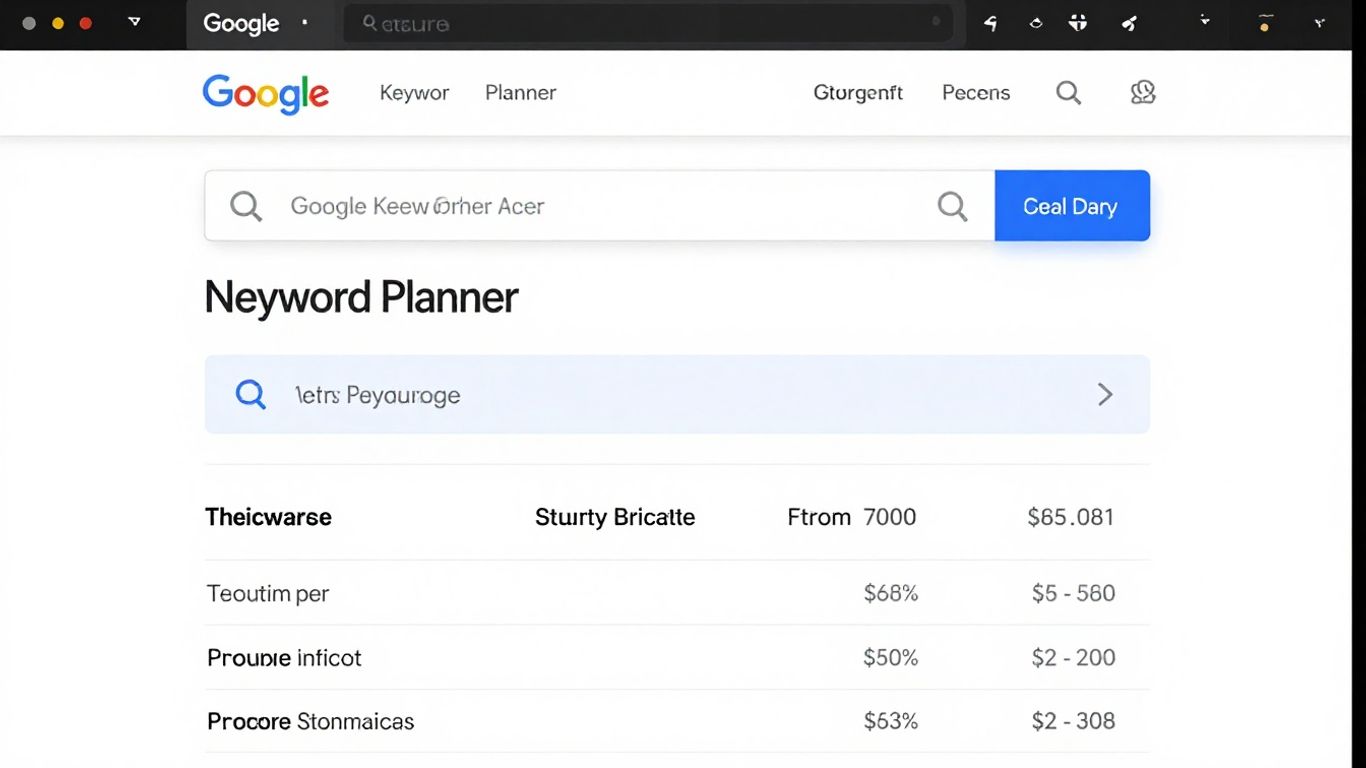
Okay, so let's talk about Google Keyword Planner. This is a tool that's actually part of Google Ads, so you'll need an account to get to it, but don't let that scare you off. It's completely free, and honestly, it's a pretty solid place to start when you're trying to figure out what people are actually searching for.
Think of it like this: you tell it a topic or a few keywords you're interested in, and it spits back a bunch of related ideas. It also gives you an idea of how many people are searching for those terms each month and how competitive they are. This is super helpful because it gives you a sense of which keywords might be worth going after for your website. The data it provides is pretty direct from Google, so you're getting a good look at what the search engine itself sees.
Here’s a quick rundown of what you can get from it:
- Keyword Ideas: Discover new terms related to your business or topic.
- Search Volume: See an estimate of how many times a keyword is searched per month.
- Competition Level: Understand how many other advertisers are bidding on that keyword (this can also hint at SEO competition).
- Cost-Per-Click (CPC) Estimates: Get an idea of how much advertisers are paying for clicks on those keywords, which often correlates with commercial intent.
It's not the fanciest tool out there, and sometimes the interface can feel a bit buried within the larger Google Ads platform, which might be a little much if you're just starting. But for getting raw data on search interest and potential value, it's hard to beat, especially since it's a free tool for keyword research.
You do need a Google Ads account to access it, but you don't have to run any ads to use the planner. Just signing up and navigating to the tool section is enough to start exploring. It's a good way to get a feel for keyword popularity without spending any money.
9. Google Autocomplete

When you're stuck on keyword ideas, Google Autocomplete is one of those quiet, powerful tools hiding right in plain sight. Start typing almost anything into Google Search and, in seconds, up pop queries that real people are searching for every day. It works by offering suggestions based on current search trends, making it excellent for discovering fresh, long-tail keyword opportunities.
How do you actually use it for SEO?
- Open Google in incognito mode (so past searches don’t mess with your suggestions)
- Type in a seed keyword related to your site or topic
- Watch the dropdown—those phrases are often exactly what searchers are looking for
- Try different variations, add a letter, or shuffle the phrase to see even more options
The great thing with Google Autocomplete is there's nothing to install, nothing to pay—just pure, up-to-the-minute keyword inspiration. For content writers, bloggers, and even e-commerce owners, those suggestions sometimes highlight queries so specific you’d never have thought of them otherwise. Some call these “zero volume” keywords: terms that might not show up in big keyword tools, but clearly people are searching for right now.
| Pros | Cons |
|---|---|
| 100% free and readily accessible | Suggestions can change quickly |
| Real-world, up-to-date queries | No direct search volume numbers |
| Great for content brainstorming | Manually intensive for larger lists |
It's easy to overlook something so basic, but Google Autocomplete can spark content ideas that bigger, paid tools sometimes miss entirely.
Want a little more on how it works under the hood? Check out this deeper explanation of how Google Autocomplete suggests search terms.
10. Bing Webmaster Tools
Bing Webmaster Tools is a free platform that often gets overlooked, but it offers some really useful features for understanding how your site performs on Bing. Think of it as the Bing equivalent of Google Search Console. It's a solid tool for checking technical health, seeing how Bing crawls your site, and even getting keyword performance data. Setting it up is pretty straightforward, and if you're already using Google Search Console, you can actually import your verification, which saves a good chunk of time. This tool is especially important if a noticeable portion of your audience uses Bing, which can still be significant, particularly in certain business-to-business sectors.
One of the standout features is its AI Performance Report. This is pretty neat because it shows you mentions and citations from Bing-powered AI tools like Copilot. It's a first-party data report, meaning it comes directly from Bing, giving you a unique perspective on your site's visibility in AI-driven search results. This is something you won't find in Google's tools.
Here's a quick look at what Bing Webmaster Tools provides:
- Technical Health Data: Identifies potential issues that could be hurting your site's performance.
- Crawl Information: Shows how Bing's bots are interacting with your website.
- Keyword Performance: Offers insights into which keywords are driving traffic from Bing.
- Site Scan Recommendations: Provides actionable advice for improving your site.
- AI Performance Report: Tracks mentions and citations from Bing's AI features.
While many focus heavily on Google, ignoring Bing means you might be missing out on valuable traffic and overlooking technical problems that could be easily fixed. Bing Webmaster Tools gives you a more complete picture of your site's search presence, acting as a great supplement to your existing SEO efforts. It's not a replacement for Google Search Console, but as a free addition, it's hard to pass up for a more thorough website management and optimization strategy Bing Webmaster Tools.
It's a great option for anyone looking to get a better handle on their site's technical side and understand performance beyond just Google. Plus, it's completely free to use, making it an accessible tool for all levels of SEO practitioners.
Conclusion
Alright, so after spending way too many hours poking around every SEO tool under the sun, here’s what I’ve learned: there’s no perfect, one-size-fits-all answer. Some tools are great for beginners, others are built for agencies, and a few are just plain confusing unless you’ve been doing this for years. If you’re just starting out, honestly, the free Google tools will get you pretty far. But as you get deeper into SEO, you’ll probably want something with more features—maybe Ahrefs or Semrush for research, or something like Surfer for content. Agencies have their own needs, like white labeling and client reporting, so tools like SE Ranking or WebCEO might make more sense there. The main thing is to pick something that matches your workflow and budget, and don’t be afraid to try a few before settling. At the end of the day, the best SEO software is the one you’ll actually use. Hope this roundup helped you cut through the noise and find a tool that fits. Good luck out there!
Frequently Asked Questions
What exactly is SEO software?
SEO software helps you make your website show up more often in search results, like on Google or Bing. Think of it as a toolbox that gives you ideas and tools to improve your site's visibility so more people can find it.
Do I really need to pay for SEO tools?
Not always! Many great free tools, especially from Google like Google Search Console and Google Keyword Planner, can get you started. As your website grows or your needs get more complex, paid tools can offer more advanced features and insights.
Which SEO tool is best for beginners?
For beginners, starting with Google's free tools is a smart move. Google Search Console helps you see how Google views your site, and Google Keyword Planner helps you find popular search terms. They are user-friendly and provide essential information.
What's the difference between tools like Ahrefs and Semrush?
Ahrefs and Semrush are like powerful all-in-one SEO suites. Ahrefs is often praised for its amazing backlink data and competitor analysis, while Semrush is a strong all-rounder that covers keyword research, site audits, and much more. Both are excellent but can be a bit complex for newcomers.
Can SEO tools help me write better content?
Yes, absolutely! Tools like Surfer can analyze top-ranking content for specific keywords and give you suggestions on what topics to cover, how long your content should be, and what words to use to make it more appealing to search engines and readers.
What does 'white label' mean for SEO software?
When SEO software is 'white label,' it means you can brand it as your own. Instead of your clients seeing the software's original name, they see your company's logo and branding. This makes your agency look more professional and self-sufficient.