Streamline Your WordPress Management with WP Umbrella's All-in-One Solution

Managing a bunch of WordPress sites can get messy, right? You're juggling updates, backups, and trying to keep clients happy. It feels like there's always something that could go wrong. Well, there's a tool called WP Umbrella that aims to fix all that. It's designed to pull all your websites into one place, making the whole process a lot less stressful. Let's check out what WP Umbrella can do for you.
Key Takeaways
- WP Umbrella simplifies managing multiple WordPress sites from a single dashboard.
- It offers safe update options, including visual regression testing, to prevent site breaks.
- Automated, scheduled client reports can be customized and white-labeled for a professional touch.
- The platform includes monitoring for uptime, SSL, and domain expirations to catch issues early.
- Team collaboration features and a user-friendly interface make WP Umbrella a practical choice for agencies and freelancers.
Streamline Your WordPress Management with WP Umbrella
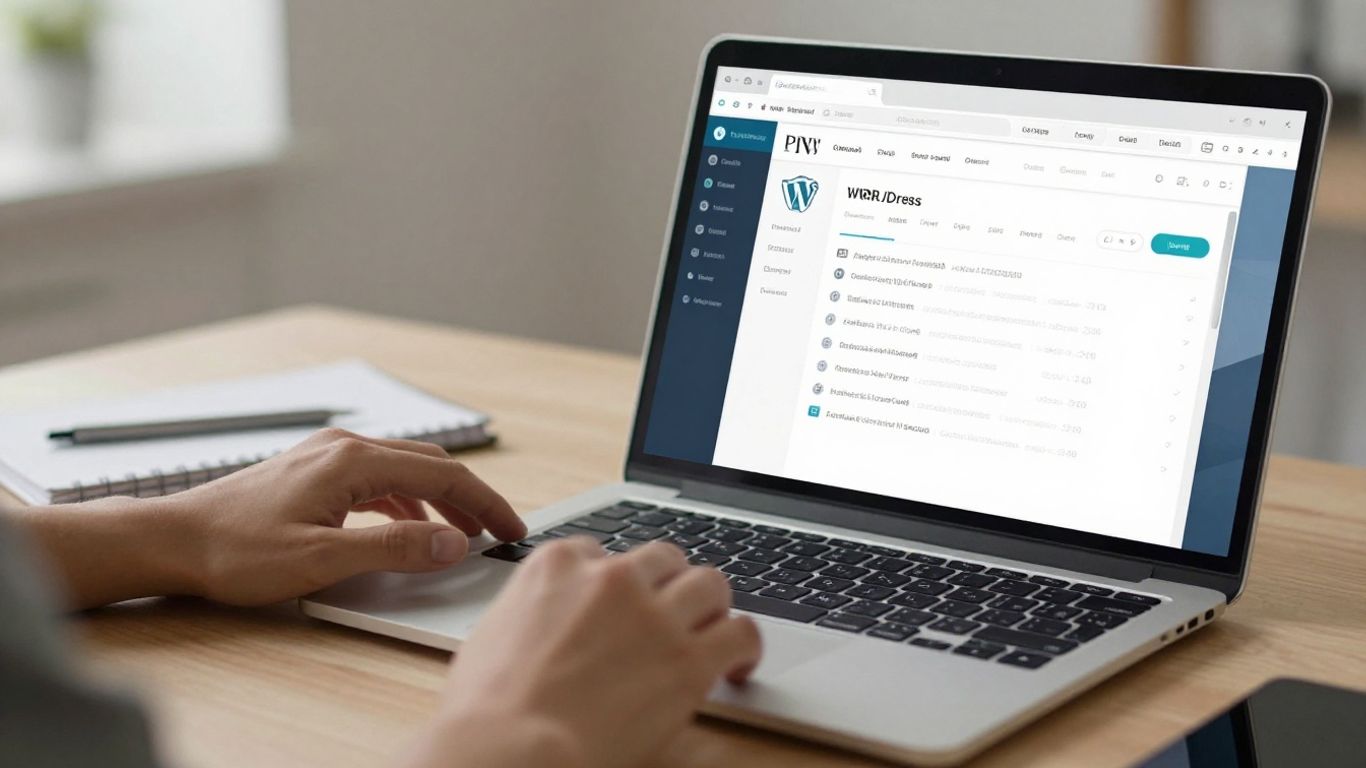
Managing multiple WordPress sites can feel like juggling chainsaws, especially when you're trying to keep everything updated, backed up, and running smoothly. It's easy to get bogged down in the day-to-day tasks, and honestly, who has the time for that? That's where WP Umbrella steps in. It's designed to take the chaos out of WordPress site management and put you back in control.
What is WP Umbrella?
Think of WP Umbrella as your central command center for all your WordPress websites. It’s a platform built to simplify the often-tedious work of maintaining multiple sites. Instead of logging into each WordPress admin area separately, you can manage everything – updates, backups, security checks, and more – from one clean dashboard. It’s the kind of tool that makes you wonder how you ever managed without it.
Who Benefits Most from WP Umbrella?
WP Umbrella is a real game-changer for a few key groups:
- Agencies: If you manage websites for clients, this tool can seriously cut down on your workload. You can keep all your client sites organized and updated without breaking a sweat.
- Freelancers: Juggling multiple client projects is tough. WP Umbrella helps you stay on top of updates and issues across all your projects, so you can focus on delivering great work.
- Solopreneurs with Multiple Sites: Own a few niche websites? This platform makes it easy to keep your entire portfolio healthy and secure from a single login.
Basically, if you're responsible for more than one WordPress site, you're going to find a lot to like here. It's about making your life easier and your work more efficient. You can even optimize your databases by cleaning up transients, spam comments, and old revisions across all your sites with its bulk management features WP Umbrella offers bulk management features.
WP Umbrella's All-Inclusive Dashboard
The heart of WP Umbrella is its dashboard. It’s not just a place to see your sites; it’s where you take action. You get a clear overview of your entire WordPress network. This includes:
- Site Health: See at a glance which sites need attention.
- Recent Activity: Track updates, backups, and any issues that have popped up.
- Quick Actions: Perform common tasks like running backups or initiating updates directly from the dashboard.
It’s designed to be intuitive, so you don’t need a manual to figure out what’s going on. This centralized view is key to streamlining your entire WordPress maintenance process WP Umbrella offers a comprehensive WordPress management solution.
The goal is to reduce the time spent on routine maintenance and minimize the risk of things going wrong, like a bad update or a security breach. It’s about working smarter, not harder.
Effortless Updates and Backups with WP Umbrella
Updating WordPress sites can feel like walking a tightrope. One wrong move, and you could be dealing with a broken website, unhappy clients, and a lot of lost time. WP Umbrella takes the stress out of this by offering a few ways to handle updates, making sure your sites stay healthy and functional.
Safe Updates for Peace of Mind
WP Umbrella's Safe Updates feature is designed to prevent those dreaded update-related meltdowns. It's like having a safety net for your website's software. You can choose from a few different update modes:
- Quick Update: This is the straightforward option. It pushes updates for plugins and themes without extra checks. Good for minor, routine updates where you're pretty sure nothing will go wrong.
- Classic Safe Update: This is where things get safer. Before an update happens, WP Umbrella creates a restoration point. It then monitors the site for any issues after the update. If something breaks, it automatically rolls back the changes. This is a solid choice for most regular updates.
- Advanced Safe Update: This mode takes safety a step further. It includes everything the Classic Safe Update does, but also adds visual regression testing. This means it checks not just if the site is online, but also if the design and layout look exactly as they should. You can choose to manually approve updates after seeing the visual checks or let it automatically roll back if it detects any visual changes.
The fear of breaking a site during an update is a common one. WP Umbrella's approach, especially with the automatic rollback and visual checks, really helps to reduce that anxiety. It means you can manage multiple sites without constantly worrying about what might go wrong next.
Advanced Safe Update Options
When you opt for the Advanced Safe Update, you get even more control. You can decide between two main paths:
- Manual Validation: WP Umbrella will show you exactly what the update might affect, including potential visual changes. You then get to decide if you want to proceed with the update or not. This gives you a chance to review everything before committing.
- Automatic Rollback: If you prefer to set it and forget it, this option automatically reverts any update if issues are detected. It's the most hands-off approach, relying on WP Umbrella's monitoring to catch problems and fix them.
Incremental Fail-Safe Backups and One-Click Restoration
Beyond updates, keeping your website data safe is non-negotiable. WP Umbrella offers automated, incremental backups. This means it only backs up the parts of your site that have changed since the last backup, which saves space and time. You can schedule these backups to run hourly, daily, or weekly, and they are fully encrypted for security. If the worst happens and you need to restore your site, WP Umbrella makes it incredibly simple with its one-click restoration feature. This is a lifesaver when you need to get a site back online quickly. It's a much better approach than trying to piece things together manually after a problem, and it's a core part of a good WordPress backup strategy.
WP Umbrella's backup system is also GDPR compliant, which is important for any site handling user data. For agencies managing client websites, having reliable, automated backups like those offered by WPvivid Backup & Migration plugin is a huge relief. It means you can focus on growing your clients' businesses instead of worrying about data loss.
Comprehensive Monitoring and Performance Insights
Keeping an eye on all your WordPress sites can feel like a full-time job, right? WP Umbrella takes a lot of that worry away by constantly watching your sites. It’s like having a security guard and a mechanic for every single website you manage.
Uptime and Performance Monitoring
This is pretty straightforward: WP Umbrella checks if your sites are online and running smoothly. If a site goes down, or if it starts acting sluggish, you get an alert. This means you can fix problems before your clients even notice something's wrong. It’s not just about uptime, though. It also looks at how fast your pages load and other performance indicators. You can get a good overview of site speed with Performance Insights.
PHP and Security Issue Detection
Beyond just being online, your sites need to be secure and running on up-to-date software. WP Umbrella scans for potential security vulnerabilities and flags issues with your PHP version. Running outdated PHP can be a security risk and can also slow down your site. Getting these alerts helps you stay ahead of potential hacks or performance dips.
SSL and Domain Expiration Alerts
These might seem like small details, but an expired SSL certificate or domain name can take a website offline instantly. WP Umbrella keeps track of these dates for you. It sends out reminders well in advance, so you have plenty of time to renew. This prevents those last-minute panics and ensures your clients' sites remain accessible.
Keeping track of all these moving parts – uptime, speed, security, SSL, domains – is a lot to handle manually. WP Umbrella centralizes this information, making it much easier to manage your entire portfolio without missing a beat. It’s about proactive maintenance, not just fixing things when they break.
Here’s a quick look at what WP Umbrella monitors:
- Uptime: Is the site accessible to visitors?
- Performance: How fast are the pages loading?
- PHP Version: Is it up-to-date and secure?
- Security: Are there any known vulnerabilities?
- SSL Certificates: When do they expire?
- Domain Names: When is the registration due for renewal?
This kind of constant vigilance is key to maintaining healthy websites and happy clients. It also helps you identify sites that might need more attention, perhaps using tools like DebugHawk for deeper dives into specific performance issues.
Enhance Client Communication with WP Umbrella
Keeping clients in the loop can feel like a full-time job on its own, right? WP Umbrella really helps smooth out those conversations. It’s not just about keeping websites running; it’s about making sure your clients know what’s going on without you having to type out a novel every time.
Automated Client Reporting
This is a big one. Instead of manually compiling updates, WP Umbrella can generate reports automatically. You can set them up to go out on a schedule, like weekly or monthly. These reports cover things like site uptime, recent updates, and any maintenance that’s been done. This proactive communication builds trust and shows clients the value you're providing. It saves you a ton of time and makes sure important information doesn't slip through the cracks.
White-Labeling for Your Brand
When you send these reports out, you want them to look like they came from you, not from a third-party tool. WP Umbrella lets you add your own logo and branding to the reports. This makes the reports look professional and reinforces your agency's identity with your clients. It’s a small detail, but it makes a difference in how clients perceive your service.
Customizable Report Content
Not all clients need the same information. Some might be super technical and want all the details, while others just want a quick summary. WP Umbrella lets you pick and choose what goes into each report. You can include specific metrics, performance data, or security updates that are most relevant to that particular client. This tailored approach means clients get the information they care about most, making the reports more useful and less overwhelming. You can even add personalized notes to specific descriptive phrase for each client.
Keeping clients informed is key to a good working relationship. Automated, branded, and customizable reports make this process much simpler and more effective, saving you time and making your clients feel more connected to the work you do.
Team Collaboration and Scalability
Managing multiple WordPress sites, especially for clients, can get messy fast. You've got different logins, different needs, and often, different people working on them. WP Umbrella helps sort this out.
Invite Team Members with Permissions
If you're working with others, you don't want everyone having full control over everything. WP Umbrella lets you bring your team members in and assign specific roles. This means the junior developer doesn't accidentally delete a critical plugin, and the account manager can see client reports without messing with site settings. It's about giving people access to what they need, and nothing more.
- Admin: Full access to all features and sites.
- Editor: Can manage sites, updates, and backups, but can't manage team members or billing.
- Viewer: Can only see site information and reports, no modification capabilities.
Client Contact Management
Keeping client details organized is a pain. WP Umbrella includes a section to store client contact information. This means you can easily pull up who to call if there's an urgent issue, or who to send the monthly report to, all from within the same dashboard you use for their websites. It cuts down on searching through spreadsheets or email chains.
Linking Sites to Clients
This is where things really start to click. You can associate specific WordPress websites with their respective clients. So, instead of seeing a long, undifferentiated list of sites, you see 'Client A' with 'Site A.com' and 'Site B.com' neatly grouped under them. This makes reporting and communication so much simpler. You know exactly which site belongs to whom, and you can manage everything from one place. It's a big step towards making your WordPress maintenance business more organized and ready to grow. This kind of structure is key for teams looking to scale their operations, much like the real-time collaboration features being developed for WordPress itself [0ef1].
Organizing your team's access and client information within a single platform like WP Umbrella prevents confusion and saves a lot of time. It's the difference between a chaotic jumble of tasks and a well-oiled machine.
WP Umbrella's User-Centric Approach
WP Umbrella really feels like it was built with actual WordPress managers in mind. It’s not just another tool thrown into the mix; it’s designed to make your day-to-day tasks smoother. The whole experience feels intentional, from the moment you sign up to how you manage your sites.
Intuitive and Clutter-Free Dashboard
Let's be honest, some dashboards can be overwhelming. You log in, and it's just a wall of information you don't know where to start with. WP Umbrella avoids that. The interface is clean, organized, and easy to get around. You can find what you need without digging through endless menus. It’s a breath of fresh air, honestly. This focus on simplicity means less time figuring out the software and more time actually working on your sites. It’s a pretty straightforward WordPress management tool that gets right to the point.
Robust Knowledge Base and Documentation
When you do run into something tricky, or you just want to learn more about a feature, WP Umbrella has you covered. Their knowledge base is packed with helpful articles and guides. It’s not just a few scattered FAQs; it’s a real resource. This means you can often find the answer you need quickly, without having to wait for support. It’s great for troubleshooting or just understanding how to get the most out of the platform.
Public Roadmap and Feature Requests
What I really appreciate is that WP Umbrella isn't a black box. They have a public roadmap, so you can see what features are being planned and worked on. Even better, they actively take feature requests from users. This shows they're listening and genuinely want to build a tool that people need. It feels like you're part of the product's evolution, not just a passive user. This kind of transparency is rare and makes a big difference.
The team behind WP Umbrella seems genuinely invested in creating a product that solves real problems for WordPress professionals. Their approach to design, support, and development reflects a commitment to user satisfaction that’s hard to find these days. It’s refreshing to see a company that prioritizes clarity and user feedback so highly.
Wrapping It Up
So, if you're tired of the constant juggling act that comes with managing multiple WordPress sites, WP Umbrella really does seem like a solid choice. It takes a lot of the guesswork and manual work out of updates, backups, and keeping an eye on things. Plus, making clients happy with clear reports? That's a big win. It's designed to make your life easier, and honestly, who doesn't need that? Give it a shot; you might find it's exactly the tool you've been searching for to get your WordPress management sorted.
Frequently Asked Questions
What exactly is WP Umbrella?
WP Umbrella is a super helpful tool that lets you manage all your WordPress websites from one single place. Think of it like a control center for all your sites, making it way easier to keep them updated, safe, and running smoothly.
Who would find WP Umbrella most useful?
It's perfect for people who manage a lot of WordPress sites. This includes website design agencies, freelancers who have many clients, or anyone who owns several websites and wants to simplify their work.
How does WP Umbrella help with website updates?
WP Umbrella makes updating your sites much safer. It can create a backup before updating, and if something goes wrong, it can automatically fix it. It even has a special feature that checks if the site looks okay after an update, so you don't have to worry about broken layouts.
Can WP Umbrella help me keep my clients informed?
Yes! WP Umbrella can create automatic reports for your clients. You can choose what information goes into these reports, like how the site is doing or what updates were made. You can even put your own company's logo on them to make them look professional.
Is it easy to work with my team using WP Umbrella?
Definitely. You can invite your team members to use WP Umbrella and give them specific jobs to do. You can also keep track of your clients and link their websites to their contact information, making everything more organized.
What if I have a question or need help with WP Umbrella?
WP Umbrella has a great help section with lots of guides and information. They also have a public list of new features they're thinking about adding, and you can even suggest your own ideas. The people who make WP Umbrella are known for being helpful and listening to users.