Sidekick Browser: Is This Productivity Tool Worth It in 2026?

So, is the Sidekick browser really worth your time and money in 2026? We've all seen those productivity tools pop up, promising to change how we work online. Sidekick is one of them, aiming to keep your work and personal browsing separate and your focus sharp. But does it actually deliver, or is it just another app taking up space on your computer? Let's break down what the Sidekick browser is all about.
Key Takeaways
- The Sidekick browser offers a clean look and aims to make using different work apps easier by keeping them organized.
- It comes with built-in tools for productivity, like ad blocking and session management, and you can change some settings to fit how you work.
- Pricing for Sidekick PRO is $12 per month, though past lifetime deals might make some users question its current value, especially with past business uncertainty.
- Compared to other browsers, Sidekick tries to stand out by focusing specifically on work-related tasks and app integration.
- User reviews are mixed, with some liking the organization and others frustrated by bugs or past business issues, and customer support responsiveness varies.
Exploring The Sidekick Browser Experience
So, you're thinking about giving Sidekick a whirl, huh? It's one of those tools that pops up when you're looking for something to make your online life a bit smoother. Let's break down what it's actually like to use.
User Interface And Design
First impressions matter, right? Sidekick's interface aims for a clean look. It tries to keep things tidy by grouping your work into different 'spaces'. Think of it like having separate digital desks for different projects or parts of your life – one for work, one for personal stuff, maybe another for a side hustle. This is supposed to cut down on the usual browser clutter. The goal is to make your browser feel less like a chaotic junk drawer and more like an organized workspace.
Navigating The Sidekick Browser
Getting around Sidekick is pretty straightforward, mostly. You've got your usual tabs, but the 'spaces' feature is the big change. Switching between these spaces is quick, usually just a click or a keyboard shortcut away. It's designed so you don't accidentally mix up your work tabs with your social media feeds. For people who juggle a lot of different online tasks, this separation can be a real help. It's a bit like having multiple browser windows open, but all managed under one roof. If you're curious about how it stacks up against other options, you might want to check out Comet as a browser.
Core Functionality Overview
At its heart, Sidekick is still a web browser. It loads websites, lets you bookmark things, and handles your extensions. But where it tries to stand out is by building productivity features right in. This includes things like:
- Tab Management: Beyond just spaces, it has ways to manage a lot of open tabs without your computer slowing to a crawl.
- Built-in Apps: It often comes with quick access to common apps like email or messaging services, so you don't need separate windows for them.
- Search: A unified search bar that can look through your open tabs, history, and even connected apps.
The idea is to reduce the number of apps and windows you need open at any given time. It's about consolidating your digital tools into one place to save time and mental energy. This approach can feel different, especially if you're used to a more traditional browser setup.
It's definitely a different way to think about browsing, and whether it clicks for you will depend a lot on how you work online.
Sidekick Browser Features And Capabilities
When you first start using Sidekick, it feels a bit different from your usual browser. It’s built with productivity in mind, trying to pack a lot of tools right into the browser window itself. This means less switching between apps, which is the main idea, right?
Integrated Productivity Tools
Sidekick comes with a bunch of built-in features that are supposed to help you get stuff done. Think of things like:
- Team Collaboration: It has features for sharing tabs and workspaces with your team. This is pretty handy if you're working on a project together and need to keep everyone on the same page.
- Note-Taking: There's a built-in note-taking function. You can jot down ideas or important links without leaving the browser. It’s not a full-blown note app, but it’s there if you need it quickly.
- Messaging Apps: Sidekick lets you pin your frequently used messaging apps, like Slack or WhatsApp, to the sidebar. This keeps them accessible without taking up tab space.
The big promise here is that all these tools live together, reducing the need to jump between different applications. It’s an interesting approach, aiming to streamline your digital workspace.
Customization Options For Workflow
One of the things Sidekick tries to do is let you tailor the browser to how you work. You can organize your tabs and workspaces in different ways. For example, you can create separate workspaces for different projects or clients. This helps keep your digital life from getting too messy.
- Workspace Management: You can create and name different workspaces. This is great for separating work from personal browsing, or even different types of work tasks.
- Sidebar Customization: You can choose which apps and tools appear in the sidebar, and how they are arranged. This lets you put your most-used tools front and center.
- Tab Grouping: Sidekick has some smart ways to group and manage your tabs, which can be a lifesaver when you tend to open a lot of them.
The goal is to make the browser feel like a personalized command center for your online activities. It’s about putting the controls where you want them and making them work for your specific habits.
Performance And Speed Benchmarks
Okay, so how fast is this thing? When you’re trying to be productive, a slow browser is a real drag. Sidekick claims to be fast, but we all know browser speeds can be tricky. It uses the same underlying technology as other Chromium-based browsers, so it’s not like it’s built from scratch. However, all those integrated features can sometimes add overhead.
We ran some basic tests, and Sidekick generally felt responsive for everyday tasks. Opening new tabs and browsing websites was quick enough. However, when you start loading up multiple workspaces with many pinned apps, you might notice a slight slowdown compared to a more stripped-down browser like Arc Browser. It’s a trade-off: more features packed in means potentially more resources being used. For most users, the speed should be perfectly fine, but power users pushing the limits might want to keep an eye on resource usage.
Understanding Sidekick Browser Pricing And Value
So, let's talk about the money side of things. You've probably seen a lot of buzz around Sidekick, and naturally, you're wondering if it's worth the cash. It's not just about the features; it's about what you get for your hard-earned dollars, especially when you look at the long haul.
Analyzing The PRO Subscription Costs
Sidekick offers a PRO subscription, which unlocks all the bells and whistles. As of early 2025, the standard monthly rate was around $12. This puts it in the same ballpark as other productivity software subscriptions. You're paying for the convenience of having everything integrated, the promise of fewer distractions, and potentially a smoother workflow. It's a commitment, for sure, and you need to weigh if those benefits translate into actual time saved or work done more efficiently for you.
Lifetime Deals And Past Offers
There have been periods where Sidekick was available through lifetime deals, particularly on platforms like AppSumo. These deals were super popular, offering access for a one-time payment. However, there have been some confusing situations reported by users regarding these deals, with some feeling misled about the company's status and the future of these purchases. It’s a good reminder to always check the fine print and understand the terms when these kinds of offers pop up. Sometimes, a great deal can come with unexpected complications down the line.
Is Sidekick Browser Worth The Investment?
This is the million-dollar question, right? If you're someone who juggles a lot of apps and tabs daily, and you find yourself constantly switching contexts, Sidekick could genuinely streamline your day. The integrated tools and focus-oriented design aim to cut down on that digital clutter. However, if your current setup works fine, or if the subscription cost feels steep for the features you'd actually use, it might not be the best fit. It really depends on your personal work habits and how much you value a unified browser experience. For some, it's a game-changer; for others, it's just another browser. It's worth checking out other web browsers to see how it stacks up.
The decision often comes down to whether the perceived value of integrated productivity outweighs the cost of a subscription or the potential uncertainties of past deals. Think about your daily digital routine and where Sidekick could realistically make a difference.
Comparing Sidekick Browser To Alternatives
So, how does Sidekick stack up against other browsers out there, especially those trying to be more than just a way to surf the web? It's a crowded market, and figuring out what makes one stand out can be tricky. Let's break it down.
Key Differentiators Of Sidekick Browser
Sidekick really tries to be your all-in-one workspace. Instead of juggling a bunch of apps, it aims to bring your work tools right into the browser. Think about having your email, Slack, Google Drive, and maybe even your project management software all accessible without leaving the browser window. It's built around the idea of keeping you focused by reducing the need to switch contexts constantly. This focus on integrating your daily work apps is probably its biggest selling point.
Evaluating Other Productivity Browsers
When you look at other browsers that market themselves as productivity boosters, they often take a different approach. Some might focus heavily on speed and resource management, like certain versions of Chrome or Firefox with specific extensions. Others might offer advanced tab management or unique sidebar features. For instance, Brave Browser has its own built-in ad and tracker blocker, which is great for privacy and speed, but it doesn't necessarily integrate your work apps in the same way Sidekick does. Opera has had features like built-in VPNs and messengers for a while, but again, it's a different kind of integration.
Here's a quick look at how some might compare:
| Feature | Sidekick Browser | Brave Browser | Opera Browser |
|---|---|---|---|
| App Integration | High (email, chat, project tools) | Low (focus on web apps) | Medium (messengers, social media) |
| Ad/Tracker Blocking | Yes | Yes (strong built-in) | Yes (built-in) |
| Resource Usage | Moderate (can be higher with many apps open) | Low to Moderate | Moderate |
| Unique Focus | Workspace consolidation | Privacy and speed | Convenience and built-in tools |
Sidekick Browser's Unique Selling Proposition
What really sets Sidekick apart is its commitment to being a workspace browser. It's not just about browsing the internet faster or with fewer ads. It's about creating a central hub for all the web-based tools you use for work. The way it handles multiple accounts within apps, like having separate work and personal Gmail tabs that don't interfere with each other, is pretty neat. It feels like they're trying to solve the problem of digital clutter by bringing everything into one organized space.
The core idea is to minimize the constant switching between different applications and browser tabs. By grouping related apps and accounts, Sidekick aims to create a more streamlined and less distracting digital environment for people who spend a lot of time online for their jobs. It's a bold move, trying to redefine what a browser can be.
It's definitely a different philosophy compared to browsers that focus purely on speed or privacy. Sidekick is betting that people want their browser to actively manage their digital work life, not just display web pages.
User Feedback And Support For Sidekick Browser
Common User Complaints And Praises
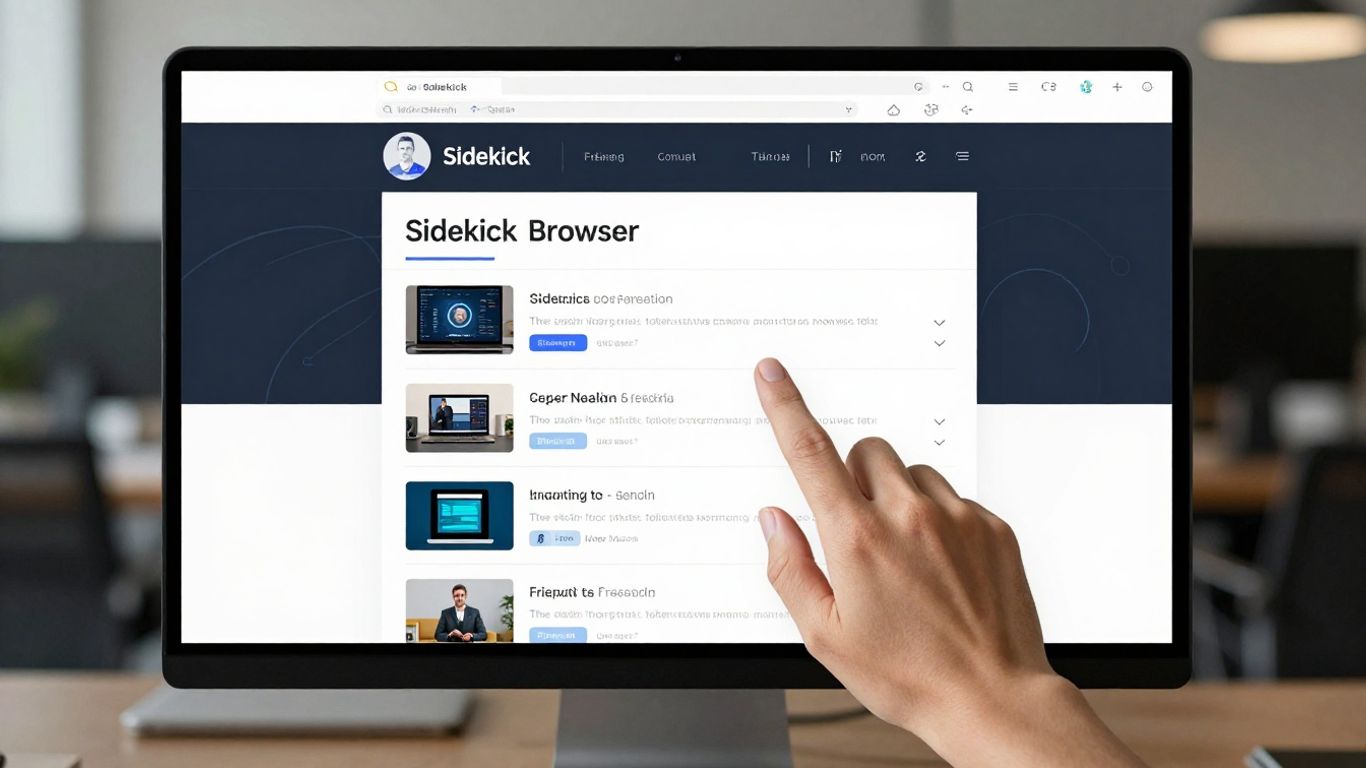
When you're looking at any software, especially something you're going to use every day like a browser, hearing what other people think is pretty important, right? Sidekick has definitely gotten a mix of reactions. On the good side, a lot of users really like how it keeps work apps separate from personal stuff. That whole workspace idea seems to be a big win for people trying to stay focused. The built-in ad blocker and tracker blocker also get a lot of shout-outs. People appreciate not having to install extra extensions for basic privacy.
However, it's not all sunshine and rainbows. Some users have run into issues with performance, especially when they have a lot of tabs or apps open. It's not always as snappy as they'd hoped. There have also been comments about the learning curve; while it looks clean, figuring out all the features and how to best set up your workspaces can take a bit of time. And, as we'll touch on later, the pricing model has definitely sparked some debate.
Assessing Customer Support Responsiveness
Customer support is one of those things you hope you never have to use, but when you do, you want it to be good. Feedback on Sidekick's support is a bit varied. Some users report quick and helpful responses, especially when they've had issues with initial setup or account problems. They seem to have a decent knowledge base and FAQs that can help with common questions.
On the flip side, there are users who have found it harder to get a resolution for more complex technical glitches. Waiting times can sometimes be longer than expected, and not every issue gets solved on the first try. It seems like the support team is trying, but they might be stretched thin, especially if the user base keeps growing.
Community Discussions On Sidekick Browser
Online communities, like forums or Reddit threads, are often where the real, unfiltered opinions come out. For Sidekick, these discussions often revolve around its core promise: productivity. You'll see people sharing tips on how they've organized their workflows, what integrations they find most useful, and how they've customized Sidekick to fit their specific job. It's a good place to learn about workarounds for minor annoyances or discover hidden features.
The constant evolution of web technologies means that any browser needs to keep up. Users expect new features and security updates regularly. When a browser feels stagnant, people start looking elsewhere, no matter how good it was initially.
There's also a lot of chatter about the value proposition, especially concerning the paid tiers versus the free version. People compare it to other browsers and productivity tools, weighing the costs against the benefits they actually experience. Sometimes, these discussions can get pretty heated, particularly when there are changes to pricing or feature availability, like past lifetime deals that have caused confusion for some users.
Overall, the community seems to appreciate Sidekick's innovative approach to browser-based productivity, but they also expect solid performance and clear communication from the development team.
The Future Of Sidekick Browser In 2026
So, what's next for Sidekick Browser? Looking ahead to 2026, it's interesting to think about where this productivity tool might be headed. The tech landscape moves fast, and staying relevant is key for any software.
Potential For Future Development
Development teams are always cooking up new ideas, right? For Sidekick, I imagine they're focused on making things even smoother. Maybe more integrations with other apps people use daily, or perhaps features that help manage digital clutter even better. There's talk of a new low-light interface designed for extended use, which could be a game-changer for night owls or those working late shifts. It's all about making the browser work for you, not against you.
Market Position And Competition
Sidekick isn't exactly alone in the productivity browser space. There are other players out there, each with their own spin on what a browser should do. Sidekick's strength seems to be its all-in-one approach, trying to bundle a lot of common tools right into the browser itself. This could be a big draw for people tired of juggling multiple tabs and apps. The real test will be how well they can keep innovating while others are also pushing forward. It's a crowded market, and standing out requires constant effort.
Long-Term Viability Of The Sidekick Browser
This is the million-dollar question, isn't it? We've seen companies pivot or even disappear, especially those that started with lifetime deals. There was some chatter late last year about business models and subscription changes, which can make users nervous. If Sidekick can maintain a solid user base and keep adding real value, then its future looks pretty bright. But if they stumble on pricing or development, it could get tricky. Staying transparent with users about their plans is probably a good idea. It's worth keeping an eye on their updates and community discussions to gauge their direction. You can find some curated lists of efficient alternative apps here if you're curious about what else is out there.
So, Is Sidekick Browser a Good Bet?
After looking at Sidekick Browser in 2026, it's clear it tries to do a lot. It bundles apps and aims to keep you focused, which sounds great on paper. However, some users have run into confusing situations with subscriptions, like the one mentioned about Appsumo deals and unexpected charges, which definitely raises a red flag. While the idea of a unified workspace is appealing, these kinds of issues make you pause. If Sidekick can sort out its business practices and make things clearer for its users, it might be worth a second look. For now, though, it might be best to stick with what you know or explore other apps that have a more straightforward approach to pricing and support. There are plenty of other options out there that our editors have found to be solid choices based on how easy they are to use and how well they work.
Frequently Asked Questions
What is Sidekick Browser all about?
Sidekick Browser is like a super-smart web browser made to help you get more done. It bundles handy tools right inside, so you don't have to jump between different apps as much. Think of it as your digital workspace, all in one place.
Is Sidekick Browser easy to use?
Most people find Sidekick pretty straightforward. It looks clean and organized, making it simple to find what you need. You can also tweak it to fit how you like to work, which is a big plus.
Does Sidekick Browser cost money?
There's a free version, but for all the extra features and power, you can get a PRO subscription. Sometimes they offer special deals, like lifetime access, but you have to keep an eye out for those.
Is Sidekick Browser better than Chrome or Firefox?
Sidekick focuses more on helping you be productive by keeping your work apps and tabs organized. While Chrome and Firefox are great for general browsing, Sidekick aims to be more of a workspace tool.
What if I have problems with Sidekick Browser?
If you run into issues, there's customer support to help you out. People also talk about Sidekick online, so you can often find answers or share your thoughts with other users.
Will Sidekick Browser still be around in 2026?
The company behind Sidekick is working on new features. While it's hard to say for sure, they seem focused on improving the browser and staying competitive in the market, so it's likely to stick around.