Mastering Heyzine Flipbook Creation: From PDF to Interactive Digital Publications

So, you've got a PDF and you want to make it look way cooler online? Like, with actual flipping pages and maybe some videos? That's where Heyzine comes in. It's this tool that takes your boring old PDF and turns it into a snazzy digital publication, kind of like a magazine or a catalog you can flip through on your screen. We're going to walk through how to use it, from just getting started to making it super interactive and getting it out there for people to see. It’s not as complicated as it sounds, honestly.
Key Takeaways
- Heyzine is a platform that converts your PDF files into interactive digital flipbooks, making them more engaging for readers.
- You can customize the look and feel of your heyzine flipbook, adding your own branding and style.
- Adding interactive elements like videos and links can really make your heyzine flipbook stand out and keep readers interested.
- Heyzine offers ways to share your flipbook easily across different platforms, so more people can see it.
- There are free and paid options with Heyzine, so you can pick what works best for your budget and needs.
Getting Started With Heyzine Flipbook Creation
So, you've got a PDF and you're ready to turn it into something a bit more dynamic, right? That's where Heyzine comes in. It's a pretty straightforward platform designed to take your static documents and give them a digital makeover, complete with page-turning effects that make them feel like real books or magazines. The whole idea is to make your content more engaging and easier to share online.
Understanding the Heyzine Flipbook Platform
Think of Heyzine as your digital publishing assistant. It's built to convert your existing PDFs into interactive flipbooks without needing a degree in computer science. The platform is designed with simplicity in mind, so you can focus on your content rather than wrestling with complicated software. You upload your PDF, and Heyzine does the heavy lifting, transforming it into a flipbook that looks good on pretty much any device.
Key Features for Interactive Publications
What makes Heyzine stand out are its features that go beyond just turning pages. You can add things like audio to your flipbooks, which is great for adding a voiceover or background music. It also handles responsive design automatically, meaning your flipbook will look good whether someone's viewing it on a big desktop monitor or a small phone screen. Plus, there are customizable templates to give your publication a unique look.
Here's a quick look at some of the main perks:
- Page-Turning Effects: Mimics the feel of a physical book.
- Responsive Design: Works on desktops, tablets, and phones.
- Audio Integration: Add sound to your pages.
- Customizable Templates: Tailor the look to your brand.
- Sharing Options: Easily share your flipbook via links.
Setting Up Your First Heyzine Flipbook
Getting started is easier than you might think. The first step is usually creating an account. You can actually create your free Heyzine account and get a feel for the platform without any commitment. Once you're in, the process typically involves uploading your PDF file. After that, you'll have options to tweak the appearance and settings before publishing. It’s a pretty quick process, and you’ll have your first interactive flipbook ready to go in no time.
The goal is to make digital content feel more tangible and engaging, bridging the gap between static documents and dynamic online experiences. It's about making your information accessible and appealing to a wider audience.
Transforming PDFs into Engaging Heyzine Flipbooks
So, you've got a PDF. Maybe it's a catalog, a brochure, or even a report. Now you want to make it a bit more exciting, something that people actually want to flip through online. That's where Heyzine comes in. It takes your flat PDF and gives it a digital makeover.
Preparing Your PDF for Flipbook Conversion
Before you even think about uploading, give your PDF a quick once-over. A clean PDF makes for a cleaner flipbook. Think about:
- Page Order: Make sure the pages are in the exact sequence you want them to appear. It sounds obvious, but it's easy to miss.
- Page Size: Try to keep your page sizes consistent. If you have a mix of portrait and landscape pages, it can look a bit janky when flipped.
- File Size: Big PDFs take longer to upload and can slow down the flipbook. If it's huge, see if you can shrink it without losing too much quality.
- Text Clarity: Ensure all text is actual text, not just images of text. This helps with searchability later on.
Uploading and Converting PDFs with Heyzine
This part is pretty straightforward. Once your PDF is ready, you just head over to Heyzine. There's usually a big "Upload" or "Create New Flipbook" button. You select your PDF file, and Heyzine does the heavy lifting. It processes the file and turns those static pages into a digital flipbook with that cool page-turning effect. The whole conversion process usually takes just a few minutes, depending on the size of your PDF.
Customizing Your Heyzine Flipbook's Appearance
Once your PDF is converted, you'll want to make it look like yours. Heyzine gives you a bunch of options here. You can change:
- Backgrounds: Pick a solid color, a gradient, or even upload your own image.
- Thumbnails: These little previews on the side help people jump to different sections.
- Branding: Add your logo so everyone knows who made it.
- Navigation Controls: Decide how people will flip pages – arrows, clicking the corners, that sort of thing.
You can tweak these settings to match your brand's look and feel. It's about making the flipbook feel less like a generic document and more like a polished publication. Think about the colors, fonts, and overall layout. A little bit of customization goes a long way in making your digital publication stand out from the crowd.
Enhancing Your Heyzine Flipbook with Interactivity
So, you've got your PDF turned into a flipbook. That's great! But just having pages turn isn't always enough to keep people interested, right? This is where adding interactive bits comes in. It's like taking a regular book and adding pop-ups and sound effects – it just makes things more engaging.
Integrating Multimedia Elements
Static pages can get boring fast. Think about adding videos directly into your flipbook. Maybe it's a product demo, a quick tutorial, or even just a welcome message. Heyzine lets you embed these right in, making your publication feel more alive. You can also add audio clips – perhaps background music for a portfolio or narration for a guide.
- Videos: Embed YouTube, Vimeo, or direct video files.
- Audio: Add background music or voiceovers.
- Images: Use high-resolution images that zoom in.
Adding Links and Hotspots
Links are super useful. You can link to your website, specific product pages, or even other sections within your flipbook. Hotspots are like invisible buttons you can place over images or text. Click on a product image, and a hotspot could link directly to its purchase page. This makes it easy for readers to take the next step without having to search around.
The goal is to guide your reader smoothly from interest to action.
Leveraging Heyzine's Interactive Tools
Heyzine offers more than just basic links. You can add things like:
- Pop-up windows: Display extra information or larger images when a reader clicks on something.
- Forms: Collect leads or feedback directly within the flipbook.
- Buttons: Create custom buttons with clear calls to action.
Making your flipbook interactive isn't just about adding bells and whistles. It's about creating a better experience for your reader. When people can click, watch, and easily get more information, they're more likely to stay engaged and do what you want them to do, whether that's buying something or learning more about a topic.
Advanced Heyzine Flipbook Features and Integrations
So, you've got your PDF looking sharp and turned into a flipbook. That's great! But what if you want to take things up a notch? Heyzine isn't just about making a digital version of your document; it's about making it work harder for you. This is where the advanced stuff comes in, like using their API or connecting with other tools.
Utilizing the Heyzine API for Automation
Think of the Heyzine API as a way to talk to Heyzine directly from other software. This means you can automate a lot of the grunt work. For example, imagine you have a bunch of product catalogs that get updated weekly. Instead of manually uploading each one, you could use the API to have your system automatically send the new PDF to Heyzine and turn it into a flipbook. This kind of automation saves a ton of time and reduces the chance of human error. It's especially useful if you're managing a lot of publications or need them to be updated very quickly. You can programmatically create and manage flipbooks, set viewing options, and even retrieve flipbook statuses. It's all about making your workflow smoother.
Connecting Heyzine with Relevance AI
Now, let's talk about making your flipbooks smarter. By connecting Heyzine with something like Relevance AI, you can add a layer of intelligence to your publications. This integration lets AI agents help manage and even improve your flipbooks. For instance, an AI could automatically add interactive elements to your PDFs before they even become flipbooks, or it could analyze how people are interacting with your flipbooks and suggest changes. It's like having a digital assistant that's constantly working to make your content more engaging and effective. This connection can help with dynamic content orchestration, meaning your content can adapt and change based on certain triggers or data. You can explore how to build custom digital publishing dashboards with this kind of setup.
Understanding Engagement Analytics
Finally, how do you know if your flipbook is actually doing its job? This is where analytics come in. Heyzine provides tools to track how people are interacting with your digital publications. You can see things like:
- How many people viewed your flipbook
- Which pages they spent the most time on
- Where they clicked (if you've added links or hotspots)
- How long they spent reading
This data is super important. It tells you what's working and what's not. If people are dropping off on a certain page, maybe that page needs a redesign or more engaging content. If a particular link gets a lot of clicks, you know that type of call to action is effective. It's all about using the information to make your next flipbook even better.
Getting into the advanced features might seem a bit daunting at first, especially if you're not super technical. But remember, the goal is to make your life easier and your publications more effective. Start small, explore the documentation, and don't be afraid to experiment. The power to create truly dynamic and data-driven digital publications is within reach.
Optimizing Your Heyzine Flipbook for Reach
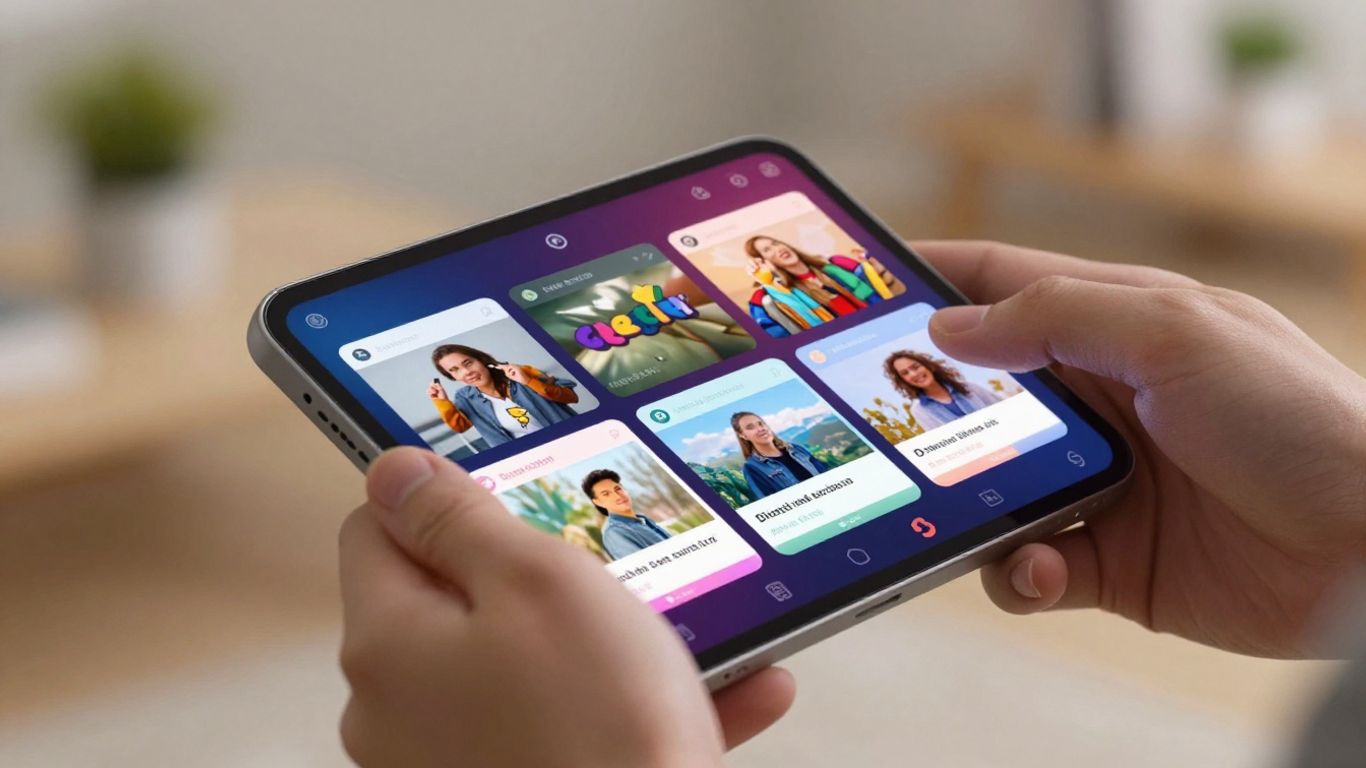
So, you've put in the work, made a slick flipbook with Heyzine, and now you want people to actually see it, right? That's where this part comes in. It's all about getting your creation in front of the right eyes and making sure it looks good no matter where they're viewing it from.
Sharing Your Heyzine Flipbook Across Platforms
Getting your flipbook out there is pretty straightforward, but there are ways to do it better. Think about where your audience hangs out online. Is it social media? Your own website? Email newsletters? Each place needs a slightly different approach.
- Direct Link Sharing: The simplest way is just to grab the unique URL Heyzine gives you and paste it wherever you need it. Easy peasy.
- Embedding on Websites: Most websites let you embed content. You can usually grab an embed code from Heyzine to pop your flipbook right into a webpage. This is great for keeping visitors on your site longer.
- Social Media Posts: When you share on platforms like Facebook, Twitter, or LinkedIn, include a catchy image or GIF along with the link. This makes your post stand out in the feed.
- Email Campaigns: If you're sending out a newsletter, a direct link or a visually appealing button linking to your flipbook can really boost engagement.
Think about your audience and where they're most likely to click. A well-placed link is better than a hundred hidden ones.
Ensuring Mobile Responsiveness
This is a big one. Most people check their phones way more than their computers these days. If your flipbook doesn't look good or work well on a small screen, you're losing a ton of potential readers.
- Heyzine's Built-in Responsiveness: The good news is Heyzine is designed to be responsive. This means it should automatically adjust to fit different screen sizes, from a big desktop monitor to a tiny phone screen.
- Test on Different Devices: Don't just assume it works. Actually pull it up on your own phone, a tablet, maybe even ask a friend with a different device to take a look. See how it loads and how easy it is to flip through pages.
- Keep Content Concise: Long blocks of text or tiny images that look fine on a desktop can become unreadable on mobile. Try to keep your content punchy and your images clear.
Best Practices for Digital Publication Distribution
Beyond just sharing the link, there are some smart moves to make sure your flipbook gets seen and appreciated.
- SEO for Flipbooks: While not every flipbook needs to be found on Google, if it's a catalog or a guide, think about keywords. Heyzine lets you add titles and descriptions, which can help search engines understand what your flipbook is about.
- Call to Actions (CTAs): What do you want people to do after reading your flipbook? Buy something? Sign up for a newsletter? Visit another page? Make sure there are clear buttons or links guiding them to that next step.
- Track Your Performance: Use Heyzine's analytics (if available on your plan) or link tracking tools to see how many people are viewing your flipbook, where they're coming from, and how long they're spending on it. This info is gold for figuring out what's working and what's not.
| Sharing Method | Pros | Cons |
|---|---|---|
| Direct Link | Simple, universal | Can get lost in feeds |
| Website Embed | Keeps users on-site | Requires website access |
| Social Media | Wide reach, visual | Algorithm dependent |
| Targeted, personal | Requires email list |
By focusing on how and where you share, and making sure your flipbook looks great on any device, you'll get a lot more eyes on your hard work.
Cost-Effective Heyzine Flipbook Solutions
When you're looking to make digital publications without breaking the bank, Heyzine really stands out. It's a platform that makes turning your PDFs into flipbooks pretty straightforward, and they've got options for just about any budget.
Exploring Heyzine's Free Plan Options
Heyzine offers a free plan that's a great starting point, especially if you're just testing the waters or don't need a huge number of publications. With this plan, you can create up to five flipbooks. It also gives you 1GB of storage, which is enough for a few decent-sized documents. You can add audio to your flipbooks, and they'll look good on any device because the design is responsive. The templates are pretty nice too, giving your flipbooks a professional look right away. The main thing to remember with the free plan is that Heyzine's branding will be visible on your flipbooks. It's a small trade-off for getting to use the service for free.
Understanding Paid Plan Benefits
If you find yourself needing more than the free plan offers, Heyzine's paid plans are quite affordable. They start at a very reasonable price, often around $4 per month. For that small fee, you can create an unlimited number of flipbooks. This is a huge plus if you're a business that needs to produce many different catalogs, reports, or brochures. You also get more storage and, importantly, you can remove the Heyzine branding, making your publications look completely your own. These plans often come with better support and access to more advanced features, which can be really helpful as your needs grow.
Maximizing Value with Heyzine
To really get the most out of Heyzine, think about how you'll use it long-term. If you're just making a few flipbooks a year, the free plan might be all you need. But if you're creating content regularly, the small monthly cost for a paid plan quickly pays for itself by removing limitations and branding. Consider the total number of flipbooks you anticipate creating and the storage space required. For many users, the jump to a paid plan is a no-brainer for the freedom and professional appearance it provides. It's about finding that sweet spot between cost and the features you actually need to get your digital publications out there effectively.
Wrapping Up Your Flipbook Journey
So, we've gone through how to take a simple PDF and turn it into something way more interesting with Heyzine. It’s not just about making a digital copy; it’s about making your content pop and actually get noticed. Whether you're making a catalog, a magazine, or just sharing a document, Heyzine makes it pretty straightforward. Remember, the goal is to make your digital publications look good and work well for whoever is reading them. Give it a try, play around with the settings, and see what cool stuff you can create. It’s easier than you might think to make your PDFs shine online.
Frequently Asked Questions
What is Heyzine and how does it work?
Heyzine is a cool tool that takes your boring PDF files and turns them into awesome digital books that people can flip through online, just like a real magazine or book. You just upload your PDF, and Heyzine does the magic to make it look interactive and fun to read on computers and phones.
Can I add videos or links to my Heyzine flipbook?
Absolutely! Heyzine lets you make your flipbooks more interesting by adding things like videos, music, and clickable links. This helps keep your readers hooked and makes your digital publication way more engaging than a plain old PDF.
Is Heyzine free to use?
Yes, Heyzine has a free plan that's great for getting started. You can make a few flipbooks with it. If you need to make more or want extra features, they have paid plans that are pretty affordable, starting at a low monthly cost.
How do I share my Heyzine flipbook?
Once your flipbook is ready, Heyzine gives you a special link. You can share this link anywhere – on social media, in emails, or on your website. Anyone with the link can then easily view your interactive publication.
Will my Heyzine flipbook look good on a phone?
Definitely! Heyzine makes sure your flipbooks look great on all kinds of devices, especially phones and tablets. This means your readers can enjoy your digital publication no matter what device they're using.
What's the difference between Heyzine and just sharing a PDF?
Sharing a PDF is like sending a flat picture. A Heyzine flipbook is like a mini-website that looks and feels like a real book with pages you can turn. It's way more exciting, lets you add cool stuff like videos, and is easier for people to interact with.