Explore the Power of Runway ML AI: A Comprehensive Guide for Creators

Ever feel like you need a whole tech team to make cool videos or images? Well, things are changing. Tools like runway ml ai are popping up, making it way easier for regular folks to get creative with artificial intelligence. You don't need to be a coding wizard anymore. This guide is all about checking out what runway ml ai can do and how you might use it for your own projects. Let's see what this stuff is all about.
Key Takeaways
- Runway ml ai makes machine learning accessible for creators, no coding needed.
- It offers tools for making and changing images and videos, plus text generation.
- The platform has a simple, browser-based interface that's easy to learn.
- You can pick from pre-built AI models to get started quickly.
- Runway ml ai is good for both beginners and those looking to try new creative things.
Understanding the Power of Runway ML AI

Runway ML AI is changing the game for creators, plain and simple. It's like giving everyone a superpower to make cool stuff with AI, without needing to be a computer whiz. Think of it as a digital art studio that lives right in your web browser. This platform takes really complicated machine learning stuff and makes it super easy to use. It's all about making advanced AI tools accessible to anyone with an idea.
Democratizing Machine Learning for Creators
Before Runway ML, using machine learning for creative projects often meant spending years learning to code or hiring expensive specialists. That's a huge barrier for most artists, designers, and filmmakers. Runway ML blows that barrier away. It provides a friendly space where you can experiment with AI without getting bogged down in technical details. This means more people can play around with AI and see what they can create. It’s a big deal for independent creators who don't have big budgets.
Intuitive Browser-Based Interface
Forget installing complex software or dealing with confusing command lines. Runway ML runs directly in your web browser. This makes it incredibly easy to get started. You just log in, and you're ready to go. The interface is designed to be straightforward, showing you the tools and options clearly. You can select different AI models, upload your media, and adjust settings without needing a degree in computer science. It feels more like using a creative app than a technical tool.
Harnessing Pre-Trained ML Models
Runway ML comes packed with a bunch of ready-to-use AI models. These are like specialized tools, each good at a different task, like generating images, editing videos, or even creating 3D objects from photos [02a8]. You don't need to train these models yourself; they're already trained and waiting for you to use them. This saves a ton of time and resources. You can pick the model that fits your project and start creating right away. It’s a massive shortcut that lets you focus on your creative vision instead of the technical setup. You can even explore advanced models like Runway Gen 4.5 for top-tier video generation.
Exploring Runway ML AI Capabilities and Applications
Runway ML isn't just one thing; it's a whole toolbox for creators looking to play with AI. It really opens up possibilities that used to be super complicated or just plain impossible for most people. Think of it as a digital playground where you can make all sorts of cool stuff without needing a computer science degree.
Image and Video Synthesis
This is where the magic really happens. Runway ML lets you generate entirely new images and videos from just text descriptions. You type what you want to see, and the AI tries its best to create it. It's wild. You can also take existing videos and transform them into something completely different using its video-to-video features. This is great for giving old footage a new look or creating unique visual effects. The ability to generate and manipulate video content with simple prompts is a game-changer for visual storytelling. It's like having a special effects department at your fingertips, ready to bring your wildest ideas to life. You can explore AI video creation with these tools.
Text Generation and Style Transfer
Beyond visuals, Runway ML can also play with text. While not its primary focus, some models can help with generating text or adapting existing text to a certain style. More importantly, the style transfer capabilities extend to visuals, allowing you to apply the artistic style of one image to another, or even to video. Imagine making your vacation photos look like they were painted by Van Gogh, or giving a documentary a specific cinematic feel.
Object Detection and Beyond
Runway ML also includes tools that can identify and understand elements within images and videos. This means you can use AI to automatically find specific objects, track movement, or even segment different parts of a scene. This is super useful for editing, analysis, or creating interactive experiences where the AI needs to 'see' what's going on. For instance, you could automatically isolate a person from their background in a video clip.
Creative Content and Interactive Installations
All these capabilities come together to enable a wide range of creative projects. Indie filmmakers can create stunning visuals on a budget, artists can build dynamic installations that react to their environment, and designers can prototype ideas much faster. The platform is really about giving creators the power to experiment and push boundaries. It's about making complex AI technology accessible for practical applications in various creative fields.
The core idea is to remove technical barriers so that creators can focus on their vision. It's about making AI a collaborator, not just a tool.
Mastering Runway ML AI Workflows
So, you've got Runway ML open and you're ready to make some cool stuff. But where do you even start? It's not just about clicking buttons; there's a bit of a process to it, and getting it right makes a huge difference in your final output. Think of it like baking a cake – you need the right ingredients, the right temperature, and the right steps, or you end up with a mess.
Selecting the Right Model
Runway ML has a whole bunch of pre-trained models, and picking the one that fits your idea is the first big step. It's like choosing the right tool for a job. You wouldn't use a hammer to screw in a lightbulb, right? Each model is trained for specific tasks, whether it's generating images from text, transforming existing videos, or something else entirely. Take a moment to look through the options. Some models are better for realistic outputs, while others lean towards more artistic or abstract styles. The key is to match the model's specialty to your creative goal.
Providing Effective Input
Once you've picked your model, you need to give it something to work with. This is usually your prompt – the text description of what you want. But it's not just about typing words. The way you phrase things, the details you include, and even the negative prompts (what you don't want) can drastically change the outcome. It takes practice to get good at this. Think about being super specific. Instead of "a dog," try "a fluffy golden retriever puppy sitting in a field of sunflowers, golden hour lighting." You can also provide images as input for many models, which gives the AI a visual reference. This is where you can really start to shape the results.
Executing and Refining Models
After you've set up your model and input, you hit 'generate'. But that's rarely the end of it. Most of the time, the first result isn't exactly what you had in mind. This is where the refinement comes in. You'll likely go back and tweak your prompt, adjust settings like the seed or guidance scale, or even try a different model. It's an iterative process. You might generate a few variations, pick the best one, and then use other tools within Runway ML to clean it up or change specific parts. This back-and-forth is totally normal and part of how you get to a great final piece. It's helpful to generate videos in shorter clips rather than one long piece, then stitch them together later.
Exporting Your Creative Output
Finally, when you're happy with what you've made, it's time to get it out of Runway ML and into your project. You can export your creations in various formats, depending on what you need. This could be a video file, an image sequence, or something else. Make sure you choose the right settings for your export, like resolution and file type, to make sure it works well with whatever you plan to do next. This is where you can really start to see your ideas come to life outside the platform. You can find more about using Runway ML for creative applications here.
Getting the hang of these workflows takes a bit of patience. Don't get discouraged if your first few tries aren't perfect. Each generation is a learning opportunity, and with practice, you'll start to see patterns and understand how to guide the AI more effectively. It's a bit like learning a new language; the more you practice, the more fluent you become.
Runway ML's node-based system, known as Workflows, offers a more advanced way to control the entire creative pipeline, allowing for complex and layered generation processes.
The Unique Advantages of Runway ML AI
What really makes Runway ML stand out from the crowd? It's not just about the cool AI tools, though those are pretty great. It's more about who they're trying to help and how they're doing it. Runway ML is fundamentally changing who gets to be a creator.
Accessibility for All Skill Levels
Forget needing a computer science degree or years of coding practice. Runway ML is built for regular folks, artists, designers, and anyone with an idea. The interface is designed to be straightforward, meaning you don't have to be a tech wizard to get started. You pick a model, give it some input – maybe a text description or an image – and let it do its thing. It’s like having a super-powered assistant that understands your creative vision without needing a lengthy explanation. This makes complex AI video creation tools like RunwayML accessible, letting more people bring their ideas to life without needing big budgets or specialized skills.
Community-Driven Learning and Support
Nobody likes feeling lost, right? Runway ML gets that. They've built a pretty active community around their platform. This means there are tons of tutorials, forums, and shared projects where you can pick up tips and tricks. If you're stuck on a particular effect or wondering how to get a certain look, chances are someone else has already figured it out and shared it. It’s a collaborative space where learning happens organically, which is a huge plus when you're exploring new creative territory.
Fostering Creative Exploration
Runway ML isn't just about producing a final product; it's about the journey. The platform encourages experimentation. You can try out different models, tweak settings, and see what happens. It’s a playground for your imagination. This freedom to explore without massive upfront costs or technical hurdles means you can really push the boundaries of what you thought was possible. It’s a place where happy accidents can lead to brilliant discoveries, and that's a pretty special thing for any creator.
The platform's design philosophy centers on lowering barriers. This means less time wrestling with software and more time spent on the actual creative process. It’s about making powerful technology feel approachable and fun to use, no matter your background.
Navigating Runway ML AI Models: Gen-4 vs. Gen-3 Alpha
Runway ML keeps updating its AI models, and two big ones you'll run into are Gen-4 and Gen-3 Alpha. They're both good, but they do different things well, so picking the right one for your project is pretty important.
Gen-4: The General Purpose Powerhouse
Think of Gen-4 as the workhorse for top-notch visual quality. It's designed to give you the best detail, higher resolutions, and generally more stable, coherent results, especially for longer clips. If you're aiming for something that looks really polished, like a short film or some high-quality concept art, Gen-4 is probably your best bet. It's great for when visual fidelity is the main goal.
Gen-3 Alpha: The High-Efficiency Innovator
Gen-3 Alpha, on the other hand, is all about speed and responsiveness, particularly when it comes to motion. It's faster to generate content and reacts really well to prompts that focus on movement. This makes it ideal for quick experiments, creating dynamic backgrounds, or when you just need to iterate on ideas fast. The Gen-3 Alpha Turbo version is even quicker, which is handy for rapid prototyping.
Choosing the Right Model for Your Project
So, how do you decide? It really comes down to what you need.
- For maximum visual polish and detail: Go with Gen-4. It's better for things where every little detail matters.
- For speed, motion experimentation, and quick iterations: Gen-3 Alpha is the way to go. It's more efficient for testing out different ideas.
- For cost-effectiveness: Keep an eye on credit usage. For instance, Gen-4 Image (1080p) costs 8 credits, while Gen-3 Alpha Video is 10 credits per second, and Turbo is 5 credits per second.
Sometimes, the best approach isn't to generate a long video all at once. Instead, you can create shorter clips with either model, refine them individually, and then stitch them together later in editing software. This often gives you more control and can save time and credits.
Ultimately, don't be afraid to try both. Experimenting with different models and prompts is part of the creative process with Runway ML. You might find that a combination of their strengths works best for your specific vision.
Advanced Techniques and Best Practices in Runway ML AI
So, you've gotten the hang of the basics in Runway ML, maybe you've generated some cool images or even a short video clip. That's awesome! But what if you want to push things a bit further, get those truly standout results, or just make your workflow smoother? There are definitely some tricks and tips that can make a big difference.
Video-to-Video Transformation Magic
This is where things get really interesting. Instead of starting from scratch with text prompts, you can take an existing video and transform it. Think of it like giving your footage a complete makeover. You can change the style, the mood, or even the entire aesthetic of a clip you already have. It's a fantastic way to experiment with different looks without having to shoot new footage. For example, you could take a simple home video and turn it into a stylized animation or a vintage film look. This feature is a game-changer for remixing and reinterpreting visual content, offering a new dimension to video creation.
Smart Credit Management Strategies
Runway ML uses a credit system, and if you're not careful, those credits can disappear faster than you'd think. A smart approach is key to making your budget stretch. Always use the preview modes first. They use fewer credits and let you test out your prompts and settings before you commit to a full render. A well-thought-out prompt that's specific and clear will save you a lot of re-dos. Also, consider using the video-to-video feature on existing footage; sometimes, it's more efficient than generating something entirely new from scratch. It’s all about getting the most bang for your buck.
Here’s a quick breakdown of how to be smart with your credits:
- Preview First: Always use low-resolution previews to test prompts and settings.
- Refine Prompts: Clear, specific prompts reduce the need for multiple generations.
- Batching: For long videos, generate shorter clips and stitch them together later.
- V2V Efficiency: Consider transforming existing footage instead of generating from zero.
Overcoming Visual Inconsistencies in Post-Production
AI-generated video can sometimes have little quirks, like flickering objects or slight changes in a character's appearance between frames. Don't sweat it too much, though. A lot of these issues can be smoothed out in post-production. Fast editing can hide minor glitches. Smooth transitions between clips help blend any stylistic differences. You can even use animation tools in video editing software to correct small movements or jitters. Color correction and grading are also your friends here; they can unify the look of all your clips, making everything feel more cohesive.
Sometimes, the imperfections are part of the charm, but when you need polish, post-production is your best bet. It's about taking that raw AI output and refining it into something truly professional.
The Crucial Role of Sound Design
Let's be honest, visuals are only part of the picture. Sound is what really brings a video to life. Don't neglect the audio! Adding sound effects that match what's happening on screen makes the experience way more immersive. The right music can totally change the mood and pace of your video. And if you're telling a story, a good voiceover can add so much clarity and emotion. Think about how sound can complement your visuals, whether it's a subtle background hum or a dramatic explosion. It’s the finishing touch that makes your AI creations feel complete. For those looking to generate stunning visuals from text, understanding prompt engineering is key, and resources for AI image generation can offer valuable insights into crafting effective inputs.
Runway ML AI in the Real World
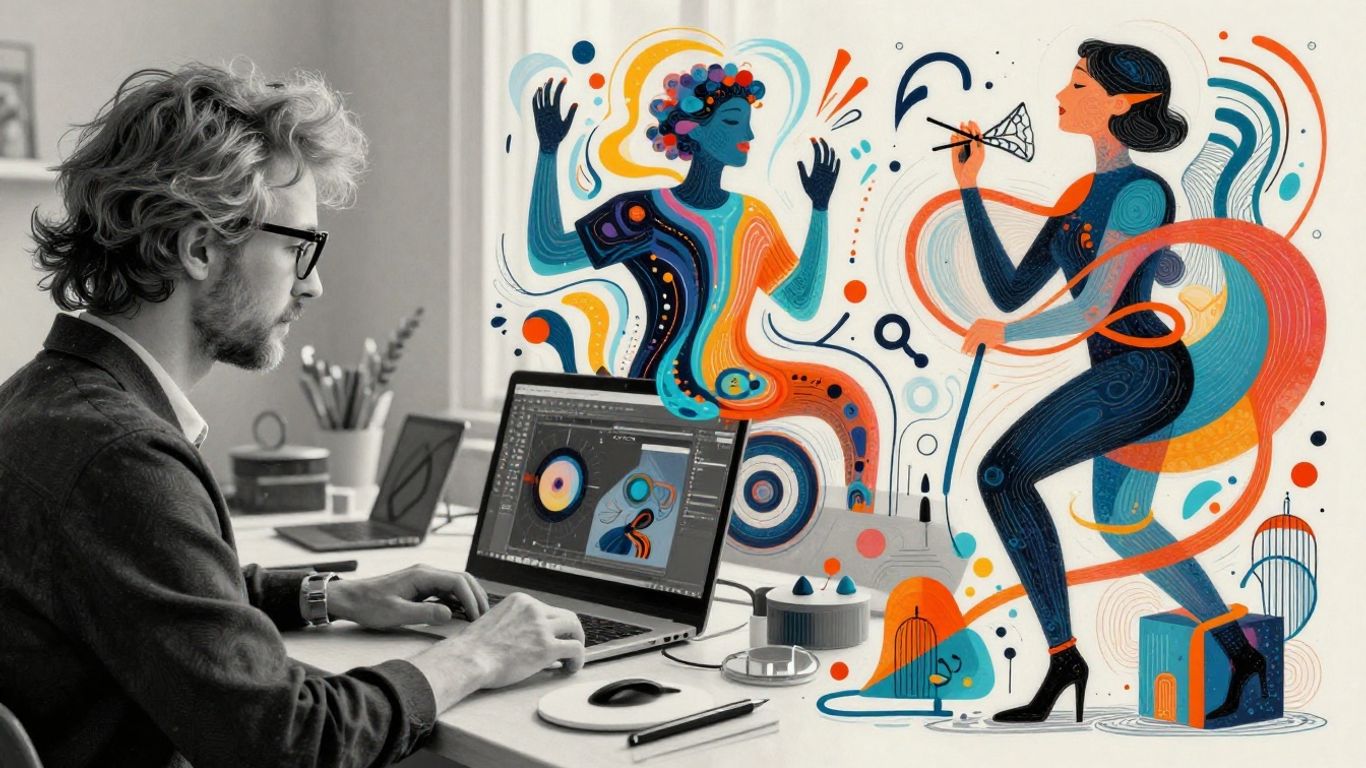
It's pretty wild how AI tools like Runway ML are actually being used by people out there, not just for fun projects but for actual work. We're seeing it pop up in a bunch of different places, which is kind of exciting.
Impact on Indie Filmmakers
For folks making movies on a shoestring budget, Runway ML is a game-changer. Think about creating special effects or unique visual styles that would normally cost a fortune. Now, independent filmmakers can achieve some pretty impressive results without needing a massive crew or studio. It lets them experiment with ideas that were just out of reach before. This democratization of tools means more diverse stories can actually get made.
Business Applications for Visual Storytelling
Businesses are also jumping on this. Companies are using Runway ML to create marketing videos, explainer content, and social media clips. It's way faster and often cheaper than traditional video production. Imagine needing a quick, eye-catching ad for a new product; instead of hiring a whole team, you can generate something pretty compelling right within the platform. This is especially useful for smaller businesses that don't have big marketing departments. You can get a lot done with Runway ML's video tools.
Commercial Use and Copyright Considerations
So, can you actually use what you make for money? Generally, yes. Runway ML's terms usually state that you own the content you create. This means you can use your AI-generated videos for commercial projects, selling them, or including them in your business's advertising. However, it's always a good idea to double-check the latest terms of service, as things can change. Also, while the AI generates the visuals, be mindful of any source material you might have used as input, especially if it was copyrighted. It's a bit of a new area, so staying informed is key. For a deeper look at the financial side, some reviews discuss costs and alternatives.
The landscape of content creation is shifting rapidly. AI tools are no longer just experimental novelties; they are becoming integrated into professional workflows, offering new avenues for creativity and efficiency. Understanding how to use these tools effectively, while also being aware of their implications, is becoming a necessary skill for many creators and businesses alike.
Wrapping Up Your Creative Journey with Runway ML
So, we've looked at what Runway ML can do, and honestly, it's pretty wild. It takes complex AI stuff and makes it actually usable for people like us who just want to make cool things. You don't need to be a coding wizard to get started, which is a huge deal. Whether you're trying to whip up some unique visuals for a project or just messing around to see what happens, Runway ML opens up a lot of doors. It's definitely changing the game for creators, making powerful tools available to more people than ever before. Keep playing around with it, see what you can dream up – the future of making stuff just got a whole lot more interesting.
Frequently Asked Questions
What exactly is Runway ML?
Think of Runway ML as a super cool online toolbox for artists and creators. It uses smart computer programs, called AI, to help you make awesome pictures and videos without needing to be a coding whiz. It's like having a magic wand for your creative ideas, all in your web browser.
Do I need to be a tech expert to use Runway ML?
Not at all! Runway ML is made so that anyone can use it, even if you've never coded before. The main thing is knowing how to describe what you want – that's called 'prompting.' It's more about your imagination than your computer skills.
How good are the videos made with Runway ML?
The videos can look really amazing, especially when you use the newer tools like Gen-4. They can be clear and detailed, almost like real movies. But remember, how good it looks also depends on how well you tell the AI what to do with your words (your prompts) and if you do a little editing afterward.
Can I use the videos I make with Runway ML for my business or projects?
Yes, you absolutely can! The stuff you create with Runway ML is yours to use. This means you can use it for your social media, for ads, or even for client work. Just make sure that what you ask the AI to create doesn't copy someone else's work.
Is it difficult to learn how to use Runway ML?
Runway ML tries its best to be easy to use. There are tons of helpful videos and guides online, and a big community of people who use it. You can start with simple tasks and then try more advanced things as you get comfortable. It's like learning any new skill – you start small and build up.
What's the difference between Gen-4 and Gen-3 Alpha models?
Think of Gen-4 as the high-quality artist – it makes really detailed and clear videos, but it might take a bit longer. Gen-3 Alpha is more like a speedy assistant; it's faster and great for trying out lots of ideas quickly, especially if you need things to move in a certain way.