Explore the Future of Creativity with Runway AI's Groundbreaking Tools

Thinking about making some cool videos or images but don't know where to start? It’s like trying to build IKEA furniture without the instructions, right? Well, Runway AI is here to make things a lot simpler. This platform has a bunch of tools that use artificial intelligence to help you create all sorts of digital stuff. We’re talking videos, pictures, and more, all without needing to be a tech wizard. Let’s check out what Runway AI has to offer and how it’s changing the game for creators.
Key Takeaways
- Runway AI provides over 30 AI tools for making content, including video generation with Gen-1 and image creation with Stable Diffusion. It makes creating digital content easier for everyone.
- The platform is user-friendly, designed for all sorts of creative people, and offers tools for editing videos, making animations, and more.
- Runway AI has different pricing options for different users, from beginners to pros. They are also working on new features like turning text into video, showing how important they are in the tech world.
- Runway AI helps people create art and videos in new ways, like making storyboards or adding special effects without needing a green screen. It’s all about making new creative ideas possible.
- The company started at NYU and has grown into a major AI research firm. Their focus is on helping people tell stories and create content using AI, working with everyone from big companies to individual artists.
Exploring the Expansive Toolkit of Runway AI
Democratizing Content Creation with Over 30 AI Tools
It used to be that only pros with expensive software could whip up stunning videos, edit images, or experiment with wild special effects. Now, with Runway AI, just about anyone can use advanced creative tools—no deep training or big budget required. The platform offers more than 30 AI-powered utilities that cover video generation, visual editing, animations, and more. Here’s a peek at what you can do:
- Generate videos, images, and short clips from text, image, or audio prompts
- Remove backgrounds or objects from videos without a physical green screen
- Apply slow-motion, effects, or style transformations with no coding
- Edit audio and video together in real time
| Tool Category | Number of AI Tools | Example Features |
|---|---|---|
| Video & Animation | 10+ | Gen-1 video generation, slow-motion, effects |
| Image Generation | 7 | Stable Diffusion, upscaling, background removal |
| Audio Editing | 4 | Multitrack audio, speech-to-text |
| Utility & Workflow | 10+ | Green Screen, templates, asset libraries |
Even if you’re new to digital art, you can start experimenting right away. The goal is to make modern content creation something anyone can do—even if you’ve never touched professional editing software before.
Gen-1 and Stable Diffusion: Pioneering Generative Models
Runway AI doesn’t just repackage existing solutions; it actively develops its own trailblazing models. Two standouts are Gen-1 (for generating and transforming videos) and Stable Diffusion (well-known in the image generation scene). Both let you provide a prompt—anything from a sentence to a rough sketch—and watch the AI do the rest. Here’s how they change the game:
- Turn a text idea into a real video in minutes
- Morph existing video footage into something totally different while keeping the original motion
- Sketch concepts for storyboards or animated sequences without specialized skills
You get a full spectrum of possibilities for both professionals and hobbyists, helping bring even the strangest ideas to life.
Intuitive Design for All Creative Professionals
Not everyone has the time or patience to sift through cluttered menus and endless settings. Runway AI’s design keeps things straightforward, so you can focus on your project instead of learning new shortcuts every five minutes. A few ways this shows up:
- Clean, browser-based interface with drag-and-drop tools
- Step-by-step tutorials and guided workflows for getting started
- Live previews let you check edits as you go
- Templates for common projects: social ads, YouTube intros, podcasts, and more
Whether you’re working solo or as part of a bigger team, the tools make it possible to move fast and experiment. People who used to dread video edits or animation now find themselves zipping through creative work sessions, tweaking ideas on the fly—not fighting with clunky software.
Runway Research: The Engine of Innovation
Advancing Multimodal AI Systems
At the core of Runway AI's impressive capabilities is its dedicated research division. This team is constantly pushing the boundaries of what artificial intelligence can do, especially when it comes to understanding and generating different types of media – what we call multimodal AI. They're the ones building the smarts behind the tools you use. Think of them as the engine room, constantly tinkering and improving the technology that makes everything else possible. Their work is what allows Runway to interpret text, images, and video, and then create entirely new content based on those inputs. This isn't just about making pretty pictures; it's about creating AI that can grasp context and nuance across various forms of data.
Gen-2: Crafting Realistic and Consistent Videos
One of the most talked-about outcomes of Runway Research is Gen-2. This isn't just another video generator; it's a significant leap forward. Gen-2 is designed to produce videos that look and feel real, and importantly, that remain consistent throughout. This means fewer weird glitches or sudden changes in style. It can take simple prompts, like text descriptions or even still images, and turn them into dynamic video clips. The goal here is to make video creation more accessible and less time-consuming, allowing creators to experiment more freely without getting bogged down in complex production.
Fostering Community-Driven AI Model Development
Runway AI understands that innovation doesn't happen in a vacuum. They actively encourage their users to get involved in developing AI models. This community-driven approach has led to a massive number of AI models being created by users themselves – we're talking tens of thousands. It's like a giant collaborative workshop where designers and artists can build upon each other's work. This open environment helps Runway stay ahead of the curve and ensures the tools remain relevant and useful for a wide range of creative needs. It's a smart way to tap into a global pool of talent and ideas.
The research team at Runway isn't just focused on creating new tools; they're also deeply invested in making AI more understandable and usable for everyone. This means a lot of effort goes into simplifying complex processes and making the technology feel less intimidating for artists and designers who might not have a deep technical background.
Unlocking New Creative Possibilities with Runway AI
Generating Storyboards, Mood Boards, and Animatics
Runway AI really opens up new doors for how we can visualize ideas before diving into full production. You can now generate storyboards, mood boards, and even animatics directly from text prompts or existing images. This means you can quickly sketch out a visual concept, explore different stylistic directions, or create rough animated sequences without needing to draw every single frame by hand. It's a huge time saver and lets you experiment a lot more freely. This ability to rapidly prototype visual ideas is a game-changer for pre-production.
Revolutionizing Video Editing with AI Magic Tools
Forget spending hours on tedious editing tasks. Runway AI's suite of AI magic tools can automate and simplify many aspects of video post-production. Think about things like automatically removing backgrounds, adding motion tracking to objects, or even generating entirely new video clips based on your input. It’s like having a whole team of editors and effects artists at your fingertips, ready to help you polish your footage. You can easily transform raw clips into something much more polished and professional.
Seamless Integration of Green Screen Effects
One of the coolest features is how Runway AI handles green screen effects. You don't even need a physical green screen anymore. The AI can intelligently identify and remove backgrounds from your footage, allowing you to replace them with anything you can imagine. This makes it super easy to place subjects in different environments or create complex visual compositions without the hassle of traditional green screen setups. It’s a practical tool that simplifies a formerly complex process, making advanced visual effects accessible to more creators. You can even check out some of the latest advancements in AI systems for filmmakers.
The platform’s tools are designed to work together, creating a fluid workflow where one AI-powered step can lead into another, speeding up the entire creative process from concept to final output.
The Evolving Landscape of Art and Creativity with AI

AI's Role in Redefining Artistic Expression
It’s pretty wild how fast AI is changing the art world, right? We’re seeing tools that can take a simple sketch and turn it into something amazing, or generate entire scenes from just a few words. This isn't just about making things faster; it's about opening up new ways to think about art. AI is becoming a partner in the creative process, not just a tool. Think about it like this: photography didn't replace painting, it just gave artists a new medium to explore and a new way to see the world. AI is doing something similar for digital art and video. It’s letting people who might not have had the technical skills before to bring complex visual ideas to life.
Ethical Considerations in AI-Generated Art
Of course, with all this new tech, there are some tricky questions we need to think about. Who actually owns the art when an AI makes it? Is it the person who typed in the prompt, the company that built the AI, or the AI itself? And what about the data these AIs learn from? We need to make sure that artists are credited and compensated fairly if their work was used to train these models. It’s a whole new ballgame, and figuring out the rules is going to take some time.
- Authorship: Determining who the creator is.
- Originality: What does it mean for art to be original in the age of AI?
- Data Privacy: Ensuring training data is used ethically and with consent.
- Bias: Addressing potential biases within AI models that could affect artistic output.
We're still in the early days of understanding how AI impacts creativity. It's a conversation that involves artists, developers, and the public to make sure we're building a future that's fair and exciting for everyone.
Runway AI's Impact on Art and Design Education
For schools and art programs, this is a huge shift. Instead of just teaching traditional techniques, educators are now looking at how to incorporate AI tools into the curriculum. It’s about teaching students how to collaborate with AI, how to use it to brainstorm ideas, and how to critically evaluate the output. This blend of old and new skills is preparing the next generation of creators for a world where AI is a standard part of the creative toolkit. It’s not about replacing human talent, but about augmenting it, giving artists and designers more power to realize their visions.
Empowering Creators: The Runway AI Ecosystem
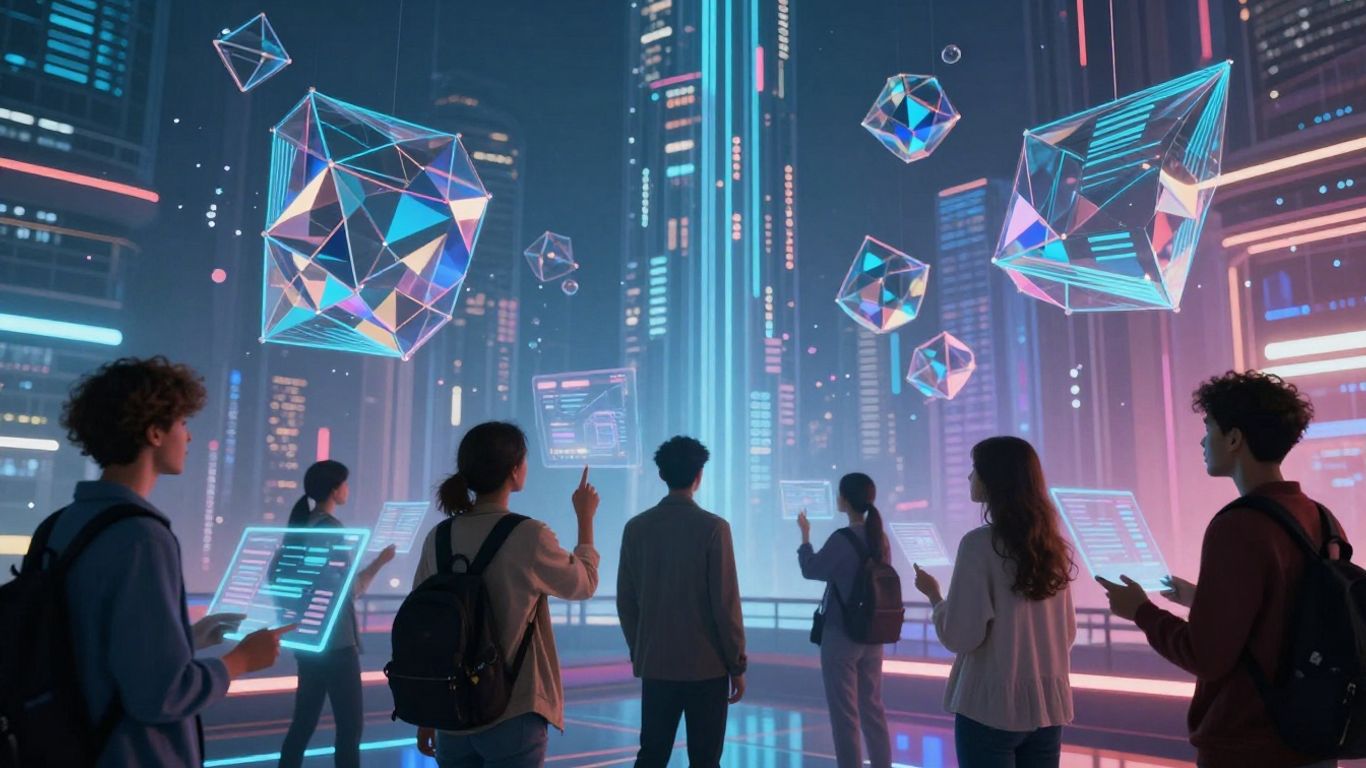
A Collaborative Partnership Between Human Ingenuity and AI
If you’ve spent any amount of time making videos or images, you know how much work can go into even small projects. Runway AI changes all that by putting AI tools right next to your creative ideas. It feels more like having a partner than just another app. Artists and people who make things can tap into everything from automatic background removal to video generation, without having a tech background.
Some ways creative folks and AI work together on Runway:
- Sketch out ideas fast with text-to-video or image tools
- Make changes to videos or images instantly, like swapping backgrounds or visual styles
- Try new formats and experiment, since revisions are easy
When people have the tools and the freedom to try (and sometimes mess up), really new things start to appear. Runway’s mix of human creativity and AI support makes this possible for a lot more people than before.
Real-World Success Stories Across Industries
Runway isn’t just for one group. From famous studios to people running YouTube channels at home, folks are using it for all sorts of things. Below is a quick look at how different industries are actually using Runway:
| Industry | Example Use Case | Notable Outcome |
|---|---|---|
| Film/TV | Pre-visualizing scenes | Faster storyboarding |
| Marketing | Creating ad variations | Lower production costs |
| Education | Making digital lectures | More engaging content |
| Freelance Design | Social media content creation | Quicker client delivery |
Community Contributions and Collaborative Innovation
What's neat about Runway is how much the community shapes what it can do. People share feedback, help test tools, and sometimes even suggest new features that end up in the real app. Here’s how users take part:
- Test beta features and give feedback.
- Share creations, tricks, and tutorials in user groups.
- Vote on which tool upgrades are most needed.
- Build a culture where everyone helps solve creative or technical troubles.
It’s way more than just using a product—it’s more like working together to build something new. When lots of people try out ideas, the whole toolkit grows bigger and more useful for everyone.
Navigating Runway AI: Pricing and Future Developments
So, you're thinking about jumping into Runway AI, huh? It's a pretty cool platform, but like anything new, figuring out the costs and what's coming next can feel a bit much at first. Let's break it down.
Choosing the Right Pricing Plan for Your Needs
Runway offers a few different ways to pay, depending on how much you plan to use it. They use a credit system for generating videos and images, which is good to know. Just remember, if you're on the Standard, Pro, or Unlimited plans, any credits you don't use in a month don't roll over. So, try to use them up!
Here's a quick look at the plans:
- Basic: This one's free and gives you 125 credits. Good for trying things out, but video exports are limited to 720p.
- Standard: You get more features here, like HD video exports and more storage for your projects. You can also train custom AI generators.
- Pro: This plan bumps you up to 4K video exports, more storage, custom AI training, and it removes watermarks from your creations.
- Unlimited: As the name suggests, this plan offers higher quality export options and no watermarks.
Basically, whether you're just messing around or doing serious work, there's likely a plan that fits.
Upcoming Features: Text to Video and Beyond
Runway AI isn't slowing down. They're always cooking up new stuff. One of the big things coming is Text to Video, which sounds pretty wild. You'll be able to type in what you want, and it'll generate a video. They're also working on a Text to Image to Video mode, which lets you combine text and images to make videos. This should make making videos way simpler and give you more control.
The team is really focused on making AI tools easier for everyone to use. They want to help people create things they couldn't before, without needing a huge team or tons of equipment.
Runway AI's Vision for General World Models
Looking further ahead, Runway AI is thinking about something called 'General World Models.' It's a bit technical, but the idea is to create AI that understands the world more like we do. This could lead to even more realistic and complex AI creations in the future, blurring the lines between what's real and what's generated even further. It's all about pushing the boundaries of what AI can do for creativity.
Wrapping Up: Your Creative Future Starts Now
So, that's a look at what Runway AI is bringing to the table. It's pretty clear that this isn't just another tech tool; it's changing how we think about making things digitally. Whether you're just starting out or you've been creating for years, these AI tools make it easier to bring your ideas to life. The platform keeps getting better, too, with new features always on the way. It really feels like we're on the edge of something big, and Runway AI is right there leading the charge. It's definitely worth checking out if you're curious about where creativity is headed.
Frequently Asked Questions
What exactly is Runway AI?
Runway AI is like a super-powered art studio on your computer! It has more than 30 different tools that use AI to help you make cool videos, pictures, and animations. You can even make videos just by typing what you want to see.
How do I start using Runway AI?
Getting started is simple. Just go to the Runway AI website, and you can sign up using your email or by connecting your Google or Apple account. It’s quick and easy to get your account set up.
Can anyone use Runway AI, even if they're not a pro?
Absolutely! Runway AI is made for everyone. It has easy-to-use tools so that artists, students, or anyone with a creative idea can make amazing content without needing to be a tech expert.
What kind of cool things can I make with Runway AI?
You can create all sorts of things! Imagine making storyboards for movies, designing mood boards for projects, or even making animated scenes. It also has special tools that let you change video backgrounds or add effects without needing a green screen.
Does Runway AI help with editing videos?
Yes, it does! Runway AI has 'magic tools' for video editing that can do things like remove backgrounds, add special effects, and make your videos look more professional. It helps make editing much faster and more fun.
What's next for Runway AI?
Runway AI is always getting better! They're working on new features, like making it even easier to create videos from text. They also have a big goal to create AI systems that truly understand how the world works, which will lead to even more amazing creative tools.