Cloudpresenter: Revolutionizing Virtual Events and Meetings in 2026

So, I've been looking into ways to make online events and meetings less of a headache, and this thing called Cloudpresenter keeps popping up. It sounds like it's trying to fix a lot of the common problems people run into when they're trying to host something online. Think less technical glitches and more actual interaction. It seems designed to make things smoother for both the people running the show and the folks watching.
Key Takeaways
- Cloudpresenter makes virtual events and meetings easier with a platform that has a custom look, invites you can change, good security, and built-in tools for audience interaction.
- You can manage your schedules, contacts, and settings easily through a simple dashboard, letting you run webinars smoothly and keep attendees interested.
- Forget about download hassles; Cloudpresenter works on phones and has a professional look that you can brand, plus features like Q&A, polls, whiteboards, and breakout rooms are standard.
- Presenting is simpler because you upload files directly, avoiding screen-sharing issues and ensuring audio and video are in sync, so you can run multiple webinars at once.
- For hybrid events, you can stream right into Cloudpresenter to connect with everyone live, no matter where they are, with tech support available if you need it.
Cloudpresenter: Elevating Virtual Event Experiences

Virtual events have come a long way, and Cloudpresenter is really leading the charge in 2026. It’s not just another meeting tool; it’s built from the ground up to make online gatherings feel more professional and engaging. Think of it as your all-in-one solution for everything from small team check-ins to large-scale conferences.
Seamless Integration for Enhanced Functionality
One of the biggest headaches with virtual events is getting different tools to play nicely together. Cloudpresenter tackles this head-on. It's designed to work smoothly with other systems you might already be using, which means less fiddling and more focus on your content. This platform is the only one that fully integrates with Zoom, making your virtual events even better. It’s about making things work together without a hitch, so you can concentrate on what matters – your audience.
A Tailored Platform for Captivating Presentations
Forget generic templates. Cloudpresenter lets you customize the look and feel of your event space. You can brand everything to match your company's style, creating a consistent and professional image. This tailored approach helps your audience feel more connected and makes your presentations stand out. It’s like having a custom-built studio for every event you host.
Effortless Management Through a User-Friendly Dashboard
Managing an online event can get complicated fast. Cloudpresenter simplifies this with a dashboard that’s easy to understand and use. You can keep track of your schedule, contacts, and all your event settings in one place. This makes planning and running events much less stressful. It’s a big change from juggling multiple apps and spreadsheets, making event management feel more like a breeze. You can even manage your calendars and contacts efficiently, just like you would with tools like GoTo Meeting.
The goal here is to remove the technical barriers that often get in the way of good communication. When the platform just works, you can actually connect with your audience instead of worrying about the tech.
Here’s a quick look at what makes the dashboard so helpful:
- Centralized Control: All your event tools and information in one spot.
- Intuitive Navigation: Easy to find what you need, even if you’re new to the platform.
- Quick Setup: Get your events ready to go without a steep learning curve.
- Performance Tracking: Access analytics to see how your events are doing.
Unlocking Interactive Features with Cloudpresenter
Let's be honest, just talking at people through a screen can get pretty dull. Cloudpresenter gets that. We've packed in a bunch of tools to make sure your audience isn't just watching, they're actually participating. The goal is to make your virtual events feel as lively and engaging as an in-person gathering.
Engaging Audiences with Built-In Interactive Tools
Forget static presentations. Cloudpresenter comes with features that pull your audience in. Think live polls that let you gauge opinions on the fly, or a Q&A section where attendees can ask questions that you can then moderate and answer. It’s about creating a two-way street, not just a one-way broadcast. We also have a digital whiteboard, which is surprisingly useful for brainstorming sessions or just illustrating a point visually. It’s all built right in, so there’s no fumbling around with separate apps.
Moderated Q&A, Polls, and Whiteboarding Capabilities
These aren't just buzzwords; they're practical tools. The Q&A feature lets you see all the questions coming in, sort them, and decide which ones to answer live. This keeps things organized and prevents important questions from getting lost. Polls are great for quick feedback or making a presentation more dynamic. You can set them up beforehand or create them during the event. The whiteboard is simple but effective for drawing diagrams or jotting down ideas. It’s a solid way to keep people focused and involved.
Breakout Rooms for Focused Discussions
Sometimes, you need smaller groups to really dig into a topic. Cloudpresenter’s breakout rooms let you split your main audience into smaller virtual rooms. This is perfect for workshops, team-building activities, or just letting people discuss specific points in more detail. You can set these up manually or have the system assign people randomly. It’s a flexible way to manage different types of interactions within a single event. This feature is particularly helpful for larger webinars where you want to encourage more intimate discussions, much like you might find in a platform like GoTo Meeting.
Having these interactive elements readily available means you spend less time troubleshooting and more time connecting with your audience. It's about making the technology work for you, not the other way around. This approach helps make your virtual events stand out, moving beyond simple broadcasts to truly interactive experiences.
We've seen platforms try to do too much, becoming complicated and hard to use. Cloudpresenter focuses on making the core interactive features work really well. This means you can concentrate on your content and your audience, rather than the tech. It’s a refreshing change from some of the more complex webinar software available today, like those you might compare when looking for the best webinar software for 2026.
Professional Presentations, Zero Hassle
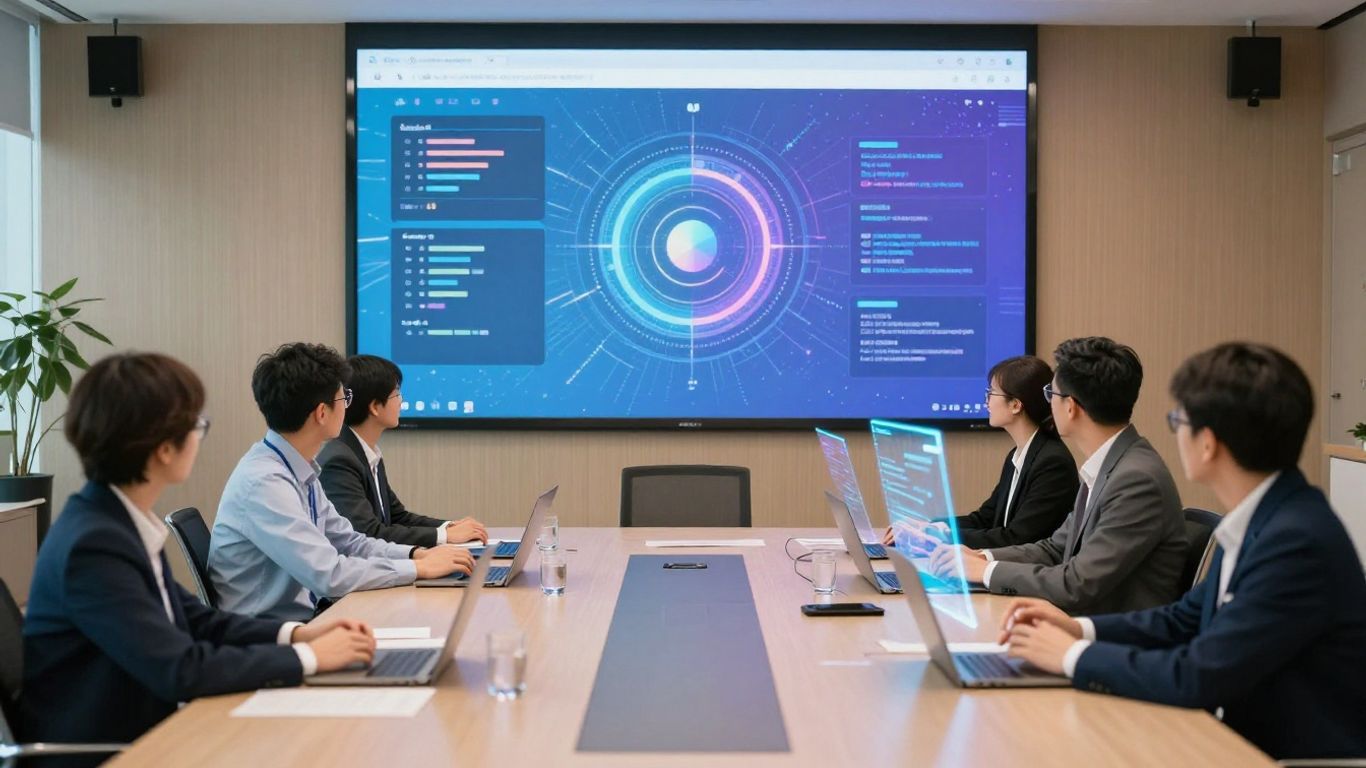
Forget the last-minute scramble and the dreaded frozen screen. Cloudpresenter takes the stress out of putting on a polished virtual show. We know how frustrating it is when your carefully prepared slides won't load or your audio cuts out right when you're about to make a key point. That's why we built this platform to be different.
Eliminate Screen-Sharing Errors with Direct Uploads
The biggest win? Uploading your presentation materials directly to Cloudpresenter. No more relying on screen sharing, which is often the culprit behind technical glitches. This means your slides, videos, and other content are hosted securely on our platform, ready to go when you are. It's a much more reliable way to present, similar to how you might use tools like Google Slides or Canva for creating your visuals, but with the added benefit of direct integration into your live event. This approach drastically cuts down on potential connection issues and ensures your audience sees exactly what you intend them to see.
Ensure Audio-Video Sync for Polished Delivery
Ever felt like your audio and video were just a little bit off? It’s distracting, right? Cloudpresenter manages the playback of all your media, making sure your voice and visuals are perfectly in sync. This attention to detail makes your presentation look and sound professional, giving your audience a smooth and engaging experience. It’s about making sure every word lands and every visual is seen at the right moment, without any awkward pauses or choppy playback.
Conduct Multiple Webinars Concurrently
Need to run a main session and then smaller, focused discussions? Or perhaps you have different teams needing separate training sessions at the same time? Cloudpresenter lets you manage and run multiple webinars simultaneously. You can easily switch between sessions or have them running in parallel, all from one central dashboard. This flexibility is a game-changer for organizations that need to host various events without needing a whole team to manage each one. It’s a smart way to maximize your reach and efficiency, much like how some webinar software aims to balance ease of use with strong features [937c].
We've designed Cloudpresenter so that you can focus on your message, not the technology. The platform handles the heavy lifting, from content delivery to technical stability, so you can present with confidence and connect with your audience effectively.
Here’s a quick look at how direct uploads simplify things:
- Reduced Technical Glitches: Say goodbye to screen-sharing fails.
- Consistent Quality: Your content looks and sounds the same for everyone.
- Time Savings: Less setup time means more time for practice and engagement.
- Peace of Mind: Knowing your materials are ready and stable.
Cloudpresenter's Commitment to Security and Accessibility
Top-Notch Security for Your Virtual Events
When you're hosting an event online, especially one with sensitive information or important discussions, security is a big deal. Cloudpresenter gets that. We've put in place strong measures to keep your virtual gatherings safe and sound. Think of it like having a really good lock on your front door – it just gives you peace of mind.
No Downloads Required: Instant Access and Mobile Compatibility
Nobody likes waiting for downloads, right? Especially when you just want to jump into a meeting or presentation. That's why Cloudpresenter is built so you can get started right away, no software installation needed. Just click a link and you're in. Plus, it works on your phone or tablet just as well as it does on a computer. So, whether you're at your desk or on the go, you can join in without any fuss.
Fully Branded Setup for a Professional Image
First impressions matter, even online. Cloudpresenter lets you make the platform look like it's truly yours. You can add your company's logo, colors, and branding throughout the event space. This makes everything look polished and professional, showing your attendees you've put thought into the experience. It’s a small detail that makes a big difference in how your event is perceived.
- Customizable Landing Pages: Design a unique entry point for your event.
- Branded Email Invitations: Send out invites that match your company's style.
- On-Screen Logos and Colors: Maintain brand consistency during the live session.
We believe that using an online platform shouldn't mean sacrificing your brand's identity. Cloudpresenter provides the tools to maintain a consistent and professional look, making your virtual events feel like a natural extension of your organization.
Hybrid Event Integration and Support
Stream Directly into Cloudpresenter for Hybrid Engagement
Bringing your in-person and remote attendees together is simpler than you might think. Cloudpresenter lets you pipe your live event feed directly into the platform. This means everyone, no matter where they are, can tune in and participate. It’s a great way to make sure your physical event feels connected to the online experience. You can even use this feature to broadcast pre-recorded content to your virtual audience during live breaks. This approach helps bridge the gap between different event formats, making your event feel more unified. We've seen platforms like Hopin do this well, and Cloudpresenter is right there with them.
Real-Time Audience Interaction, Regardless of Location
One of the biggest challenges with hybrid events is keeping everyone engaged. Cloudpresenter tackles this head-on. Your online attendees can use all the interactive tools – Q&A, polls, chat – just as if they were in the room. This keeps them involved and makes them feel like a part of the main event, not just passive observers. It’s about creating a shared experience.
Here’s how it works:
- Live Feed Integration: Connect your camera feed or broadcast stream directly into Cloudpresenter.
- Unified Chat: All questions and comments from both physical and virtual attendees can be managed in one place.
- Interactive Tools: Utilize polls, Q&A, and other features to involve everyone simultaneously.
- Breakout Rooms: Facilitate smaller, focused discussions that can include both in-person and remote participants.
The goal is to make the online component feel as dynamic and responsive as the in-person one. It’s not just about watching; it’s about participating.
Dedicated Technicians and Producers Available
We get it, managing a hybrid event can be a lot. That’s why Cloudpresenter doesn’t just give you the tools; we also provide the support. If you need an extra hand, we have dedicated technicians and producers ready to help. They can assist with everything from setting up the stream to managing the interactive elements during the event. Think of them as your event co-pilots, making sure everything runs smoothly. This level of support is something that event organizers really appreciate, especially when dealing with the complexities of hybrid setups. It’s good to know that support is just a call away when you need it.
Cloudpresenter: A Comprehensive Solution for Online Events
So, you've got an online event coming up, and you're looking for a platform that just works? Cloudpresenter aims to be that all-in-one spot for your virtual gatherings. It's designed to handle everything from managing your contacts to sending out invites, all from one place. Think of it as your central hub for all things online events.
Manage Calendars, Contacts, and Settings Efficiently
Keeping track of who's invited, when your event is, and all the little details can get messy fast. Cloudpresenter puts all of that into a dashboard that's supposed to be easy to use. You can organize your schedule, keep your attendee list tidy, and tweak settings without pulling your hair out. It's all about making the behind-the-scenes stuff less of a headache so you can focus on the actual event.
A New Era of Online Interaction Prioritizing Convenience
What's really neat is how Cloudpresenter tries to simplify things for everyone involved. No one wants to download extra software just to join a meeting, right? This platform lets people jump right in from their browser, on their phone or computer. It also means you can brand the whole experience to look like your company, which is a nice touch. It’s about making online interaction feel less like a chore and more like a natural way to connect.
Live Streaming and Easy Embedding Options
Need to broadcast your event live or share it on your website? Cloudpresenter has you covered. You can stream directly from the platform, and they also make it simple to embed your event into other sites. This flexibility is great for reaching a wider audience or integrating your event into your existing online presence. It’s a pretty solid way to get your message out there, whether you're using it for a quick webinar or a larger conference. For those looking for advanced meeting management, platforms like Webex Suite also provide a range of interactive tools.
The goal here is to cut down on the technical hurdles that often plague virtual events. By centralizing management and simplifying access, Cloudpresenter wants to make running and attending online events a smoother experience for everyone.
Looking Ahead
So, as we wrap up our look at Cloudpresenter in 2026, it's pretty clear this platform is changing the game for online events. It’s not just about having another place to host a meeting; it’s about making those interactions feel more real and less like a chore. With features that let you upload everything beforehand, avoiding those awkward screen-sharing fails, and tools like whiteboards and breakout rooms built right in, it just makes sense. Plus, the option to get help from actual people if things get tricky is a nice touch. Whether you're doing a big webinar, a small team chat, or even a hybrid event, Cloudpresenter seems to have a handle on making it smooth and engaging. It’s the kind of tech that makes you think, 'Why didn't we have this sooner?'
Frequently Asked Questions
What exactly is Cloudpresenter?
Cloudpresenter is a cool online tool that helps make virtual meetings and events way better. Think of it like a special place for your online get-togethers, presentations, or even online classes. It's designed to be easy to use and makes everything look professional and engaging for everyone involved.
Do I need to download anything to use Cloudpresenter?
Nope! The best part is you don't have to download any special software to join or host an event. You can jump right in from your computer or phone. It's all about making things super simple and accessible for everybody.
How does Cloudpresenter make presentations better?
Instead of tricky screen sharing, you can upload your slides and videos straight to Cloudpresenter. This means no more worries about your computer freezing or your video and audio going out of sync. It ensures your presentation runs smoothly, just like a pro show!
Can I interact with my audience using Cloudpresenter?
Absolutely! Cloudpresenter has built-in tools to keep your audience interested. You can have question-and-answer sessions, run quick polls to see what people think, and even use a virtual whiteboard. It's all about making your event lively and interactive.
What if I want to have smaller group talks during my event?
Cloudpresenter has a feature called 'Breakout Rooms.' This lets you split your main event into smaller groups for more focused discussions or activities. It's perfect for workshops or when you want people to connect in smaller settings.
Is Cloudpresenter safe to use for my important events?
Yes, security is a big deal for Cloudpresenter. They use strong security measures to protect your virtual events and keep your information safe. You can host your events with confidence, knowing that everything is protected.