Choosing the Right Software Project Management Software: A 2026 Guide

Picking the right software project management software in 2026 can feel like a big deal. There are so many options out there, and they all promise to make your work life easier. But really, what does your team actually need? This guide is here to help you sort through the noise. We'll look at what features actually matter, what kinds of tools are out there, and how to figure out which one won't just add to your problems. Let's get your projects running smoother.
Key Takeaways
- Figure out what your project management needs really are before looking at any software.
- Make sure the software project management software you choose has the features your team uses daily, like task tracking and easy communication.
- There are different types of project management tools, from simple ones for individuals to complex systems for big companies. Know which type fits your team best.
- When looking at different software project management software options, think about how much they cost now and in the future, and if they can grow with your team.
- Don't just pick the first thing you see. Do your homework, get feedback from your team, and then make a choice that makes sense for everyone.
Understanding Your Project Management Software Needs
Before you even start looking at fancy dashboards and feature lists, we need to get real about what your team actually needs. Picking the right project management software isn't just about finding the one with the most bells and whistles; it's about finding the tool that actually helps you get stuff done, without adding more headaches. Think of it like buying a tool for a specific job – you wouldn't buy a sledgehammer to hang a picture, right? Same idea here.
Identifying Core Project Requirements
Let's break down what your projects are all about. What kind of work are you doing? What are the usual steps from start to finish? Knowing this helps you figure out what features are actually going to be useful. It's easy to get distracted by cool features you'll never use, so focusing on the core requirements is key. We need to know what success looks like for your projects too. Are we talking about finishing on time, staying under budget, or hitting specific quality marks?
Here are some questions to get you thinking:
- What are the typical stages of your projects?
- What are the main goals for each project?
- What are the important deadlines and milestones?
- Who are the key people involved, and what do they need from the software?
- How do you currently handle assigning tasks and resources?
- What's your current communication setup like?
- Do you need to track how tasks depend on each other?
- How do you deal with potential problems or risks?
- What kind of reports do you need to create?
- How do you measure if a project was successful?
- Do you look back at projects to learn for next time?
- How do your projects help the company's bigger goals?
Documenting Current Challenges and Limitations
Now, let's talk about what's not working so well right now. Every team has its pain points. Maybe your current system is slow, or people aren't updating their tasks, or it's hard to see who's working on what. Writing these down helps you avoid picking a new tool that just repeats the same old problems. We also need to think about any technical hurdles. Does the new software need to talk to your existing systems? Are there any security rules you have to follow?
Identifying these issues upfront is like getting a map before you start a road trip. You know where the potholes are and where you might get lost, so you can plan accordingly.
Some common areas to look at include:
- Task Management: Are tasks getting lost? Are deadlines missed often?
- Communication: Is it hard to find project-related conversations? Are people using too many different chat apps?
- Visibility: Can you easily see the status of all projects and who is overloaded?
- Reporting: Is it a manual, time-consuming process to create project reports?
- Integrations: Does your current software play nicely with other tools you use, like your CRM or accounting software?
Defining Team Roles and Collaboration Styles
Who is actually going to be using this software, and how do they like to work? A project manager might need different views and features than a developer or a designer. Understanding your team's working styles is super important. Some people like detailed lists, others prefer visual boards. If your team works remotely, that's another big factor to consider.
Think about:
- Roles: What specific jobs do people have on projects (e.g., Project Manager, Developer, Designer, QA)?
- Responsibilities: Who is responsible for what? A RACI chart can be helpful here to avoid confusion.
- Workflows: How do tasks typically move from one person to the next?
- Preferences: Do people prefer visual tools, lists, or something else?
- Remote Needs: What features are necessary for a distributed team to collaborate effectively?
Getting this information together is the first big step towards finding a project management tool that your team will actually use and that will make your projects run smoother. It's all about setting yourselves up for success from the get-go, and you can explore some of the leading features of project planning software for 2026 to see what's out there.
Essential Features for Modern Software Project Management Software
When you're looking for software to manage your projects, it's easy to get lost in all the options. But really, it boils down to a few key areas that make a big difference in how smoothly things run. Think about what your team actually does all day and what trips them up.
Task and Workflow Management Capabilities
This is the heart of any project management tool. You need a system that lets you break down big projects into smaller, manageable tasks. It should be easy to assign these tasks to people, set deadlines, and see who's working on what. Dependencies are important too – knowing that Task B can't start until Task A is done. Some tools let you visualize your workflow, like with Kanban boards or Gantt charts, which can really help everyone see the big picture and where things stand. Automation here is a lifesaver, too; think automatic reminders for deadlines or tasks moving to the next stage when they're completed.
- Creating and assigning tasks with clear descriptions.
- Setting due dates and tracking progress.
- Defining task dependencies.
- Visualizing workflows (Kanban, Gantt).
- Automating routine task updates.
Collaboration and Communication Tools
Projects aren't done in a vacuum. Your team needs to talk to each other, share files, and give feedback without a million emails flying around. Good software centralizes these conversations. Imagine being able to comment directly on a task, attach relevant documents, or @mention a teammate to get their attention. This keeps all the project-related chatter in one place, making it easy to find information later. It’s about making sure everyone is on the same page, no matter where they are working from. This can really cut down on misunderstandings and speed things up. We've seen teams reduce their email volume by a good chunk after adopting these tools.
Keeping communication tied directly to the work being done is a game-changer. It means less time searching through old emails and more time actually doing the project.
Reporting, Analytics, and Visibility Features
How do you know if a project is on track? You need reports. Good software provides clear insights into project progress, potential roadblocks, and how resources are being used. This isn't just for managers; stakeholders often need to see status updates too. Look for tools that can generate reports on things like task completion rates, budget vs. actual spending, and team workload. Customizable dashboards are great because you can see the most important information at a glance. This visibility helps in making better decisions and spotting problems before they become major issues. You can find some great options for project tracking tools that focus on this.
Integration and Customization Options
No software exists alone. Your project management tool probably needs to talk to other software you already use, like your email, calendar, or even your customer relationship management (CRM) system. Check what integrations are available. Can you easily connect it to cloud storage like Google Drive or Dropbox? Customization is also key. Can you tailor the software to fit your team's specific workflow, or are you stuck with a one-size-fits-all approach? The ability to adapt the tool to your needs, rather than the other way around, is a big win. This flexibility is important for long-term success and makes sure the software actually helps your team, not hinders it. You can explore top project management software options that highlight these capabilities.
Types of Software Project Management Software Available
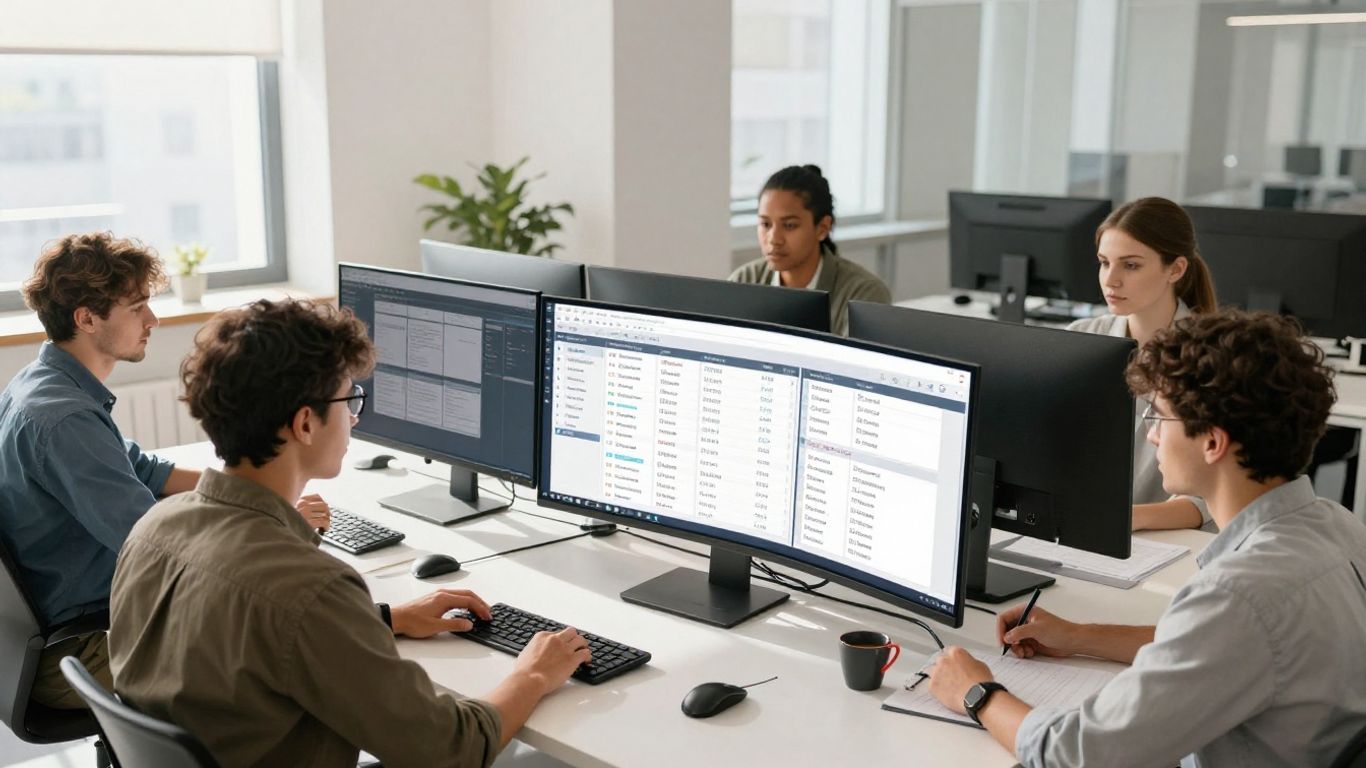
So, you're looking for project management software, huh? It's not a one-size-fits-all situation, not by a long shot. The market has really branched out, and understanding the different categories is your first big step. Think of it like picking a car – you wouldn't get a sports car if you needed to haul lumber, right? The same applies here. We've got a few main flavors of project management tools out there, each built for different needs and ways of working.
Individual and Personal Project Management Tools
These are your go-to for solo missions or managing smaller, personal projects. If you're a freelancer juggling a few clients, or maybe you're just trying to get your own life organized, these tools are perfect. They usually focus on straightforward task lists, reminders, and maybe a simple calendar view. They're light, easy to pick up, and don't require a whole team to get started. Think of them as your digital to-do list on steroids. They help keep your own work on track without a lot of fuss.
Team-Based Collaboration Platforms
This is where things get interesting for most teams. These platforms are built with collaboration in mind. They're great for small to medium-sized businesses, or even specific departments within larger companies. You'll find features for assigning tasks, tracking progress, sharing files, and communicating with teammates, all in one spot. They often use visual boards, like Kanban or Trello-style layouts, making it easy to see what's happening at a glance. These tools are designed to get everyone on the same page and working together smoothly. They can really cut down on confusion and missed messages. Many of these platforms are quite flexible, allowing you to adapt them to your team's specific workflow, rather than forcing you into a rigid structure. You can find some really good options that are easy to use, like those mentioned in a guide to the easiest project management software options for 2026.
Enterprise-Level Project Management Suites
Now, if you're running a large organization with complex projects, multiple teams, and a need for deep oversight, you're probably looking at enterprise-level suites. These are the heavy hitters. They come packed with advanced features for resource management, portfolio management, risk assessment, and detailed reporting. They're built to handle a lot of moving parts and often integrate with other business systems. While they can be incredibly powerful, they also tend to have a steeper learning curve and a higher price tag. These are the tools that give you that big-picture view across many projects, helping to align everything with overall business goals. They are often the best choice for complex project execution.
Choosing the right category is the first step. Don't get swayed by a tool's fancy features if it doesn't fit how your team actually works. A tool that's too simple won't cut it, but one that's overly complicated will just slow everyone down.
Evaluating Top Software Project Management Software Platforms

Alright, so you've figured out what your team actually needs from a project management tool. That's a big step! Now comes the fun part: looking at what's actually out there. It can feel like a lot, with so many options, but we'll break down a few of the big players that keep popping up.
Asana for Streamlined Task Management
Asana is often mentioned when people talk about getting tasks organized. It's pretty good at breaking down big projects into smaller, manageable chunks. You can assign tasks, set deadlines, and see who's working on what. It's got a clean look, which some people really like. If your main goal is just to keep track of who's doing what and when it's due, Asana is definitely worth a look. They also have different views, like lists and boards, so you can see your work in a way that makes sense to you.
Monday.com for Visual Workflows
Monday.com really shines when it comes to making things visual. It uses a board-based system that's super flexible. Think of it like a super-powered spreadsheet that you can customize for pretty much any workflow. It's great for teams that like to see progress at a glance. You can set up different columns for stages, status, owners, and more. Plus, it has a lot of integrations, so it can connect with other tools you might already be using. It's a solid choice if your team thrives on visual cues and needs a flexible system.
Zoho Projects for Affordability and Integration
If you're watching your budget but still need a robust tool, Zoho Projects is a strong contender. It's part of a larger suite of business applications, so if you're already using other Zoho products, the integration is a big plus. They offer a decent free plan for small teams, which is pretty rare these days. For paid plans, it's generally more affordable than some of the other big names, but it doesn't skimp on features like task management, Gantt charts, and collaboration tools. It's a good all-around option, especially for growing businesses that want a lot of bang for their buck.
ClickUp for Versatile Functionality
ClickUp likes to call itself an "all-in-one" productivity platform, and it's not too far off. It's packed with features, maybe even a bit overwhelming at first, but that versatility is its strength. You can customize almost everything, from task statuses to custom fields. It supports multiple views (list, board, calendar, Gantt, etc.) and has features for docs, goals, and even chat. If your team needs a tool that can adapt to a lot of different ways of working and you're willing to spend a little time setting it up just right, ClickUp could be a great fit. It's a platform that grows with you.
When you're looking at these platforms, remember to think about how your team actually works. A tool that looks amazing on paper might not fit your day-to-day tasks. Try to get a feel for the interface and see if it clicks with your team's style before committing. Many offer free trials, so use them!
Here's a quick look at some pricing tiers to give you an idea:
| Platform | Starting Monthly Price (per user) | Key Strength |
|---|---|---|
| Asana | $10.99 | Task Management |
| Monday.com | $9.00 | Visual Workflows |
| Zoho Projects | Free (for small teams) / $4.00 | Affordability & Integration |
| ClickUp | $7.00 | Versatile Functionality |
Remember, these prices can change, and they often have different tiers with more features. It's always best to check their official websites for the most up-to-date information. Finding the right tool is a big part of making your projects successful.
Budgeting for Your Software Project Management Software Investment
Alright, so you've figured out what your team actually needs in a project management tool. That's a big step! But before you get too excited about all the fancy features, we've got to talk about the money. Because let's be real, even the best software won't help if it breaks the bank.
Analyzing Different Pricing Models
Software companies don't all charge the same way, and it's important to know what you're getting into. You'll see a few common setups:
- Per User: This is super common. You pay a set amount for each person on your team who uses the software. It's easy to understand, especially for smaller groups, but costs can climb fast as your team grows.
- Tiered Plans: These plans usually start with a basic package that has fewer features and then offer more advanced options as you move up to higher, more expensive tiers. Think of it like buying a car – you can get the base model or add all the bells and whistles.
- Flat Rate: Some companies offer a single price for unlimited users and features. This can be a good deal for larger teams, but make sure the features included actually match what you need.
- Custom Pricing: For bigger organizations or those with very specific needs, you might get a custom quote. This takes more effort to figure out but can be tailored exactly to your situation.
When you're looking at these, don't just glance at the monthly fee. Check if they offer discounts for paying annually – sometimes that saves a good chunk of change, though it means a bigger upfront payment. Also, keep an eye on what's actually included in each tier. Sometimes a slightly pricier plan is a better deal if it has features that would otherwise require add-ons or separate subscriptions. Understanding these different pricing models is key to getting the best value for your money. For instance, if you're looking at custom software development, understanding the cost structure is part of making a smart budgeting decision.
Evaluating Return on Investment (ROI)
Okay, so you're spending money, but what are you getting back? That's where ROI comes in. It's not just about the software cost itself; it's about how much time and effort the software saves your team. Think about all those hours spent in status meetings, digging through emails for updates, or trying to figure out who's doing what. A good project management tool can slash that coordination time significantly. If your team saves even a few hours a week each, that adds up fast. We're talking potentially hundreds or even thousands of dollars saved per person each month, just in time alone. That's before you even consider fewer project delays or fewer mistakes.
The real value of project management software often isn't in the tool itself, but in the coordination time it frees up. When teams spend less time chasing information and more time doing actual work, the productivity gains can be substantial, easily justifying the software's cost.
To really get a handle on this, try to measure your team's current coordination overhead – how many hours do people spend each week just keeping things organized and updated? Then, after you implement a new tool, measure it again. If you're not seeing a noticeable drop, you might need to adjust how you're using the software or consider if it's the right fit.
Considering Long-Term Costs and Scalability
Don't get caught in the trap of only looking at the price tag today. What happens next year? Or the year after that? Your team might grow, or your projects might get more complex. You need a tool that can grow with you without suddenly becoming unaffordable. Think about:
- Subscription renewals: Are the prices likely to go up significantly when your contract renews?
- Adding users: How much does it cost to add new team members as you hire?
- New features: If you need more advanced capabilities down the line, will they be available as add-ons, or will you need to jump to a much more expensive plan?
- Integration costs: If you need to connect the PM tool to other software you use, are there extra fees for that?
Some companies might offer outsourcing as a way to manage costs, which can be a good option for specific development needs, potentially leading to a significant return on investment over time. But for your core project management software, you want predictability. A tool that's affordable now but becomes a budget nightmare later isn't a good long-term choice. Always ask about the total cost of ownership, not just the initial price.
Making the Final Selection and Deployment
Consolidating Research and Team Feedback
Alright, so you've done the legwork. You've looked at your team's needs, figured out what's not working now, and explored a bunch of software options. It's time to pull all that information together. Think of it like gathering all your notes after a big research session. You've got feature lists, pricing sheets, maybe some demo notes, and definitely feedback from the folks who will actually be using the software day-to-day. It’s really important to get everyone’s input here, not just the managers. What works for one person might be a headache for another, and you want something that helps, not hinders.
- Gather all your notes: Bring together feature comparisons, pricing details, and trial period feedback.
- Collect team feedback: Use surveys or quick meetings to get everyone's thoughts on the top contenders.
- Review trial experiences: What did people like or dislike during the testing phase?
- Check integration compatibility: Make sure the new tool plays nice with your existing software stack.
The goal here is to have a clear picture of how each potential software stacks up against your team's actual workflow and requirements. Don't just look at the shiny features; think about how it will fit into your daily grind.
Making an Informed Software Choice
Now for the big decision. Based on everything you've gathered, it's time to pick the software that best fits your team. This isn't just about picking the one with the most features or the lowest price. It's about finding the right balance for your specific situation. You've probably got a shortlist by now, maybe two or three options. Compare them side-by-side against your most important needs. The software that best addresses your core challenges and aligns with your team's working style is likely your winner. Remember to revisit your budget too; make sure the chosen tool fits financially, not just functionally. If you're still on the fence, a final quick demo or a call with the vendor might help clear things up. You can also look at expert reviews to see what others are saying about the platforms you're considering software review websites.
Implementing and Refining Your Chosen Solution
So, you've made the pick! That's a huge step. But the work isn't quite done. Now you need to actually get the software up and running. This is where deployment strategies come into play. Think about how you'll roll it out. Will you switch everyone over at once, or do a phased approach? It's often a good idea to start with a pilot group to iron out any kinks before a full launch. Training is also super important. Even the most intuitive software can be confusing if people don't know how to use it. Plan for training sessions, create some simple guides, and make sure there's a go-to person for questions. After deployment, keep an eye on how things are going. Are people using it? Is it solving the problems you identified? Be ready to make adjustments. Software implementation is rarely a one-and-done deal; it's an ongoing process of refinement. You might need to tweak settings, add integrations, or provide more training based on how your team adapts software deployment strategies.
Wrapping It Up
So, picking the right project management software in 2026 isn't just about picking a tool; it's about finding a partner for your team's success. We've looked at what makes these platforms tick, from basic task tracking to more complex features that help manage budgets and resources. Remember, the best software is the one that actually gets used and makes your team's life easier, not harder. Take your time, figure out what you really need, maybe try out a few free versions, and don't forget to think about how it fits with your budget. Getting this right means smoother projects and less stress for everyone involved.
Frequently Asked Questions
What exactly is project management software and why do teams need it?
Think of project management software as a digital organizer for your team's work. It helps everyone plan out tasks, keep track of who's doing what, share files, and see how the project is progressing all in one spot. This makes sure everyone is on the same page, projects get done faster, and fewer things fall through the cracks.
What are the most important things to look for when picking project management software?
You'll want software that's good at managing tasks and workflows, making it easy for your team to talk and share ideas, showing you clear reports on how things are going, and fitting in with other tools you already use. It should also be easy for your team to learn and use without too much fuss.
Are there different kinds of project management software?
Yes, there are! Some tools are made for just one person to manage their own tasks. Others are built for teams to work together on projects. And then there are big, powerful systems designed for large companies that handle many projects at once.
How do I figure out which software is best for my team?
First, think about what your team really needs. What problems are you trying to solve? Then, look at the different software options and see which ones have the features you need most. It's also a good idea to try out a few with your team before you decide.
Is project management software expensive?
The cost can vary a lot. Some are free or quite cheap, especially for small teams. Others can be a bigger investment, especially for big companies with lots of users. You'll need to look at the pricing plans and figure out what fits your budget and what you can afford long-term.
What if my team is already using other tools, like for email or file sharing?
That's a common situation! Many project management tools can connect with other apps you use. This means you don't have to switch everything over. Look for software that can 'integrate' or 'connect' with the tools your team already relies on.