Achieve Better Uptime: Essential Strategies for Reliability

Keeping things running smoothly is a big deal for any business. When your systems go down, it's not just annoying, it can cost you money and make customers unhappy. We all want better uptime, right? It means your services are there when people need them. So, how do we actually get there? It's not magic, it's about having a solid plan. Let's look at some practical ways to make sure your systems stay up and running.
Key Takeaways
- Having systems that can take over if one part fails, like extra servers or network lines, is a simple way to avoid downtime. It's like having a backup plan ready to go.
- Keeping an eye on your systems all the time and doing regular check-ups, like software updates, can stop small problems from turning into big outages.
- Planning for the worst, like having your data backed up in different places and a clear plan for what to do if something major happens, is super important.
- Making sure your network can handle lots of traffic and choosing reliable partners for your services helps keep things running without a hitch.
- Teaching your team what to do, how to work together when issues pop up, and learning from mistakes are all steps towards better uptime.
Implementing Redundancy For Better Uptime
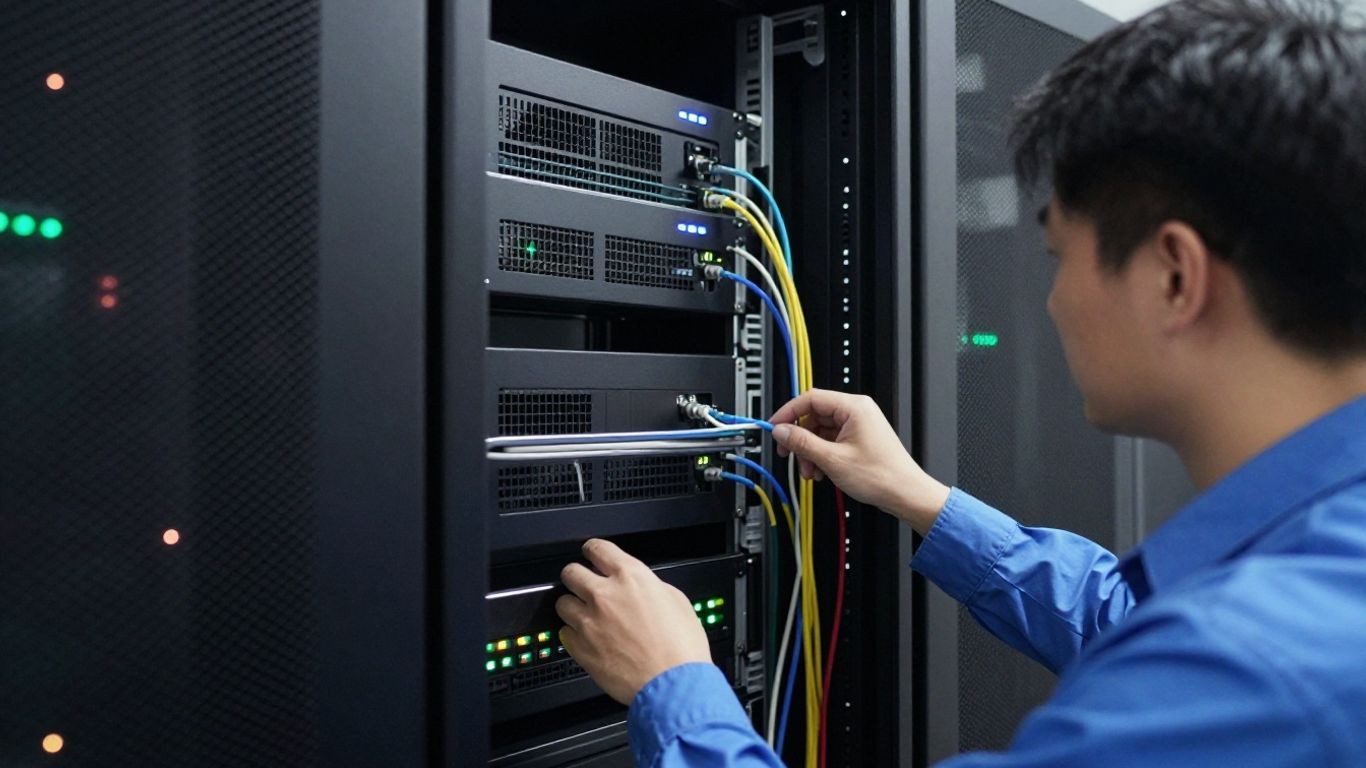
When you're running a business, the last thing you want is for things to just stop working. Downtime isn't just annoying; it costs money and makes customers unhappy. That's where redundancy comes in. Think of it as having a backup plan for your backup plan. It’s all about making sure that if one piece of your system decides to take an unexpected break, another one is ready to jump in without anyone even noticing.
Server Redundancy Strategies
Having multiple servers ready to go is a big deal. If your main server gets overloaded or just quits, another one can pick up the slack. This can be done by having identical servers that mirror each other, or by using systems that can automatically shift the workload. It’s like having a co-pilot for your main server, ready to take the controls if needed. This approach helps keep your applications and services running smoothly, even when things get hectic. For businesses that can't afford any interruption, this is a must-have. You can find more on payment uptime strategies that also rely on similar principles.
Network Path Redundancy
Your network is the highway for all your data. If that highway gets blocked, everything grinds to a halt. Network path redundancy means setting up multiple routes for your data to travel. So, if one connection goes down – maybe a cable gets cut or an internet provider has an issue – your data can just take a different path. This often involves having connections with more than one internet service provider or running cables through different physical locations. It’s about making sure there’s always a way for information to get where it needs to go, no matter what happens to one specific route. This is a key part of improving network uptime.
Power Source Failover
Power outages are a classic cause of downtime. You can have the best servers and networks in the world, but if the lights go out, everything stops. Power redundancy involves having backup power systems. This usually starts with Uninterruptible Power Supplies (UPS) that can keep things running for a short while, giving you time to switch over to bigger backup generators for longer outages. For really critical equipment, having dual power supplies connected to different electrical circuits adds another layer of protection. It’s a simple but effective way to keep the lights on for your systems.
Building redundancy into your systems isn't just about having spare parts; it's a strategic design choice to create resilience. It means anticipating potential failures and having automatic or quick-switch solutions in place so that a single point of failure doesn't bring everything down. This proactive approach is what separates businesses that can weather a storm from those that get knocked offline by minor issues.
Proactive Maintenance And System Monitoring
Keeping things running smoothly isn't just about fixing stuff when it breaks. It's about being smart and looking ahead. Proactive maintenance and constant monitoring are your best friends when it comes to making sure your systems are always available. Think of it like getting regular check-ups for your car instead of waiting for it to break down on the highway. This approach helps you catch little issues before they turn into big, costly problems.
Continuous Performance Monitoring
This is all about keeping a close eye on your systems, all the time. You need tools that watch your servers, networks, and applications, looking for anything out of the ordinary. The goal is to spot potential problems early, ideally before anyone even notices. This means setting up baselines for what 'normal' looks like and then getting alerts when things stray too far from that. It's like having a dashboard that tells you if your engine temperature is rising or if your tire pressure is low, so you can pull over and check it out before you blow a gasket.
- Track Key Metrics: Keep an eye on things like CPU usage, memory, disk I/O, and network traffic. These numbers tell a story about how your systems are performing.
- Set Up Smart Alerts: Don't just get alerts for everything. Configure them so they only fire when something truly critical is happening, and make sure the right people get notified immediately.
- Analyze Trends: Look at the data over time. Are certain times of day more problematic? Does performance dip after a specific update? Understanding these patterns helps you prevent future issues.
Continuous monitoring allows you to shift from a reactive stance, constantly putting out fires, to a more strategic position where you're preventing fires from starting in the first place. This makes a huge difference in overall reliability and user satisfaction.
Routine Software Updates And Patches
Software, including operating systems and applications, gets updated for a reason. These updates often fix security holes that could be exploited, or they might contain bug fixes that improve stability. Ignoring them is like leaving your front door unlocked. You need a plan for testing and applying these updates regularly. It's not just about clicking 'update now'; it's about making sure the update doesn't break something else. This is where having a good IT maintenance plan comes in handy.
Scheduled Maintenance Windows
Sometimes, you just need to take systems offline for a bit to do important work, like applying major updates or replacing hardware. The trick is to do this when it impacts the fewest people. This means planning these maintenance windows carefully, usually during off-peak hours or weekends. Communicating these windows well in advance to your users is also super important so they aren't caught off guard. It’s better to have a planned, short outage than an unexpected, long one. This practice is a core part of proactive IT maintenance.
Robust Disaster Recovery Planning
When things go wrong, and they sometimes do, having a solid plan to get back up and running is super important. This isn't just about having backups; it's about having a whole strategy.
Critical Data Backup and Restore Processes
First off, you absolutely need to back up your important data. Think of it like having a spare key for your house, but for your business information. You can't just back it up once and forget about it, though. You've got to do it regularly. How often depends on how much data you can afford to lose. If losing a day's work is a disaster, you need daily backups. If losing an hour is too much, you'll need more frequent backups, maybe even hourly.
Here’s a quick look at what to consider:
- Frequency: How often will you back up? Daily, hourly, or even more often?
- Scope: What exactly needs to be backed up? Just data, or entire systems?
- Retention: How long will you keep old backups? This can be important for compliance.
- Testing: Have you actually tried restoring from a backup? This is the most overlooked step.
Restoring data needs to be just as thought-out as backing it up. You need clear steps on how to get everything back in place, and importantly, how long that's likely to take. This is where your Recovery Time Objective (RTO) comes into play. It's the target time within which you aim to have your systems back online after an incident. You also have a Recovery Point Objective (RPO), which is the maximum acceptable amount of data loss measured in time. Getting these right helps you plan effectively for fast restoration.
Comprehensive Disaster Recovery Plans
A disaster recovery plan (DRP) is your roadmap for getting through a tough situation. It's not just a document; it's a set of actions and procedures. This plan should cover what to do when something major happens – like a fire, a flood, or a serious cyberattack. It needs to identify who is responsible for what, how people will communicate, and what systems need to be brought back online first.
Key elements of a good DRP include:
- Risk Assessment: What could go wrong, and how likely is it?
- Business Impact Analysis: What happens to the business if a specific system goes down?
- Recovery Strategies: How will you actually recover? (e.g., using backups, switching to a secondary site).
- Testing Schedule: When and how will you test the plan?
- Contact Information: Who needs to be called, and when?
Planning for the worst doesn't mean expecting it. It means being prepared so that when the unexpected happens, you can react calmly and effectively, minimizing disruption to your operations and your customers.
Geographically Distributed Backups
Storing all your backups in the same building or even the same city is a risky move. If a regional disaster strikes – think a hurricane, earthquake, or even a major power grid failure – you could lose both your primary systems and your backups. That's why spreading your backups out geographically is a smart idea. This means having copies of your data stored in different physical locations, ideally far enough apart that a single event can't affect both.
This approach helps protect against:
- Local natural disasters
- Major power outages affecting a wide area
- Large-scale physical security breaches
Having backups in different locations is a core part of building a resilient IT infrastructure. It’s about making sure that no matter what happens locally, you have a way to recover your critical information. This is a key part of disaster recovery planning.
Optimizing Network Performance For Reliability

Making sure your network runs smoothly is a big part of keeping things online. It's not just about having a connection; it's about making sure that connection is fast, stable, and can handle whatever you throw at it. When your network is performing well, users have a better experience, and your systems are less likely to go down unexpectedly.
Implementing Load Balancing
Load balancing is like having a traffic cop for your network. Instead of sending all requests to one server, it spreads them out across multiple servers. This stops any single server from getting overloaded, which can cause slowdowns or even crashes. If one server goes down, the load balancer just sends traffic to the others, so users barely notice a hiccup. It's a smart way to keep things running even when demand spikes. You can find more details on how to improve network performance by optimizing your architecture.
Network Performance Monitoring
You can't fix what you don't know is broken, right? That's where network performance monitoring (NPM) tools come in. These tools constantly watch your network, looking for anything unusual. They track things like speed, packet loss, and how busy your devices are. By spotting problems early, like a switch that's about to fail or a link that's getting too crowded, you can fix them before they cause a real outage. Setting up alerts means your team gets notified right away when something looks off. This proactive approach is key to maximizing network performance.
Choosing Reliable Vendors
Sometimes, network issues aren't your fault; they're due to the equipment you're using. Picking good vendors for your routers, switches, and other gear matters. Look for companies with a solid track record for reliability and good support. Cheaper hardware might seem like a good deal, but if it fails often, it'll cost you more in downtime and lost productivity. It's worth investing in quality components that are built to last and perform consistently. Think about the long game here; a few extra bucks upfront can save a lot of headaches later on.
Leveraging Technology For Enhanced Uptime
So, how do we actually use technology to keep things running smoothly? It's not just about buying the latest gadgets; it's about smart choices. We're talking about things like cloud services and virtualization, which can really make a difference.
Cloud-Based Redundancy Solutions
Think of cloud providers like AWS, Azure, or Google Cloud. They've built massive infrastructures designed for high availability. When you use their services, you're tapping into that built-in redundancy. If one piece of their hardware goes down, your application or data usually stays online because it's running on multiple systems. It's like having a backup plan already in place without you having to manage it all yourself. This is a big step up from managing your own servers, where a single hardware failure could mean significant downtime. You can find great resources on website uptime monitoring to see how these solutions perform.
Disaster Recovery as a Service (DRaaS)
This is a bit more specialized than just general cloud use. DRaaS is basically a service that helps you get back up and running after a major problem, like a natural disaster or a big system crash. Many cloud providers offer this. It means your critical data and applications are replicated to a secondary location. If your primary site goes offline, you can switch over to the DRaaS environment. It's a way to minimize the impact of those really bad scenarios, getting you back to business much faster than trying to rebuild everything from scratch.
Virtualization For Scalability
Virtualization is pretty neat. Instead of having one physical server dedicated to one task, you can run multiple
Training And Empowering Your Technical Team
Look, keeping systems running smoothly isn't just about fancy hardware or clever software. A big part of it, honestly, comes down to the people working with it. If your tech team isn't up to speed, even the best setup can fall apart. Investing in your team's skills and knowledge is just as important as buying new servers.
Comprehensive Employee Training Programs
Think about it: technology changes fast. What worked last year might be outdated today. That's why regular training is a must. It's not just about teaching new tricks; it's about making sure everyone knows the basics inside and out. This helps cut down on simple mistakes that can cause big problems. We're talking about training that covers everything from how to operate specific equipment to understanding the latest security threats. It's about building a solid foundation of knowledge for everyone.
- Onboarding: New hires need a thorough introduction to your systems and procedures.
- Skill Development: Regular workshops on new technologies and best practices.
- Certification: Encouraging and supporting certifications relevant to your infrastructure.
Cross-Functional Team Collaboration
Sometimes, problems aren't confined to one department. A network issue might affect application performance, for example. When teams work in silos, it takes longer to figure out what's going on and fix it. Encouraging collaboration means people from different areas talk to each other, share what they're seeing, and work together on solutions. This makes problem-solving way faster and more effective. It's about everyone pulling in the same direction, focused on keeping things online for the users. This kind of teamwork is key to building unshakeable infrastructure.
Scenario-Based Learning And Drills
Reading about how to handle an outage is one thing; actually doing it is another. Scenario-based training, like mock disaster drills, puts your team in realistic situations. They have to think on their feet, follow procedures, and communicate under pressure. This kind of hands-on practice is invaluable. It helps identify weak spots in your plans and your team's response before a real incident happens. It's a practical way to test your readiness and build confidence. This approach is a core part of moving from reactive "firefighting" to proactive system uptime.
When incidents do occur, it's vital to treat them as learning opportunities. Instead of just fixing the immediate problem, take the time to understand exactly why it happened. This deep dive helps prevent similar issues down the line and builds collective knowledge within the team.
Continuous Improvement And Learning From Incidents
Post-Incident Root Cause Analysis
When something goes wrong, the first thing we need to do is figure out why. It's not about blaming anyone, honestly. It's about digging deep to find the actual cause. Was it a faulty piece of equipment? A mistake in the code? Maybe a process that wasn't followed correctly? We need to get to the bottom of it. This means looking at all the data, talking to the people involved, and really piecing together the timeline. A good root cause analysis (RCA) helps us stop the same problem from popping up again. It’s like finding a leak in your roof – you don’t just patch the visible water stain; you find where the water is actually coming in.
Conducting Postmortems
After we've figured out the root cause, we hold a postmortem. Think of it as a team meeting specifically to discuss what happened during an incident. We lay out the whole story: when it started, what we did to fix it, what worked, and what didn't. The goal is to create a clear record and identify specific actions to prevent future issues. This isn't about pointing fingers; it's about learning together. We want to make sure everyone understands what went down and what we're going to do differently next time. It’s a chance to share knowledge across the team and even across different departments. A well-run postmortem can turn a bad situation into a valuable lesson for everyone involved. We use these sessions to document key actions and outcomes, building resilience for future responses [10bb].
Gathering Customer Feedback
Our customers are the ones who really feel it when things go wrong. So, after we've dealt with an incident and are working on fixes, we need to listen to them. What did they experience? How did it affect them? Sometimes, customers notice things we might miss, or they can tell us how the downtime impacted their work. This feedback is gold. It helps us understand the real-world consequences of our issues and prioritize our improvements. We can use this information to refine our incident management process and make sure we're focusing on what matters most to the people using our services. It’s all part of a bigger picture to achieve "five-nine" uptime [0bbb].
| Incident Type | Downtime Duration | Customer Impact | Corrective Actions Taken |
|---|---|---|---|
| Server Crash | 2 hours 15 mins | Moderate | Hardware replacement, config review |
| Network Glitch | 45 minutes | Minor | Firewall rule adjustment, monitoring alert tuning |
| Software Bug | 1 hour 30 mins | Significant | Code rollback, patch development |
Learning from incidents isn't just a good idea; it's a necessity for any operation that wants to stay reliable. Every problem, big or small, is a chance to get better. We need to be disciplined about analyzing what happened and making sure those lessons stick. It’s about building a stronger system, one incident at a time.
Measuring And Optimizing Uptime Metrics
So, you've put in the work to build a reliable system, maybe you've got servers ready to go if one fails, and your power is backed up. That's great! But how do you actually know if all that effort is paying off? You need to measure it. Without tracking, you're just guessing if your systems are actually up and running when they're supposed to be. It’s like trying to get fit without ever stepping on a scale or looking in the mirror – you don't really know if you're making progress.
Key Uptime Metrics To Track
When we talk about uptime, there are a few numbers that really matter. These aren't just random figures; they tell a story about your system's health and how quickly you can bounce back from problems. Keeping an eye on these helps you see the big picture.
- Total Uptime Percentage: This is the most straightforward one. It’s the percentage of time your systems were available and working correctly over a given period. Aiming for 99.9% or even 99.99% is common, but knowing your actual percentage is the first step.
- Mean Time Between Failures (MTBF): This metric tells you, on average, how long your systems run without a hitch before something goes wrong. A higher MTBF means your equipment is generally more reliable.
- Mean Time to Repair (MTTR): This is all about speed. It measures how long it takes, on average, to get things back up and running after a failure. A lower MTTR is always better, showing your team is quick to fix issues.
Setting Realistic Uptime Goals
Once you know where you stand with your current metrics, you can start thinking about where you want to be. Setting goals isn't just about picking a number out of thin air. It's about understanding what's achievable for your business and what your customers expect. For example, a small blog might be fine with 99% uptime, but an e-commerce site probably needs much more, maybe aiming for that 99.99% mark. It's important to align these goals with your business needs and what your IT infrastructure can realistically support.
Setting achievable uptime goals requires a balance. You want to push for reliability, but you also need to consider the resources required and the actual impact of potential downtime on your operations and customers. Don't just copy what other companies do; figure out what makes sense for your specific situation.
Analyzing Downtime Trends
Tracking uptime is only half the battle. You also need to look closely at the times when things weren't working. What caused the downtime? Was it a specific piece of hardware failing repeatedly? A software bug that pops up during peak hours? Or maybe it's related to network issues? By digging into the details of every outage, you can start to spot patterns. This kind of analysis is key to preventing future problems and improving your overall system reliability. It helps you move from just reacting to problems to proactively stopping them before they even happen.
Wrapping Up: Keeping Things Running
So, we've talked a lot about how to keep your systems up and running. It really boils down to being prepared and not just hoping for the best. Think about having backups for your backups, keeping an eye on things with good monitoring tools, and making sure your team knows what to do when something goes wrong. It’s not a one-time fix; it’s an ongoing effort. By putting these ideas into practice, you’ll be much better equipped to handle whatever comes your way and keep your services available for everyone who needs them. It’s about building trust and making sure your business can keep going, no matter what.
Frequently Asked Questions
What does 'uptime' actually mean for a computer system?
Uptime is simply the amount of time a computer system, like a website or an app, is working and available for people to use. When it's not working, that's called 'downtime'.
Why is having systems that are always working so important?
When systems are always working, customers can use your services without problems, which makes them happy. It also means your business can keep making money and doing its work without interruptions.
What's the easiest way to make sure systems don't go down?
A good way is to have backups, like having a spare tire for your car. If one part breaks, another one can take over right away so things keep running smoothly.
What is 'redundancy' and how does it help?
Redundancy means having extra equipment or systems ready to go. For example, having two internet connections means if one fails, the other one keeps you online. It's like having a backup plan for everything important.
How does 'monitoring' help keep systems up and running?
Monitoring is like having a doctor constantly checking your system's health. It watches for any signs of trouble and alerts your team so they can fix problems *before* they cause a shutdown.
What should a business do if a system *does* go down?
A business should have a plan ready, like a fire drill, called a disaster recovery plan. This plan tells everyone exactly what steps to take to get things back online as quickly as possible and how to get lost information back.